
Bridging the Gap: How ‘Prop For That’ is Revolutionizing Dynamic CSS
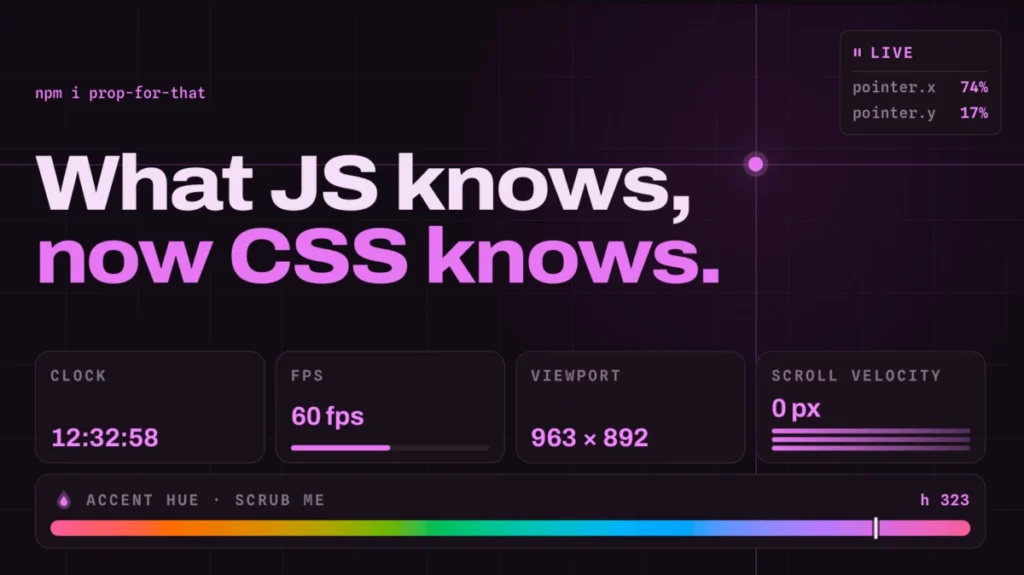
In the ever-evolving landscape of web development, the boundary between static styling and dynamic interactivity has historically been defined by the presence—or absence—of JavaScript. For years, CSS has been the language of aesthetics, while JavaScript has been the language of behavior. However, a new project by developer and designer Adam Argyle, known as Prop For That, is aggressively blurring these lines, offering developers a seamless way to inject live, real-time data directly into their stylesheets without the boilerplate overhead typically associated with tracking browser events.
The Evolution of CSS: From Static to Reactive
For those familiar with the modern CSS ecosystem, Adam Argyle is a recognizable name. As a prominent advocate for the power of CSS variables (Custom Properties), his previous project, Open Props, provided developers with a robust library of preconfigured design tokens—spanning color palettes, shadow depths, typography scales, and sizing units. It was a tool designed to standardize design systems.
Prop For That, however, represents a paradigm shift. While Open Props focused on the "what" of design (the visual tokens), Prop For That focuses on the "how" of interaction (the live state). It addresses a long-standing frustration among frontend engineers: the need to write custom, often repetitive, JavaScript event listeners just to feed trivial data—like mouse coordinates, scroll progress, or input states—into CSS variables for styling purposes.
Chronology: The Journey to Declarative Interactivity
The path to Prop For That follows a multi-year trajectory of "CSS-in-JS" fatigue.
Phase 1: The Manual Era
Historically, if a developer wanted to tie a CSS property to a user’s cursor position, they were forced to write an event listener in JavaScript. This process involved:
- Selecting the DOM element.
- Attaching a
mousemovelistener. - Calculating coordinates within the viewport.
- Manually updating a style property on the element using
element.style.setProperty('--variable-name', value).
This approach was functional but brittle, requiring significant maintenance and creating a "spaghetti" effect where logic and presentation were tightly coupled in the script layer.
Phase 2: The Custom Property Revolution
As browser support for CSS Custom Properties matured, the community began to experiment with "CSS variables as state containers." In 2019, industry leaders like Chris Coyier documented how to register custom properties in JavaScript to track mouse movement. While this was a major improvement, it still required developers to write and manage the underlying JavaScript logic, which served as a bridge between the browser’s raw events and the CSS engine.
Phase 3: The Declarative Future
Prop For That acts as the abstraction layer for this bridge. By utilizing data attributes, the library handles the "scripty stuff" in the background. It monitors browser events and automatically updates CSS variables on the fly. This effectively allows developers to treat browser state—such as scroll position or time—as native CSS values.
Technical Deep Dive: How It Works
The magic of Prop For That lies in its simplicity. Instead of forcing developers to write custom listeners, the library utilizes a "declare-and-style" pattern.
The Implementation Process
- Import: The developer includes the library in their project.
- Declare: By adding a specific
data-props-forattribute to an HTML element, the library identifies that the element needs to be "observed." - Style: The CSS engine consumes the variables created by the library.
For instance, tracking the pointer requires only the following HTML:
<div class="mover" data-props-for="pointer"></div>The corresponding CSS is then remarkably clean:
.mover
  left: calc(var(--live-pointer-x, 0) * 1px);
  top: calc(var(--live-pointer-y, 0) * 1px);
Supported Data Points
The library is not limited to pointer tracking. It covers a suite of data that CSS cannot normally "see" on its own:
- Cursor Position: Precise X and Y coordinates.
- Scroll Velocity: Useful for motion-based effects that react to how fast a user is scrolling.
- Progress Values: Ideal for loading indicators or reading progress bars.
- Form States: Real-time feedback for input validation and interaction.
- Current Time: Enabling time-of-day themes or rhythmic animations.
Official Perspective and Design Philosophy
Adam Argyle’s philosophy, as evidenced by his documentation and demos, is rooted in the "Web Platform First" approach. The project is designed to be lightweight, avoiding the heavy footprint of major framework-specific libraries. By using standard DOM APIs and CSS Custom Properties, Prop For That remains agnostic—it works with React, Vue, Svelte, or plain old HTML and CSS.
In his documentation, Argyle emphasizes that the goal is to make the browser’s internal data more accessible to the stylesheet. He argues that CSS should not be a "static" language; it should be a reactive one. If the browser knows the scroll position, the CSS should be able to leverage that information natively. Until the browser specification catches up, Prop For That serves as the essential polyfill for this vision.
Implications for the Industry
The introduction of this tool has significant implications for how we build interactive user interfaces.
1. Performance and Maintainability
By offloading the event-handling logic to a specialized, optimized library, developers can reduce the surface area for bugs. The declarative nature of the code means that if a designer wants to change the behavior, they can do so in the stylesheet rather than hunting through multiple JavaScript files.
2. Democratizing Complex Animations
High-end interaction design, such as scroll-linked animations or mouse-tracking parallax effects, has historically been the domain of senior developers comfortable with complex JS math. Prop For That lowers the barrier to entry, allowing junior and mid-level developers to implement professional-grade interactions with minimal code.
3. A Shift in CSS Architecture
We are likely to see a shift toward "State-Driven CSS." As libraries like Prop For That gain traction, CSS files will increasingly become the primary location for logic that governs the "feel" of a website. This aligns with the broader industry trend of moving logic out of heavy JS bundles and back into the native browser capabilities.
Future Outlook: What’s Next?
While Prop For That is currently a powerful experimental tool, its success points toward a future where CSS may eventually support these features natively. The W3C CSS Working Group is already exploring properties like scroll-timeline and view-timeline, which serve similar purposes to the scroll-tracking features in Argyle’s library.
However, until these features are universally supported across all browsers and versions, Prop For That provides an immediate, robust solution. For developers looking to push the boundaries of what is possible in the browser, the demos provided on the official project site serve as a masterclass in modern UI development.
Conclusion
The evolution of web development is marked by the constant pursuit of less code, higher performance, and better design. Prop For That succeeds by recognizing that the most efficient way to style a dynamic application is to empower the stylesheet to speak the same language as the browser engine. By turning JavaScript-reliant browser data into CSS variables, Adam Argyle has provided the community with a potent, elegant, and highly efficient toolkit. Whether you are building a simple landing page or a complex interactive dashboard, the ability to tap into live browser states through simple CSS variables is a game-changer that will undoubtedly shape the next generation of web design.








