AWS Unveils Elastic Beanstalk Cluster Mode: A New Era for Managed Container Orchestration
Fifteen years after its initial debut in 2011, AWS Elastic Beanstalk remains a cornerstone for developers seeking to deploy and manage full-stack applications without getting bogged down in infrastructure minutiae. Originally designed to abstract away the underlying provisioning operations for stacks running Java, .NET, Python, Node.js, PHP, Ruby, and Go, Elastic Beanstalk has earned deep industry trust.
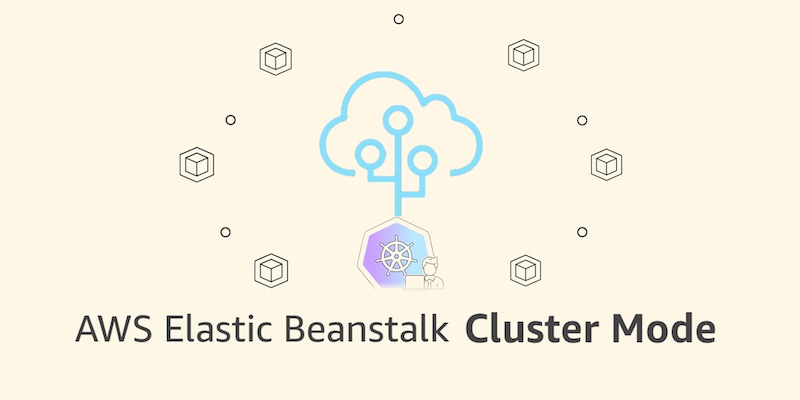
Now, Amazon Web Services is taking that foundational trust to the next level. In a major architectural leap, AWS has announced the general availability of AWS Elastic Beanstalk Cluster Mode. This new fully managed capability integrates the simplicity of Beanstalk with the raw power of Amazon Elastic Kubernetes Service (Amazon EKS). Designed specifically for development teams managing vast application portfolios, Cluster Mode allows organizations to run multiple applications sharing a unified, highly optimized infrastructure baseline—all while AWS handles the heavy lifting of continuous deployment, scaling, patching, monitoring, and upgrades.
Main Facts: What Is Elastic Beanstalk Cluster Mode?
At its core, Elastic Beanstalk Cluster Mode reimagines how developers handle multi-service architectures and microservices. Instead of operating each application in total isolation—the traditional pattern where every workload demands its own dedicated compute instances—Cluster Mode aggregates workloads onto a shared infrastructure powered by Amazon EKS.
Key attributes of the new offering include:
- Unified Management: Teams can scale from ten applications to a hundred, managing them through a single, cohesive experience with uniform operational guarantees across every stack.
- Cost Efficiency: Because multiple applications share resources, the per-application cost decreases naturally as a portfolio grows, eliminating the operational tax previously associated with microservices sprawl.
- Flexible Ingestion: Developers can bring applications however they exist today—whether raw source code, custom Dockerfiles, or pre-built container images registered in Amazon Elastic Container Registry (Amazon ECR).
- Zero Additional Beanstalk Charge: AWS is levying no extra fee for the Cluster Mode orchestration layer. Customers pay solely for the underlying infrastructure resources consumed, such as the EKS control plane fee, EKS Auto Mode compute, Amazon ECR storage, and Amazon CloudWatch monitoring logs.
Chronology: The Evolution of AWS Elastic Beanstalk
To understand the magnitude of today’s announcement, it is vital to trace the historical progression of AWS Elastic Beanstalk and the modern operational engine updates leading up to this milestone.
2011: The Inception
AWS originally launched Elastic Beanstalk to solve a persistent developer dilemma: how to quickly push code to the cloud without manually configuring Elastic Load Balancing, Auto Scaling groups, and Amazon EC2 instances. It quickly became the go-to platform-as-a-service (PaaS) for startups and enterprises alike.
Early 2026: Modernizing the Operational Engine
Over the past year, AWS heavily rebuilt the infrastructure foundation underneath Beanstalk, rolling out a suite of powerful, modernized features:
- AI-Powered Environment Analysis: Introduced in April 2026, this capability automatically diagnoses complex health issues and recommends precise fixes.
- Official GitHub Actions: Released in February 2026, allowing engineering teams to deploy straight from their existing CI/CD pipelines via a simple YAML configuration.
- Advanced Observability and Security: The platform was upgraded to natively feature OpenTelemetry-based observability, traffic-splitting deployments with automatic rollback functionality, event-driven autoscaling, seamless secrets management via AWS Secrets Manager, and HTTPS enabled by default through AWS Certificate Manager.
September 2026: The Arrival of Cluster Mode
Culminating these modernization efforts, AWS introduced Cluster Mode. Moving beyond single-instance EC2 environments, the service now lets enterprises natively provision and manage Kubernetes-backed microservices architectures using the familiar Beanstalk abstraction layer.

Supporting Data & Technical Implementation
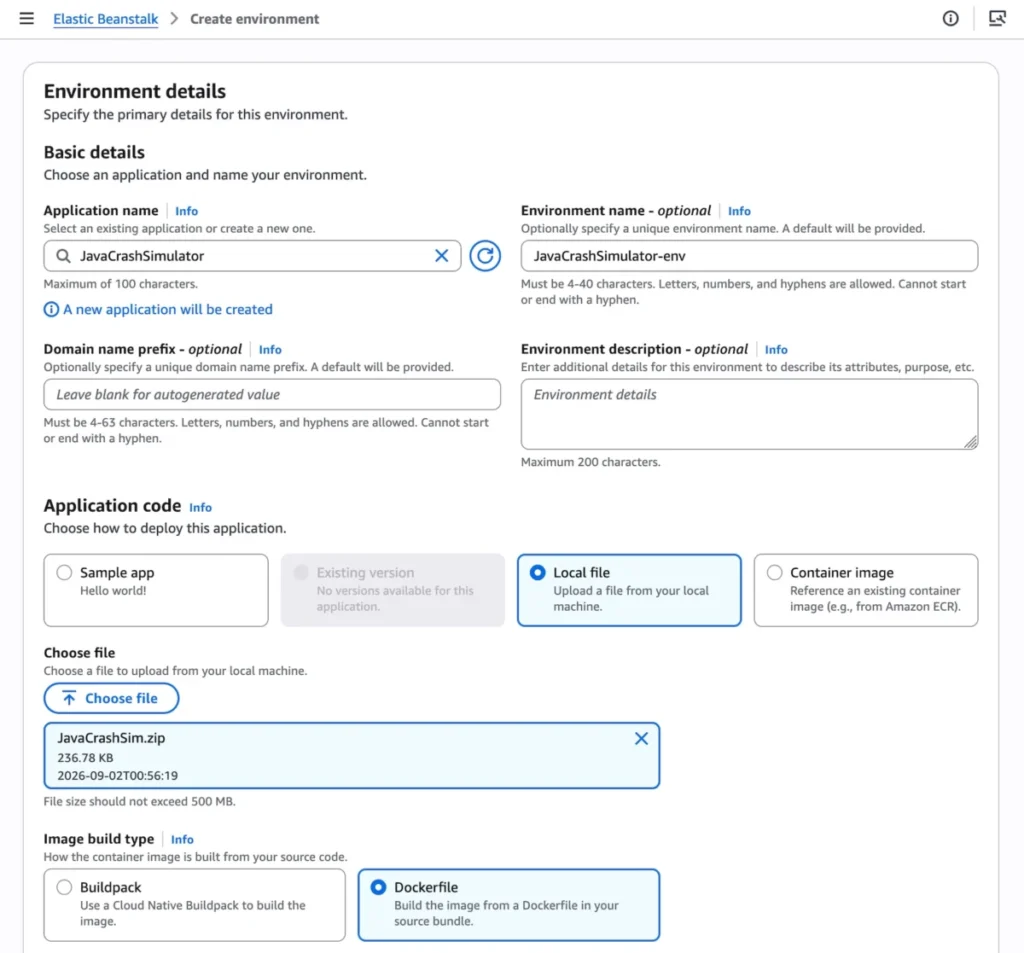
Getting started with Cluster Mode is streamlined across the AWS Management Console, the AWS CLI, the EB CLI, and standard AWS SDKs.
Console Setup
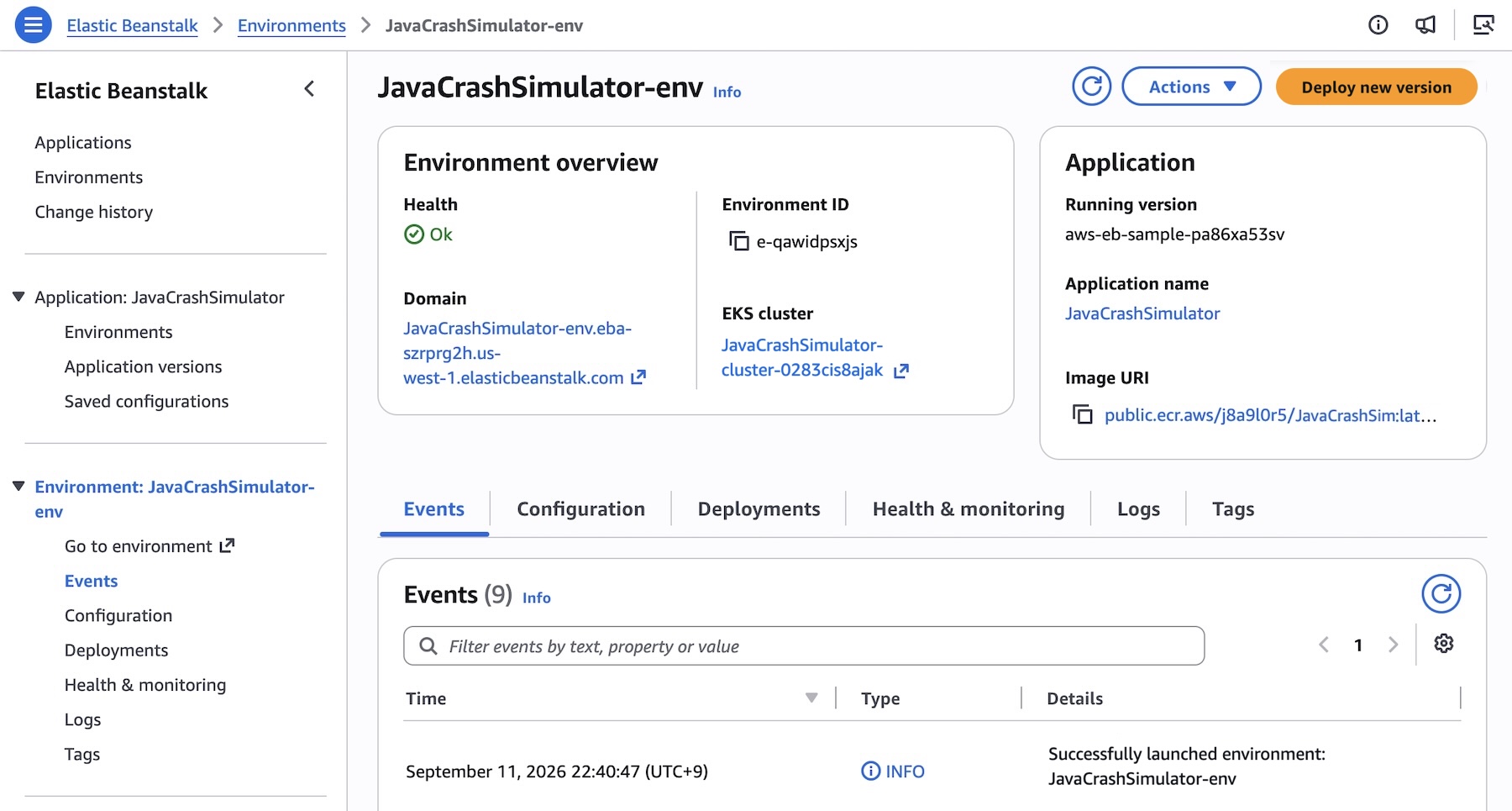
- Navigate to the Elastic Beanstalk console.
- Create a new environment and select Cluster under the Deployment type section.
- Choose your application packaging method (e.g., Local file or a direct pointer to container image build options).
- Click Create. The initial deployment provisions the underlying EKS cluster (which takes approximately ten minutes), while subsequent deployments execute much faster by reusing the existing cluster architecture.
CLI and API Implementation
For teams leveraging infrastructure-as-code or automation scripts, deploying a multi-service microservices application is straightforward.
First, create the application shell:
aws elasticbeanstalk create-application
    --application-name "my-microservice"
    --description "Multi-services demo"
Next, register your container images from Amazon ECR as application versions:

IMAGES=(
    "frontend-v1|public.ecr.aws/my-microservices/frontend:v1"
    "cartservice-v1|public.ecr.aws/my-microservices/cart:v1"
    "paymentservice-v1|public.ecr.aws/my-microservices/payment:v1"
    "shippingservice-v1|public.ecr.aws/my-microservices/shipping:v1"
)

for entry in "$IMAGES[@]"; do
    IFS='|' read -r label uri <<< "$entry"
    aws elasticbeanstalk create-application-version
        --application-name $APP_NAME
        --version-label "$label"
        --image-configuration Source="Uri=$uri"
        --region "us-west-2"
    echo "Registered: $label"
done
Configure service-specific parameters using JSON option files (such as defining public internet interfaces, Application Load Balancers, and custom health check endpoints for frontend services), and deploy the environment:
aws elasticbeanstalk create-environment
    --application-name my-microservice
    --environment-name frontend
    --version-label frontend-v1
    --tier Name=Cluster,Type=EKS
    --option-settings file:///tmp/frontend-options.json
Coexistence: Standard Mode and Cluster Mode
AWS has confirmed that Elastic Beanstalk Standard Mode—powered by Amazon Elastic Compute Cloud (EC2)—remains fully supported.
Crucially, Standard and Cluster Mode environments can run side-by-side within the exact same Elastic Beanstalk application. This architecture empowers engineering teams to migrate workloads one environment at a time at their own operational pace. Automated validation checks confirm stack compatibility before making any changes, ensuring that no team is subjected to forced, disruptive migrations.
While Cluster Mode shines for multi-tenant microservices and portfolio management, Standard Mode remains an ideal fit for specialized legacy workloads and isolated single-instance configurations.

Official Responses and Implications
In his official announcement, prominent AWS developer advocate Channy emphasized the enduring promise of the platform:
"Bring your application. AWS runs it."
Industry Implications
- Lowering the Barrier to Kubernetes: Many organizations have long wanted to harness the scalability and resilience of Amazon EKS but hesitated due to the steep learning curve of raw Kubernetes manifests, Helm charts, and cluster upkeep. Cluster Mode bridges this gap by wrapping EKS inside Beanstalk’s intuitive, time-tested workflows.
- Streamlined FinOps: By allowing multiple smaller applications to share a unified EKS compute pool, organizations can significantly optimize their cloud spend, avoiding the idle resource overhead traditionally tied to managing isolated server environments.
- AI-Driven Operations: Coupled with Beanstalk’s recent AI-powered environment analysis and automated GitHub Actions, Cluster Mode represents a shift toward truly autonomous cloud operations, freeing developers to write business logic rather than debugging infrastructure scripts.
Availability and Getting Started
AWS Elastic Beanstalk Cluster Mode is generally available today across all AWS Regions where Elastic Beanstalk is supported.
Because Cluster Mode is built on cutting-edge container architectures, it is not eligible for the AWS Free Tier. Developers looking to deep-dive into API specifications, regional availability metrics, or troubleshooting guides can utilize the AWS MCP Server and associated plugins directly within their preferred AI-assisted development tools.
To take the new feature for a spin, log into the Elastic Beanstalk console, explore the Cluster Mode documentation, and share your feedback via AWS re:Post or standard AWS Support channels.