
Mastering Motion: A Comprehensive Guide to the CSS offset-path Property
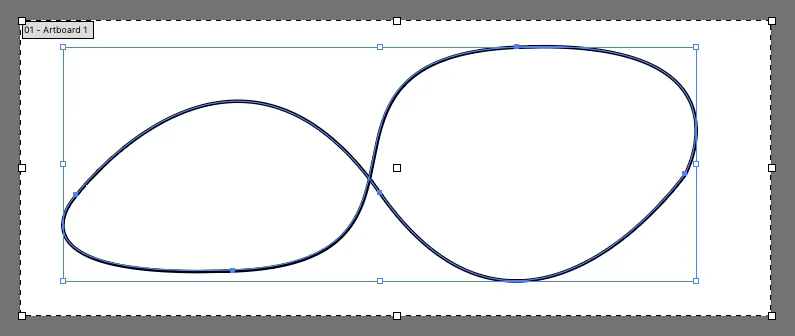
In the evolving landscape of web design, the ability to create sophisticated, fluid animations directly within CSS has shifted from a "nice-to-have" feature to a fundamental expectation. Among the most powerful tools in a developer’s arsenal is the offset-path property. This CSS feature allows designers to define a specific geometric path along which an element can travel, moving beyond simple linear transitions to create complex, organic motion.
Main Facts: Defining the Motion Path
At its core, offset-path allows an element to follow a non-linear path defined by SVG coordinate syntax. Unlike standard CSS transitions that move elements from point A to point B, offset-path provides the "track," while the offset-distance property acts as the "engine," controlling the element’s progress along that track.
The property is not an animation in itself; rather, it is a declarative definition of a geometry. When combined with @keyframes, it allows developers to choreograph the movement of UI elements with mathematical precision. The most common way to implement this is using the path() function, which accepts the same string of commands found in the d attribute of an SVG <path> element.
For example, to move an object in a circular trajectory:
.moving-element
  offset-path: path("M 5 5 m -4, 0 a 4,4 0 1,0 8,0 a 4,4 0 1,0 -8,0");
  animation: travel 3s linear infinite;


@keyframes travel
  100%
    offset-distance: 100%;
Chronology: From motion-path to offset-path
The history of this property is a case study in the standardization of web specifications. Initially, the property was introduced as motion-path. During the early drafting phases of the W3C’s FX Task Force, it became clear that "motion" was too broad a term for a property specifically concerned with defining coordinate paths for layout offsets.
As the specification matured, the working group opted to rename the entire suite of properties—motion-path, motion-offset, and motion-rotation—to offset-path, offset-distance, and offset-rotate respectively.
- 2015–2016: Browsers like Chrome began implementing the initial
motion-*syntax. - Late 2016: The transition to the
offset-*naming convention began, reflecting the updated W3C spec. - Modern Day: The
offset-*prefix is now the standard across all major browser engines, though legacy support formotion-*persists in some older codebases. Developers are strongly encouraged to use the modern syntax while maintaining a fallback if supporting older environments is a business requirement.
Supporting Data: How Coordinate Systems Influence Motion
A common point of confusion for developers is how coordinates behave when applied to different elements. The offset-path property relies on a unitless coordinate system. When applying this to an element within an SVG, the coordinate values are relative to the SVG’s internal viewBox. This means the motion is perfectly responsive to the SVG’s scale.
However, when applied to standard HTML elements (like a div or an img), the coordinate system defaults to pixels relative to the element’s layout box. This distinction is critical: if your design requires a path that scales with the screen size, embedding the path within an SVG structure is often the more robust approach.
Furthermore, the offset-rotate property provides essential control over the orientation of the moving object. By default, it is set to auto, which automatically rotates the element to "face" the direction of the path. Developers can override this with offset-rotate: reverse or specific degree values, such as offset-rotate: 90deg, to achieve specific stylistic effects, such as a needle on a gauge or a planet orbiting a sun.
Official Responses and Standardization Efforts
The CSS Working Group has maintained a steady commitment to refining the Motion Path specification to ensure it works in harmony with the broader Web Animations API (WAAPI).
One of the primary challenges identified by the committee has been the limitations of the path() function. While currently limited to path() and none, the original vision included support for url() references to existing SVG elements, as well as geometric shapes like circle() or polygon(). However, implementation tests—notably those conducted by developers like Chris Coyier—have shown that referencing paths via url() remains inconsistent across browser engines. As a result, the industry standard remains the explicit inclusion of the path() string within the CSS itself.
Implications for Modern Web UI
The implications of offset-path are profound for UX design. Prior to its adoption, designers relied on SMIL (Synchronized Multimedia Integration Language) or heavy JavaScript libraries like GSAP to achieve path-based animation. While GSAP remains a formidable tool for complex, multi-object choreography, offset-path provides a native, performant, and lightweight alternative for the vast majority of web animations.
Performance Benefits
Because offset-path is handled by the browser’s rendering engine, it is significantly more performant than animating elements via JavaScript-calculated top or left values. By offloading the math of the path to the GPU, animations remain buttery smooth even on low-powered mobile devices.
Accessibility Considerations
While motion adds delight, it can be problematic for users with vestibular disorders. Developers should always wrap path-based animations in a prefers-reduced-motion media query to ensure an inclusive experience:
@media (prefers-reduced-motion: reduce)
  .moving-element
    animation: none;
Alternatives: SMIL and GreenSock (GSAP)
While offset-path is the modern standard, it is important to acknowledge the alternatives that preceded it and the professional-grade tools that exist alongside it.
- SMIL (SVG Animation): The
animateMotionelement in SMIL was the original way to move objects along a path. While powerful, it has faced declining support and is generally considered a legacy technology in favor of CSS and Web Animations. - GSAP (GreenSock Animation Platform): GSAP remains the industry gold standard for complex, high-stakes animation. GSAP’s
MotionPathPluginoffers features that exceed the current CSS spec, such as ease-of-use with complex SVG data, cross-browser consistency, and advanced timing controls. For enterprise-level applications where timing and path accuracy are critical, GSAP is often the preferred choice.
The Future of Motion in CSS
The future of offset-path lies in broader support for shapes. As the clip-path property continues to expand its support for functions like shape(), xywh(), and polygon(), the CSS working group is evaluating how these same functions can be integrated into offset-path.
The trajectory is clear: the web is moving toward a future where "motion" is no longer an overlay but a foundational aspect of the CSS layout engine. By mastering the offset-path property, developers gain the ability to create immersive, interactive experiences that feel native to the browser, performant for the user, and maintainable for the team.
Whether you are building a simple loading spinner that follows an arc or a complex, character-driven narrative on a landing page, offset-path is the essential bridge between static layout and dynamic design. As the spec continues to mature, we can expect even greater integration with CSS variables, allowing for dynamic, data-driven animations that respond to user input in real-time.
In summary, while the journey from motion-path to offset-path reflects the iterative nature of web standards, the destination is a more capable, performant, and creative web for everyone.








