AWS Redefines Application Management: Fifteen Years Later, Elastic Beanstalk Enters the Kubernetes Era with ‘Cluster Mode’
SEATTLE — Fifteen years after its initial debut in 2011, Amazon Web Services (AWS) has fundamentally transformed one of its most enduring developer platforms. AWS Elastic Beanstalk, the pioneering service that liberated generations of developers from the heavy lifting of infrastructure provisioning, has been comprehensively rebuilt. Today, AWS announced the next chapter in the platform’s evolution: a fully managed Cluster Mode powered by Amazon Elastic Kubernetes Service (Amazon EKS).
This release bridges the gap between the radical simplicity of Platform-as-a-Service (PaaS) and the industrial-grade scalability of container orchestration. By allowing multiple applications to share an intelligent, unified infrastructure baseline, AWS aims to drastically lower per-application costs while freeing engineering teams to focus exclusively on business logic.
Main Facts: What is Elastic Beanstalk Cluster Mode?
At its core, AWS Elastic Beanstalk is an application management service that takes full operational responsibility for production environments throughout their lifecycle. Developers can bring applications in whatever state they exist today—whether raw source code, Dockerfiles, or fully baked container images. Elastic Beanstalk handles the heavy lifting: deployment, auto-scaling, OS patching, continuous monitoring, and maintenance.
With the introduction of Cluster Mode, AWS is expanding this operational guarantee to multi-application portfolios running on Kubernetes.
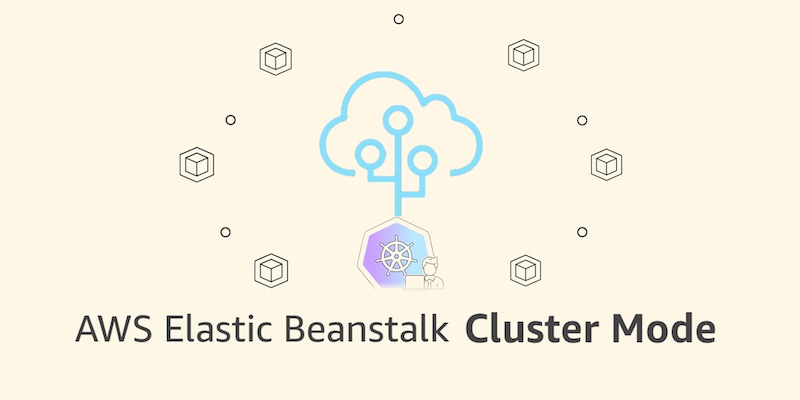
- Shared Infrastructure, Zero Complexity: Traditionally, running isolated applications required isolated infrastructure or intricate Kubernetes configurations. Cluster Mode allows engineering teams to deploy a portfolio of dozens—or even hundreds—of applications that share a single underlying EKS-powered cluster.
- Streamlined Multi-Service Deployments: Teams can effortlessly deploy complex microservice architectures, mapping dependencies, setting CPU and memory thresholds, and configuring Application Load Balancers (ALBs) through straightforward option settings or standard AWS command-line tools.
- Side-by-Side Coexistence: Elastic Beanstalk Standard Mode (powered by Amazon EC2) remains fully supported. Standard and Cluster Mode environments can run concurrently within the same Elastic Beanstalk application, enabling gradual, risk-free migrations at a team’s own pace.
- Pricing Model: There is no additional service fee for Elastic Beanstalk Cluster Mode. Customers pay strictly for the underlying AWS resources consumed, such as the EKS control plane fee, EKS Auto Mode compute, Amazon Elastic Container Registry (ECR) storage, and Amazon CloudWatch telemetry.
Chronology: Fifteen Years of Continuous Evolution
To understand the magnitude of today’s announcement, it is helpful to look back at how Elastic Beanstalk has evolved to meet the changing demands of software architecture over a decade and a half.
2011: The Birth of Simplistic Deployment
AWS launched Elastic Beanstalk to give developers a fast, frictionless way to deploy and scale web applications and services developed in Java, .NET, Python, Node.js, PHP, Ruby, and Go. By automating capacity provisioning, load balancing, auto-scaling, and application health monitoring, it became an instant favorite for startups and enterprises alike.
2026 (Early Year): Modernizing the Engine
Ahead of its milestone fifteenth anniversary, AWS quietly undertook a massive modernization of Elastic Beanstalk’s underlying operational engine.
- April 2026: AWS introduced AI-powered environment analysis, bringing automated diagnostic capabilities to quickly surface health anomalies and suggest remediation steps.
- February 2026: An official GitHub Action was released, enabling engineering squads to trigger deployments straight from their existing CI/CD pipelines using a single YAML configuration file.
- Foundation Overhaul: AWS also rebuilt the infrastructure foundation to natively support OpenTelemetry-based observability, traffic-splitting deployments complete with automatic rollbacks, event-driven autoscaling, native secrets management via AWS Secrets Manager, and HTTPS enabled by default through AWS Certificate Manager.
Today: The Launch of Cluster Mode
Marking the zenith of this multi-year engineering effort, AWS has officially rolled out Cluster Mode in all regions where Elastic Beanstalk is available. The feature promises to scale cloud operations efficiently for modern cloud-native enterprises.

Supporting Data: Under the Hood and Getting Started
For engineering teams ready to adopt Cluster Mode, AWS has integrated the new feature directly into the familiar Elastic Beanstalk console, CLI tools, and SDKs.
Initiating a Cluster Deployment
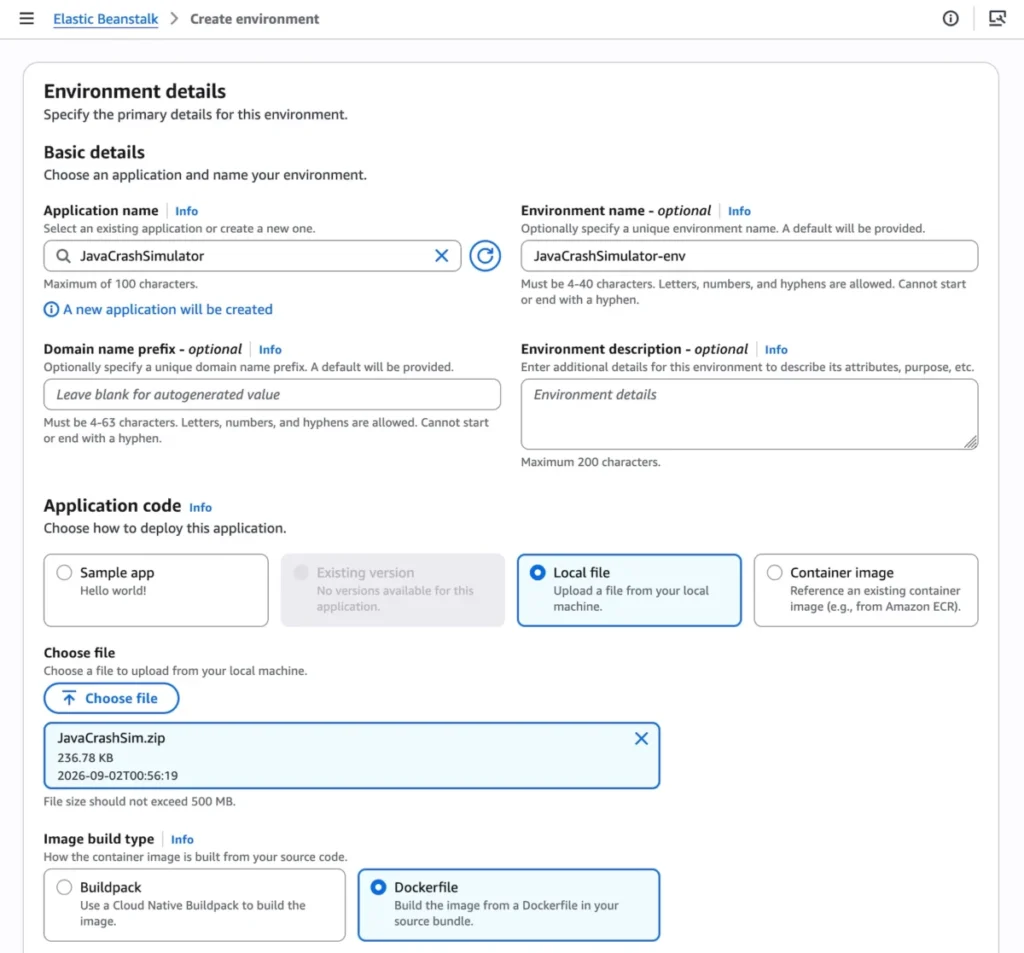
To spin up a new Cluster Mode environment via the console:
- Navigate to the Elastic Beanstalk Console.
- Create a new environment and select Cluster under the Deployment type menu.
- Provide your application artifacts—such as a local source file, a Dockerfile, or a pre-built container image.
- Click Create.
(Note: The very first deployment across a given set of subnets triggers the background creation of an underlying EKS cluster, taking roughly ten minutes. Subsequent deployments execute significantly faster by leveraging the existing cluster baseline.)
Programmatic Deployment via AWS CLI
Organizations leveraging automation can orchestrate multi-service microservices through the AWS CLI. For instance, developers can register application versions stored in Amazon ECR using structured shell scripts:

IMAGES=(
    "frontend-v1|public.ecr.aws/my-microservices/frontend:v1"
    "cartservice-v1|public.ecr.aws/my-microservices/cart:v1"
    "paymentservice-v1|public.ecr.aws/my-microservices/payment:v1"
    "shippingservice-v1|public.ecr.aws/my-microservices/shippings:v1"
)

for entry in "$IMAGES[@]"; do
    IFS='|' read -r label uri <<< "$entry"
    aws elasticbeanstalk create-application-version
        --application-name "my-microservice"
        --version-label "$label"
        --image-configuration Source="Uri=$uri"
        --region "us-west-2"
    echo "Registered: $label"
done
Configurations such as routing rules, health checks, and resource boundaries are managed via JSON option files. For example, a frontend microservice requiring an internet-facing Application Load Balancer and health-check routing is defined cleanly:
[
    "Namespace": "aws:elasticbeanstalk:eks", "OptionName": "cluster-role", "Value": "arn:aws:iam::0123456789012:role/EKSClusterRole",
    "Namespace": "aws:elasticbeanstalk:eks", "OptionName": "node-role", "Value": "arn:aws:iam::0123456789012:role/EKSNodeRole",
    "Namespace": "aws:elasticbeanstalk:eks:environment", "OptionName": "observability-role", "Value": "arn:aws:iam::0123456789012:role/ObservabilityRole",
    "Namespace": "aws:elasticbeanstalk:eks:environment", "OptionName": "subnets", "Value": "subnet-1,subnet-2,subnet-3",
    "Namespace": "aws:elasticbeanstalk:eks:environment:autoscaling", "OptionName": "min-replica", "Value": "1",
    "Namespace": "aws:elasticbeanstalk:eks:environment:autoscaling", "OptionName": "max-replica", "Value": "2",
    "Namespace": "aws:elasticbeanstalk:eks:environment", "OptionName": "cpu", "Value": "0.5",
    "Namespace": "aws:elasticbeanstalk:eks:environment", "OptionName": "memory", "Value": "256Mi",
    "Namespace": "aws:elasticbeanstalk:eks:environment", "OptionName": "memory-limit", "Value": "512Mi",
    "Namespace": "aws:elasticbeanstalk:eks:environment", "OptionName": "service-port", "Value": "8080",
    "Namespace": "aws:elasticbeanstalk:eks:alb", "OptionName": "scheme", "Value": "internet-facing",
    "Namespace": "aws:elasticbeanstalk:eks:alb", "OptionName": "healthcheck-path", "Value": "/_healthz"
]
Executing the deployment is then a simple command-line operation:
aws elasticbeanstalk create-environment
    --application-name my-microservice
    --environment-name frontend
    --version-label frontend-v1
    --tier Name=Cluster,Type=EKS
    --option-settings file:///tmp/frontend-options.json
Official Responses and Strategic Vision
Speaking on the release, prominent AWS builders and advocates emphasized that this move directly addresses the cognitive load modern engineering organizations face.
Rather than forcing developers to become Kubernetes experts—managing YAML files, Ingress controllers, and persistent volume claims—Cluster Mode encapsulates these complexities inside Elastic Beanstalk’s declarative framework. AWS guarantees full operational lifecycle management, freeing development squads to direct 100% of their velocity toward writing differentiating product features.

Furthermore, AWS has integrated cutting-edge modern tooling to support the rollout. Developers can query APIs, search implementation documentation, and troubleshoot regional setups by coupling the feature with the AWS MCP Server and associated plugins within their preferred AI-assisted development environments.
Implications: What Cluster Mode Means for the Industry
The arrival of Cluster Mode signals a vital maturation point for managed hosting abstractions. For years, developers faced a false dichotomy: use rigid PaaS solutions that abstract away infrastructure entirely (sometimes limiting custom containerization architectures), or dive headfirst into the operational deep end of raw Kubernetes.
By combining the battle-tested simplicity of Elastic Beanstalk with the raw power of Amazon EKS, AWS has effectively erased that boundary.
- Cost Optimization at Scale: As organizations scale from a handful of services to hundreds of independent microservices, hardware utilization often suffers under siloed architectures. Cluster Mode enables high-density multi-tenancy without the administrative tax, lowering overall infrastructure expenditures.
- Simplified Migration Pathways: Because Standard Mode and Cluster Mode run seamlessly side-by-side, legacy workloads running on EC2 can be migrated to Kubernetes-backed environments iteratively, reducing architectural risk.
- Enterprise-Grade Compliance Out-of-the-Box: Features like automated security patching, AWS Secrets Manager integration, HTTPS by default, and OpenTelemetry monitoring mean that security and reliability baselines are automatically enforced across an entire corporate application portfolio.
AWS Elastic Beanstalk Cluster Mode is generally available today across all regions supporting Elastic Beanstalk. Developers can begin experimenting immediately via the AWS Management Console, with technical guides and documentation live on the official AWS documentation portals.