AWS Elastic Beanstalk Enters a New Era: Fully Managed Cluster Mode Introduces Native Amazon EKS Integration
Fifteen years after its initial debut in 2011, Amazon Web Services (AWS) has announced a profound architectural evolution for one of its foundational application management services. AWS Elastic Beanstalk—long trusted by developers to handle infrastructure provisioning, deployment, and routine maintenance for languages ranging from Java and Python to Node.js and Go—has been reimagined for modern, container-driven application portfolios.
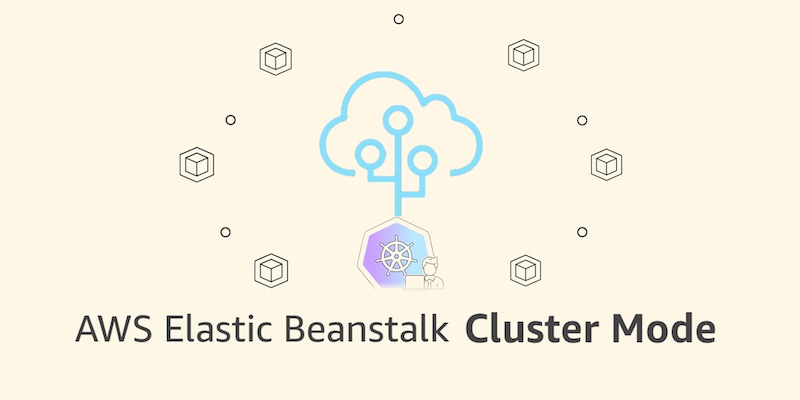
Today, AWS is officially rolling out a fully managed Cluster Mode for Elastic Beanstalk. This new paradigm allows engineering teams to deploy, scale, patch, monitor, and upgrade microservices and containerized applications continuously over their operational lifecycle, all backed by Amazon Elastic Kubernetes Service (Amazon EKS). By bridging the operational simplicity of Elastic Beanstalk with the raw power and scalability of Kubernetes, AWS is offering developers a unified operational baseline that significantly reduces per-application overhead as portfolios scale.
Main Facts: What is Elastic Beanstalk Cluster Mode?
At its core, Elastic Beanstalk Cluster Mode is designed to abstract away the underlying complexities of Kubernetes configuration while retaining its flexibility and resource efficiency.
- Shared Infrastructure, Isolated Workloads: Unlike traditional setups where each application or microservice runs in complete infrastructure isolation, Cluster Mode enables multiple applications to share a common underlying EKS-powered infrastructure baseline. As an organization’s portfolio grows from a handful of services to hundreds, per-application costs decrease without a linear increase in operational friction.
- Streamlined Deployment Artifacts: Teams can bring their workloads in virtually any format—whether raw source code, custom Dockerfiles, or pre-built container images stored in registries like Amazon Elastic Container Registry (Amazon ECR).
- Comprehensive Lifecycle Management: AWS retains full operational responsibility for the production environment. This includes automated patching, monitoring via OpenTelemetry, secrets management through AWS Secrets Manager, HTTPS enforcement by default via AWS Certificate Manager, and event-driven autoscaling.
- Coexistence with Standard Mode: Recognizing that legacy and single-tenant applications still have a place in modern architectures, AWS has ensured that Elastic Beanstalk Standard Mode (powered by Amazon EC2) remains fully supported. Standard and Cluster Mode environments can run side-by-side within the same Elastic Beanstalk application, allowing teams to migrate workloads incrementally at their own pace.
Chronology: The Evolution of Elastic Beanstalk
To understand the magnitude of today’s announcement, it is helpful to trace the historical arc of AWS Elastic Beanstalk and the engineering efforts that paved the way for Cluster Mode:
- 2011: AWS launches Elastic Beanstalk as a Platform-as-a-Service (PaaS) tool, giving developers an easy way to deploy full-stack applications in Java, .NET, PHP, Python, and Ruby without manually configuring underlying EC2 instances, load balancers, or auto-scaling groups.
- 2015–2020: Over the years, support for additional runtimes (like Node.js, Go, and Docker) is added, cementing Beanstalk as a go-to choice for startups and enterprises seeking hands-off infrastructure management. However, the rise of Kubernetes shifts industry trends toward container orchestration.
- Early 2026 (February): AWS introduces an official GitHub Action for Elastic Beanstalk, allowing engineering teams to automate deployments directly from their existing CI/CD pipelines via straightforward YAML configurations.
- Spring 2026 (April): AWS rolls out AI-powered environment analysis for Elastic Beanstalk. This capability leverages machine learning to automatically diagnose runtime health issues and recommend precise remediation steps.
- September 2026: AWS unveils the next major chapter of the service: the general availability of Cluster Mode. By deeply integrating Amazon EKS into the operational engine, AWS bridges the gap between traditional PaaS simplicity and modern cloud-native container management.
Supporting Data, Architecture, and Hands-On Deployment
Cluster Mode is architected to integrate seamlessly with both the AWS Management Console and infrastructure-as-code (IaC) workflows via the AWS CLI, EB CLI, and AWS SDKs.
Getting Started via the AWS Console
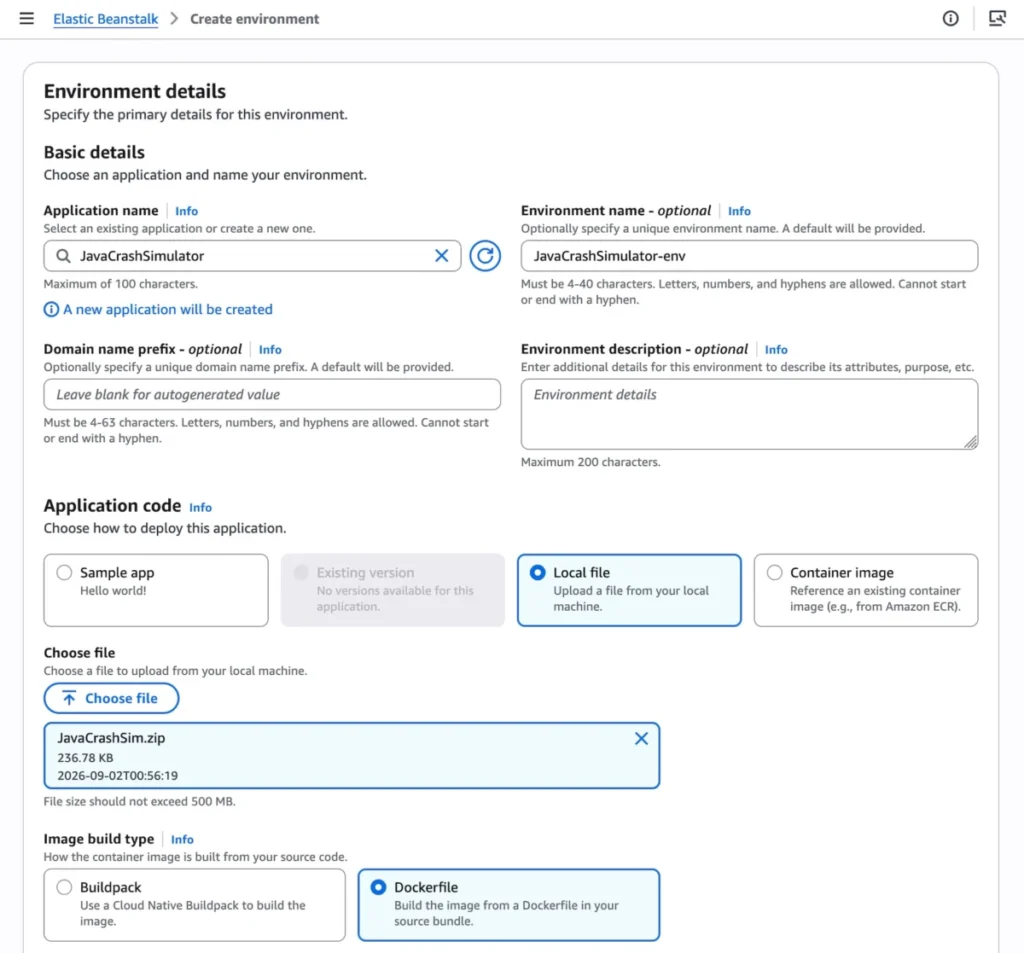
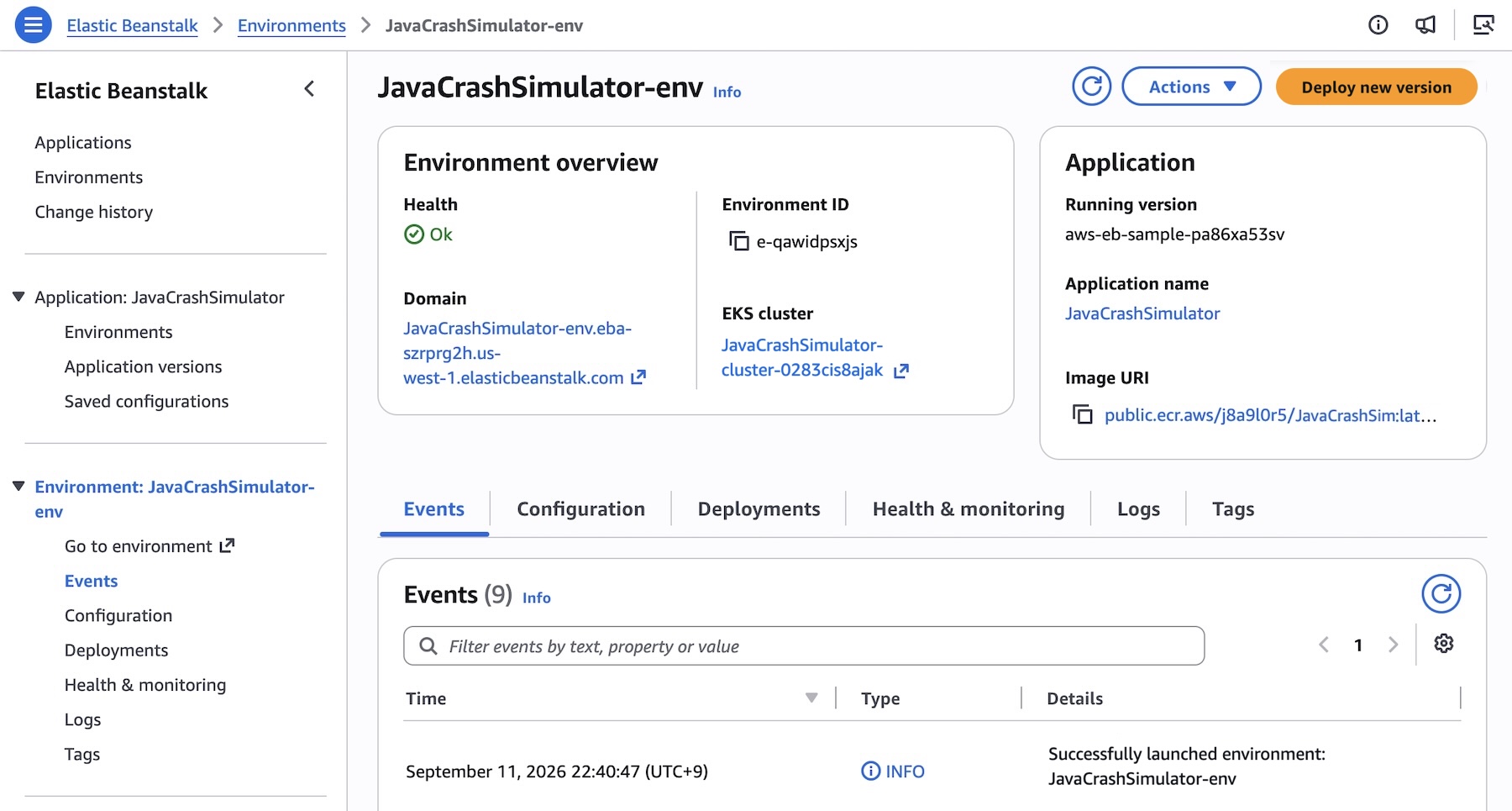
To spin up a Cluster Mode environment, administrators navigate to the Elastic Beanstalk console, create a new environment, and select Cluster under the Deployment type dropdown menu. Developers can then provide source code via a local file upload or configure container image build options.
When deploying a new set of subnets for the first time, AWS automatically provisions the underlying EKS cluster—a process that typically takes roughly ten minutes. Subsequent deployments execute significantly faster because they safely leverage the pre-existing EKS control plane.
Programmatic Deployment via AWS CLI and JSON Options
For teams managing complex microservice architectures, the process can be fully automated. For instance, a multi-service demo application can be registered and deployed using standard CLI scripts.

First, the application is initialized:
aws elasticbeanstalk create-application
    --application-name "my-microservice"
    --description "Multi-services demo ecosystem"
Next, pre-built container images stored in Amazon ECR are registered as application versions. Consider the following shell script iterating through a microservice portfolio:
IMAGES=(
    "frontend-v1|public.ecr.aws/my-microservices/frontend:v1"
    "cartservice-v1|public.ecr.aws/my-microservices/cart:v1"
    "paymentservice-v1|public.ecr.aws/my-microservices/payment:v1"
    "shippingservice-v1|public.ecr.aws/my-microservices/shippinng:v1"
)

for entry in "$IMAGES[@]"; do
    IFS='|' read -r label uri <<< "$entry"
    aws elasticbeanstalk create-application-version
        --application-name "my-microservice"
        --version-label "$label"
        --image-configuration Source="Uri=$uri"
        --region "us-west-2"
    echo "Successfully registered version: $label"
done
Configurations for individual microservices can be precisely tuned using JSON option files. For example, a frontend service requiring public internet access through an Application Load Balancer (ALB) and explicit health-check routing utilizes a configuration structure like this:
[
    "Namespace": "aws:elasticbeanstalk:eks", "OptionName": "cluster-role", "Value": "arn:aws:iam::0123456789012:role/EksClusterRole",
    "Namespace": "aws:elasticbeanstalk:eks", "OptionName": "node-role", "Value": "arn:aws:iam::0123456789012:role/EksNodeRole",
    "Namespace": "aws:elasticbeanstalk:eks:environment", "OptionName": "observability-role", "Value": "arn:aws:iam::0123456789012:role/ObservabilityRole",
    "Namespace": "aws:elasticbeanstalk:eks:environment", "OptionName": "subnets", "Value": "subnet-1,subnet-2,subnet-3",
    "Namespace": "aws:elasticbeanstalk:eks:environment:autoscaling", "OptionName": "min-replica", "Value": "1",
    "Namespace": "aws:elasticbeanstalk:eks:environment:autoscaling", "OptionName": "max-replica", "Value": "2",
    "Namespace": "aws:elasticbeanstalk:eks:environment", "OptionName": "cpu", "Value": "0.5",
    "Namespace": "aws:elasticbeanstalk:eks:environment", "OptionName": "memory", "Value": "256Mi",
    "Namespace": "aws:elasticbeanstalk:eks:environment", "OptionName": "memory-limit", "Value": "512Mi",
    "Namespace": "aws:elasticbeanstalk:eks:environment", "OptionName": "service-port", "Value": "8080",
    "Namespace": "aws:elasticbeanstalk:eks:alb", "OptionName": "scheme", "Value": "internet-facing",
    "Namespace": "aws:elasticbeanstalk:eks:alb", "OptionName": "healthcheck-path", "Value": "/_healthz"
]
Finally, the environment is provisioned via the AWS CLI:

aws elasticbeanstalk create-environment
    --application-name my-microservice
    --environment-name frontend
    --version-label frontend-v1
    --tier Name=Cluster,Type=EKS
    --option-settings file:///tmp/frontend-options.json
Official Responses and Strategic Vision
The release of Elastic Beanstalk Cluster Mode reflects AWS’s ongoing commitment to balancing cutting-edge cloud-native architectures with developer-friendly abstraction layers.
Writing for the official AWS architecture blog, principal technical advocate Channy Yun emphasized the service’s evolving role in modern enterprise operations:
"Since the first launch of AWS Elastic Beanstalk in 2011, customers have deployed full-stack applications… trusting Elastic Beanstalk to manage deployment and infrastructure operations so they could focus on business logic. Fifteen years later, that trust has only deepened, and the service has been rebuilt to match it. You bring your application. AWS runs it."
AWS leadership notes that while Kubernetes offers unmatched power and extensibility, the cognitive load of managing raw manifests, ingress controllers, and cluster upgrades often distracts development teams from delivering core business value. Cluster Mode bridges this gap by acting as an intelligent orchestration wrapper over Amazon EKS.

Implications for Developers and Enterprise Architecture
The arrival of Cluster Mode carries significant implications for software engineering organizations, cloud architects, and financial controllers:
1. Minimized Operational Overhead for Microservices
Managing dozens or hundreds of independent microservices historically required complex configuration management tools or dedicated platform engineering teams. By pooling multiple applications onto a shared EKS-backed baseline managed entirely by Elastic Beanstalk, enterprises can maintain strict compliance, security patching, and monitoring standards without hiring specialized Kubernetes administrators for every product team.
2. Transparent and Flexible Migration Paths
Because Standard (EC2-based) and Cluster (EKS-based) modes operate side-by-side within the same logical Elastic Beanstalk application framework, migration is no longer an all-or-nothing proposition. Built-in validation checks assess compatibility before executing changes, ensuring zero disruption to live production environments.
3. Economic Efficiency and Pricing Structure
AWS has structured Cluster Mode to be cost-effective. There is no additional management charge levied directly by Elastic Beanstalk for using Cluster Mode. Organizations pay exclusively for the underlying AWS resources consumed by their workloads—including the EKS control plane fee, EKS Auto Mode compute resources, Amazon ECR storage, and Amazon CloudWatch telemetry. (Note: Elastic Beanstalk Cluster Mode is not eligible for the AWS Free Tier).
4. Advanced AI and Agentic Tooling Integration
To help developers navigate the new feature set, AWS has made documentation, APIs, and regional availability data accessible via the AWS MCP Server and associated plugins, allowing engineers to interact with Cluster Mode using their preferred AI-assisted development tools.
Availability and Next Steps
AWS Elastic Beanstalk Cluster Mode is generally available starting today across all AWS Regions where Elastic Beanstalk is currently supported. Developers can begin experimenting with the new deployment tier immediately through the AWS Elastic Beanstalk Console.
For deeper technical documentation, configuration deep-dives, and best practices regarding multi-tenant cluster management, engineering teams are encouraged to consult the official Elastic Beanstalk Cluster Mode Documentation. Feedback and community discussions can be directed to the AWS re:Post Elastic Beanstalk Forum.