AWS Unveils Elastic Beanstalk Cluster Mode: A Paradigm Shift in Managed Application Deployment
Fifteen years after its initial debut in 2011, Amazon Web Services (AWS) has announced a monumental evolution of its foundational application management platform. AWS Elastic Beanstalk, long celebrated by developers for abstracting away the heavy lifting of infrastructure provisioning and deployment operations, has entered its next chapter.
In a major announcement, AWS has revealed Elastic Beanstalk Cluster Mode—a fully managed orchestration paradigm built upon Amazon Elastic Kubernetes Service (Amazon EKS). Designed specifically for development teams managing vast portfolios of microservices, Cluster Mode promises to unify resource utilization, drive down infrastructure costs, and eliminate operational overhead.
The launch arrives alongside a wave of modernizations that have transformed Elastic Beanstalk into a state-of-the-art deployment engine, complete with AI-powered diagnostic tools, native GitHub Actions integration, OpenTelemetry observability, and HTTPS-by-default configurations. Generally available today across all regions where Elastic Beanstalk operates, this release marks a crucial intersection between traditional platform-as-a-service (PaaS) simplicity and the robust scalability of native cloud-native containers.
Main Facts: What Is Elastic Beanstalk Cluster Mode?
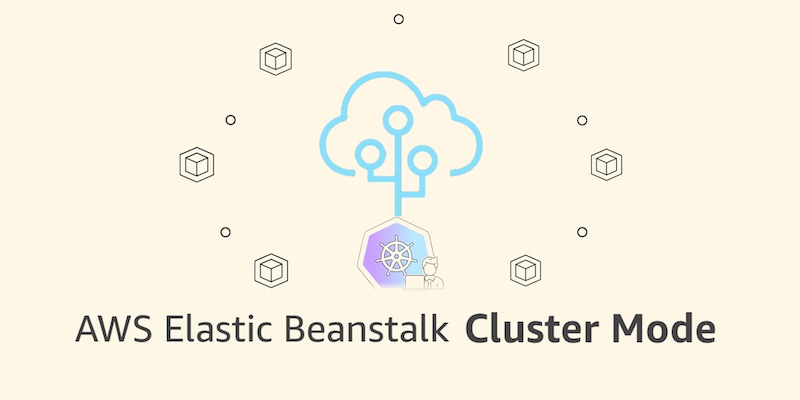
At its core, Elastic Beanstalk Cluster Mode is a brand-new deployment architecture that allows organizations to run multiple applications and microservices sharing a single, unified infrastructure layer powered by Amazon EKS.
Historically, operating applications on Elastic Beanstalk meant provisioning isolated compute and network resources for each workload. While this ensured strong boundary separation, it frequently led to resource underutilization and escalating infrastructure expenditures as application portfolios scaled into the dozens or hundreds.
Cluster Mode addresses this efficiency gap by establishing a shared operational baseline. Developers bring their applications packaged however they prefer—whether as raw source code, Dockerfiles, or fully baked container images. AWS then takes absolute operational responsibility for the workload across its entire lifecycle:
- Continuous Patching and Upgrades: AWS handles the underlying infrastructure updates, ensuring security postures remain uncompromised without requiring manual intervention from engineering teams.
- Smart Autoscaling: Event-driven autoscaling mechanisms dynamically adjust replica counts based on real-time traffic demands.
- Unified Management Dashboard: Whether an enterprise manages ten microservices or a hundred, they are monitored, deployed, and scaled through a single, consistent management experience.
- Zero Additional Management Fees: Cluster Mode carries no extra licensing or service surcharge. Users pay exclusively for the underlying AWS resources consumed, such as the EKS control plane fee, compute instances, Amazon ECR storage, and Amazon CloudWatch telemetry.
Chronology: Fifteen Years of Continuous Evolution
To understand the weight of the Cluster Mode announcement, it is essential to trace the trajectory of AWS Elastic Beanstalk from its inception to the present day.
2011: The PaaS Pioneer
When AWS first launched Elastic Beanstalk in 2011, it revolutionized how developers shipped software. By supporting multi-language environments—including Java, .NET, Python, Node.js, PHP, Ruby, and Go—Beanstalk allowed software engineers to focus strictly on business logic while AWS managed provisioning, load balancing, auto-scaling, and health monitoring.

2026 Q1–Q2: The Operational Engine Rebuild
Recognizing the shifting tides of cloud-native development, AWS quietly embarked on a comprehensive overhaul of Elastic Beanstalk’s internal machinery:
- February 2026: AWS introduced an official GitHub Action for Elastic Beanstalk, enabling engineering teams to transition code seamlessly from existing CI/CD pipelines directly into production environments using a single YAML configuration file.
- April 2026: AWS rolled out AI-powered environment analysis. This diagnostic system leverages artificial intelligence to rapidly analyze application health metrics, root-cause production anomalies, and recommend precise, automated fixes.
Simultaneously, AWS rebuilt the underlying infrastructure foundation to natively support OpenTelemetry-based observability, traffic-splitting deployments with automated rollbacks, event-driven autoscaling, centralized secrets management via AWS Secrets Manager, and enforced HTTPS through AWS Certificate Manager.
September 2026: The Arrival of Cluster Mode
Culminating these architectural modernization efforts, AWS officially launched Cluster Mode. By shifting the underlying compute foundation to Amazon EKS while retaining the intuitive developer experience of Elastic Beanstalk, AWS bridged the gap between legacy PaaS simplicity and modern container orchestration.
Supporting Data: Technical Implementation & Architecture
Migrating or launching applications in Cluster Mode requires minimal friction, supported across the AWS Management Console, AWS Command Line Interface (AWS CLI), EB CLI, and standard AWS SDKs.

Provisioning via the AWS Console
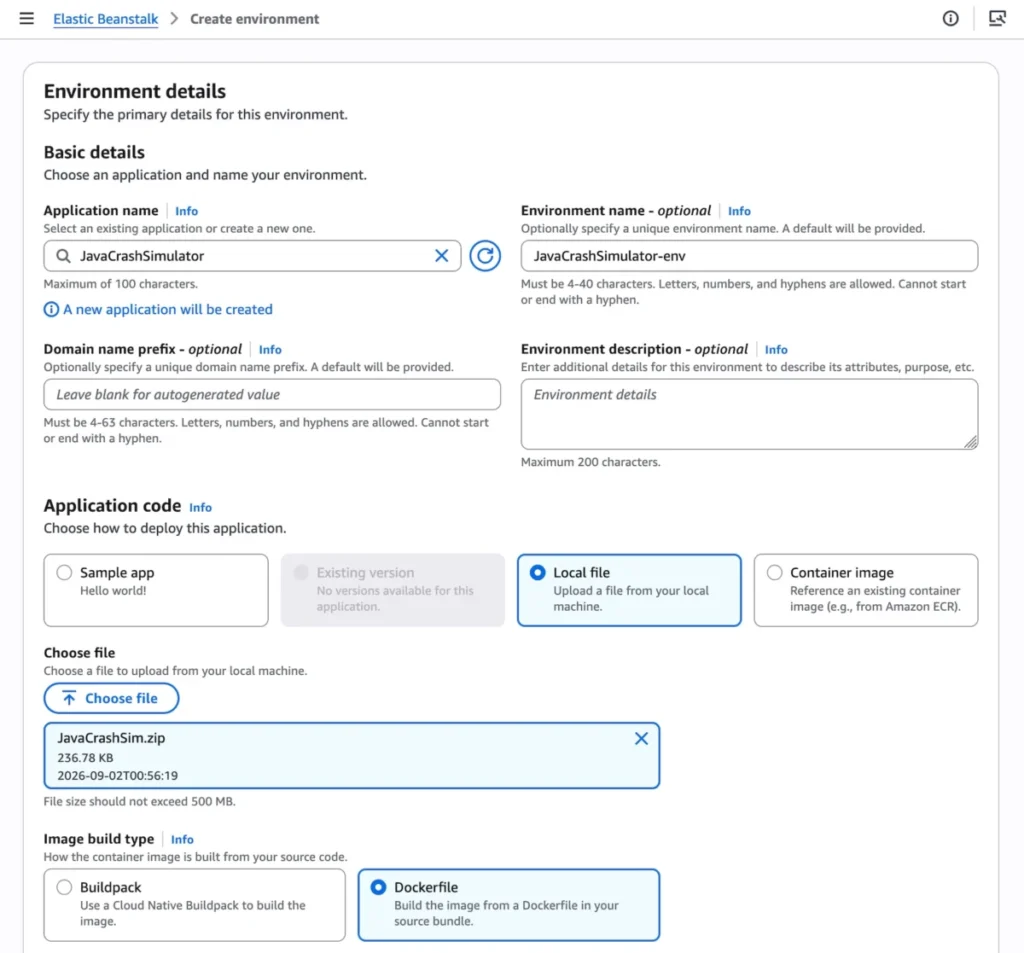
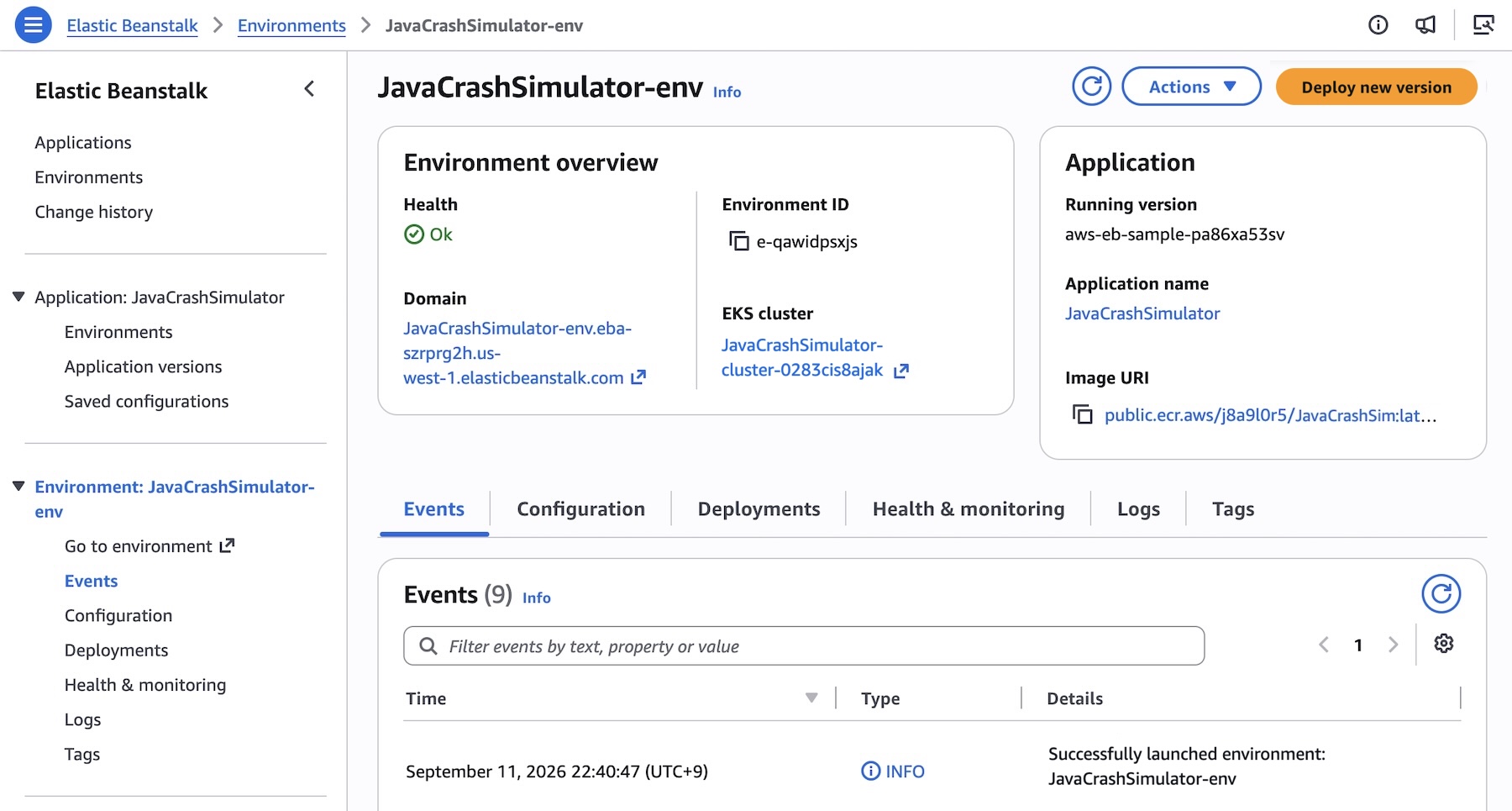
To initiate a Cluster Mode deployment, developers navigate to the Elastic Beanstalk console, establish a new environment, and select Cluster under the Deployment Type menu.
Users can supply application payloads via local files or reference pre-built container images. Upon triggering the creation process, the initial deployment automatically provisions the underlying EKS cluster—a process that typically requires roughly ten minutes. Subsequent deployments execute significantly faster by intelligently leveraging the pre-existing EKS control plane and node infrastructure.
Programmatic Multi-Service Deployments
For teams utilizing microservices architectures, the EB CLI and AWS CLI offer robust automation scripts. Consider a scenario involving a distributed application comprising a frontend UI, a cart service, a payment gateway, and a shipping tracker.
First, application versions are registered by mapping container images stored in the Amazon Elastic Container Registry (Amazon ECR):

IMAGES=(
    "frontend-v1|public.ecr.aws/my-microservices/frontend:v1"
    "cartservice-v1|public.ecr.aws/my-microservices/cart:v1"
    "paymentservice-v1|public.ecr.aws/my-microservices/payment:v1"
    "shippingservice-v1|public.ecr.aws/my-microservices/shipping:v1"
)

for entry in "$IMAGES[@]"; do
    IFS='|' read -r label uri <<< "$entry"
    aws elasticbeanstalk create-application-version
        --application-name "my-microservice"
        --version-label "$label"
        --image-configuration Source="Uri=$uri"
        --region "us-west-2"
    echo "Registered: $label"
done
Next, teams define configuration files governing resource limits, networking, and autoscaling parameters. For instance, the frontend-options.json file configures public internet access via an Application Load Balancer (ALB), health-check pathways, and replica scaling bounds:
[
    "Namespace": "aws:elasticbeanstalk:eks", "OptionName": "cluster-role", "Value": "arn:aws:iam::0123456789012:role/EksClusterRole",
    "Namespace": "aws:elasticbeanstalk:eks", "OptionName": "node-role", "Value": "arn:aws:iam::0123456789012:role/EksNodeRole",
    "Namespace": "aws:elasticbeanstalk:eks:environment", "OptionName": "observability-role", "Value": "arn:aws:iam::0123456789012:role/ObservabilityRole",
    "Namespace": "aws:elasticbeanstalk:eks:environment", "OptionName": "subnets", "Value": "subnet-1,subnet-2,subnet-3",
    "Namespace": "aws:elasticbeanstalk:eks:environment:autoscaling", "OptionName": "min-replica", "Value": "1",
    "Namespace": "aws:elasticbeanstalk:eks:environment:autoscaling", "OptionName": "max-replica", "Value": "2",
    "Namespace": "aws:elasticbeanstalk:eks:environment", "OptionName": "cpu", "Value": "0.5",
    "Namespace": "aws:elasticbeanstalk:eks:environment", "OptionName": "memory", "Value": "256Mi",
    "Namespace": "aws:elasticbeanstalk:eks:environment", "OptionName": "memory-limit", "Value": "512Mi",
    "Namespace": "aws:elasticbeanstalk:eks:environment", "OptionName": "service-port", "Value": "8080",
    "Namespace": "aws:elasticbeanstalk:eks:alb", "OptionName": "scheme", "Value": "internet-facing",
    "Namespace": "aws:elasticbeanstalk:eks:alb", "OptionName": "healthcheck-path", "Value": "/_healthz"
]
Finally, the frontend service environment is deployed via the AWS CLI:
aws elasticbeanstalk create-environment
    --application-name "my-microservice"
    --environment-name "frontend"
    --version-label "frontend-v1"
    --tier Name=Cluster,Type=EKS
    --option-settings file:///tmp/frontend-options.json
Official Responses and Strategic Positioning
AWS leadership has emphasized that Elastic Beanstalk Standard Mode—powered by traditional Amazon Elastic Compute Cloud (EC2) instances—remains fully supported and operational. Rather than forcing a disruptive migration cycle, AWS has architected Standard and Cluster Mode environments to run side by side within the same application structure.
Validation checks automatically verify compatibility prior to any configuration modifications, allowing engineering groups to migrate legacy workloads to Cluster Mode incrementally at their own preferred pace.
Furthermore, AWS is encouraging modern developer workflows by introducing integration with advanced tooling. For engineering teams seeking to query APIs, research implementation documentation, check regional feature availability, or troubleshoot complex deployments, AWS now fully supports the AWS MCP Server and associated plugins compatible with leading AI coding assistants.
Implications: What This Means for Enterprises and Developers
The introduction of Elastic Beanstalk Cluster Mode carries profound implications for software engineering organizations of all sizes:
- Drastic Cost Optimization: By allowing dozens of independent microservices to share a unified EKS compute pool, companies eliminate the idle resource overhead traditionally associated with dedicated per-application infrastructure. Per-application infrastructure costs scale downward as portfolio sizes grow.
- Democratized Kubernetes: Many development teams require the high availability and resiliency of Kubernetes but lack the specialized platform engineering talent required to manually configure, secure, and maintain raw EKS clusters. Cluster Mode wraps complex Kubernetes architecture inside Beanstalk’s famously straightforward user experience.
- Reduced Operational Burnout: With AWS retaining complete operational responsibility for patching, continuous monitoring, health diagnostics via AI analysis, and traffic management, developer velocity increases. Teams can refocus their energy entirely on writing application business logic rather than wrestling with infrastructure configurations.
- Flexible Modernization Paths: The ability to execute Standard and Cluster modes concurrently ensures that organizations with legacy monolithic apps and modern containerized microservices can coexist under a single management umbrella without mandatory, high-risk "rip-and-replace" migrations.
Getting Started
Developers and platform architects interested in experimenting with the new paradigm can access Elastic Beanstalk Cluster Mode today through the AWS Elastic Beanstalk Console. Comprehensive guides, troubleshooting matrices, and reference documentation are available via the official Elastic Beanstalk Cluster Mode Documentation. Feedback and community discussions can be directed to the AWS re:Post Elastic Beanstalk Forum.