Bridging the Legacy-to-Cloud Divide: A Comprehensive Guide to Migrating from Oracle to BigQuery
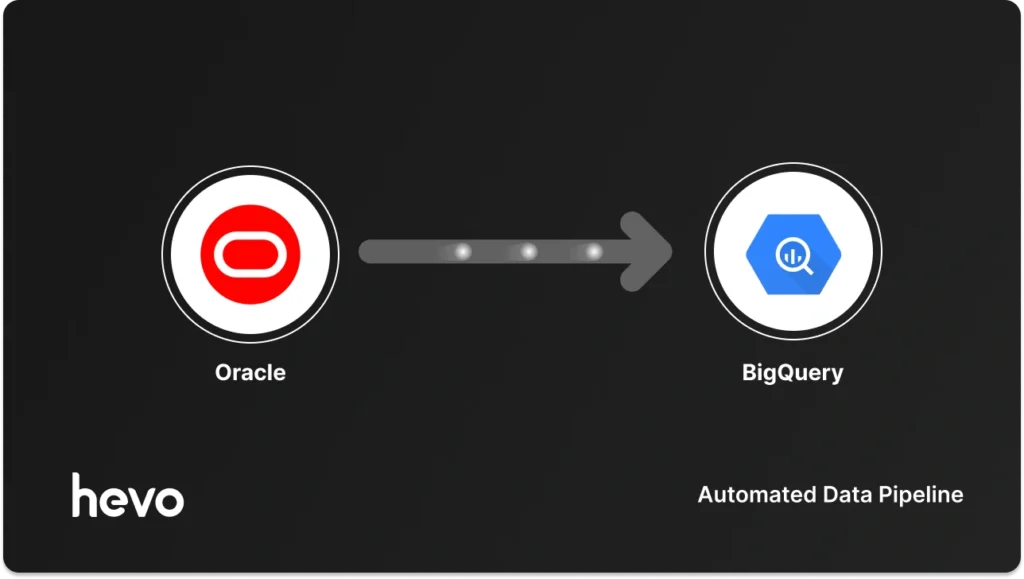
In the rapidly evolving landscape of enterprise data management, the transition from on-premise legacy systems to cloud-native data warehouses has become an operational imperative. Oracle databases have long served as the backbone for transactional integrity and enterprise resource planning. However, as organizations pivot toward real-time analytics, machine learning, and massive-scale business intelligence, the architectural limitations of traditional RDBMS systems become apparent.
Moving your data from Oracle to Google BigQuery is more than a simple file transfer; it is a strategic upgrade that unlocks custom reporting, high-performance querying, and seamless integration with the Google Cloud ecosystem. This guide explores the strategic implications, technical methodologies, and best practices for executing this migration effectively.
The Strategic Imperative: Why Migrate to BigQuery?
Oracle is built for OLTP (Online Transactional Processing)—optimizing for write-heavy, row-based operations that keep your business running. BigQuery, conversely, is an OLAP (Online Analytical Processing) powerhouse. Its serverless, petabyte-scale architecture allows for complex analytical queries that would otherwise cripple a production Oracle environment.
Key Advantages of the Migration
- Separation of Concerns: By offloading analytical workloads to BigQuery, you protect your production Oracle databases from the performance degradation caused by intensive, ad-hoc reporting.
- Blazing Performance: BigQuery’s columnar storage engine enables sub-second responses for multi-terabyte queries, facilitating faster decision-making cycles.
- Cloud-Native Integration: Once data resides in BigQuery, it is instantly available for downstream tools like Google Looker, Vertex AI, and various BigQuery ML models.
- Cost Efficiency: With a pay-as-you-go serverless model, organizations no longer need to over-provision hardware to accommodate peak analytical demand.
Navigating the Migration Landscape
When planning your migration, the core challenge lies in balancing engineering bandwidth against automation. Your choice of migration strategy will dictate the long-term maintenance burden on your data team.

Comparative Analysis of Migration Methods
| Method | Best For | Pros | Cons |
|---|---|---|---|
| Automated (e.g., Hevo) | Teams requiring real-time CDC | No-code, zero maintenance, auto-schema mapping | Licensing costs |
| Native (Data Transfer Service) | Managed, scheduled batches | Google-integrated, no file management | Limited transformation control |
| Manual (GCS Export/Load) | One-time, large-scale migration | Full control over formats/partitioning | High labor cost, manual oversight |
Method 1: Automated Data Movement with Hevo
For organizations seeking a "set it and forget it" solution, automated pipelines provide the most robust path. By leveraging Change Data Capture (CDC), these tools track modifications in Oracle Redo Logs to ensure that the data in BigQuery is a near-real-time reflection of the source.
Prerequisites for Automation
- Oracle User Configuration: You must create a dedicated service account with specific privileges, including
LOGMININGandSELECTaccess on system views. - LogMiner Setup: Enabling supplemental logging is essential for the tool to reconstruct row changes effectively.
- Connectivity: Whitelisting IP addresses and ensuring network security between the Oracle instance and the cloud environment.
Execution Workflow
- Granting Permissions: Create a
HEVO_USERwith granular access. Ensure thatDBMS_LOGMNRpackages are accessible, as these are the engine for real-time replication. - Log Configuration: Switch your Oracle instance to
ARCHIVELOGmode. This is the critical step that allows the system to store transaction logs for retrieval by the pipeline. - Pipeline Configuration: Define your source as Oracle, input your host details, and map your schemas. The automated tool will handle the heavy lifting of type mapping—converting Oracle’s
VARCHAR2to BigQuery’sSTRINGandNUMBERtoFLOAT64orNUMERIC.
Method 2: Manual Migration and Native Tools
If your organizational policy prohibits third-party connectors or if you are performing a one-time "lift and shift," Google’s native utilities are the gold standard.
The BigQuery Data Transfer Service
Google’s managed service removes the friction of building custom ETL. It is ideal for scheduled, repeatable loads. By creating a transfer configuration, you delegate the orchestration to Google. You simply provide the connection string, select your tables, and define a recurring schedule. However, this method requires a robust networking setup, often necessitating a VPN or Cloud Interconnect to bridge the on-premise Oracle environment with the VPC hosting the transfer service.
The GCS Export/Load Strategy
For massive historical datasets, the "Export to Cloud Storage" method remains the most reliable.

- Export: Use SQL Developer or command-line utilities to export data into Parquet or Avro format. Parquet is highly recommended due to its schema-preserving nature and efficiency.
- Staging: Upload these files to a Google Cloud Storage (GCS) bucket.
- Ingestion: Use
bq loadcommands to ingest the data.- Best Practice: Always use partitioned tables in BigQuery to optimize storage costs and query performance. If your data is time-series based, partition by the date column.
Alternative Engineering Paths: Dataflow and Custom Pipelines
When standard connectors fall short, engineers often turn to Apache Beam via Google Cloud Dataflow.
Dataflow Templates
Dataflow acts as a scalable, distributed processing engine. By deploying a JDBC-to-BigQuery template, you can handle complex transformations in-flight. This is particularly useful if your source data requires significant cleaning, masking, or normalization before it reaches the warehouse.
The "Roll-Your-Own" Approach
Writing custom Python or Java pipelines using the BigQuery Storage Write API offers infinite flexibility. You control every facet of the ingestion, including error handling, retries, and data validation. However, the "hidden" cost of this approach is maintenance. You become responsible for monitoring the pipeline 24/7, handling schema evolution, and debugging network blips—tasks that can quickly consume a team’s entire output.
Implications of the Transition
The shift from Oracle to BigQuery changes the organizational culture around data. With Oracle, data is often "siloed" and managed by DBA teams. With BigQuery, data becomes a democratized asset.

Key Implications
- Schema Evolution: In BigQuery, you can leverage nested and repeated fields (JSON-like structures), which allows for a more flexible data model compared to the rigid normalization required in Oracle.
- Data Governance: Using IAM (Identity and Access Management) in GCP, you can implement fine-grained row-level security that is often more intuitive to manage than traditional Oracle Grants.
- Maintenance Shift: The transition represents a move from "Database Administration" to "Data Engineering." The focus shifts from managing indexes and table spaces to managing data pipelines and query optimization.
Conclusion: The Path Forward
The decision to migrate from Oracle to BigQuery is fundamentally a decision to prioritize scalability and insight over the comfort of legacy infrastructure. While manual methods offer granular control, they introduce technical debt that can hinder innovation.
For most enterprises, the ideal path involves a hybrid strategy: use automated CDC tools for high-velocity operational data that needs real-time visibility, and leverage native Google Cloud Storage bulk-loading for massive, infrequent historical archives. By offloading the "plumbing" of data movement to automated platforms like Hevo, your data team can redirect their energy toward building the advanced analytics and machine learning models that provide actual competitive advantage.
Frequently Asked Questions
Q: How do I handle complex Oracle data types like CLOBs in BigQuery?
A: BigQuery handles large text fields as STRING. During the migration, ensure your pipeline is configured to handle potential truncation or character encoding issues by testing a subset of data first.
Q: Is BigQuery a direct replacement for an Oracle Transactional Database?
A: No. BigQuery is optimized for analytical reads. It is not suitable for high-frequency, low-latency row updates (OLTP). Keep your transactional workloads in Oracle and your analytical workloads in BigQuery.

Q: What is the most common pitfall in this migration?
A: Ignoring schema drift. If a column is added or modified in the source Oracle database, your pipeline must be resilient enough to detect and adapt to these changes without failing. This is why automated CDC tools are highly recommended for production environments.