
The Evolution of Web Motion: Chrome 146 Introduces Scroll-Triggered Animations
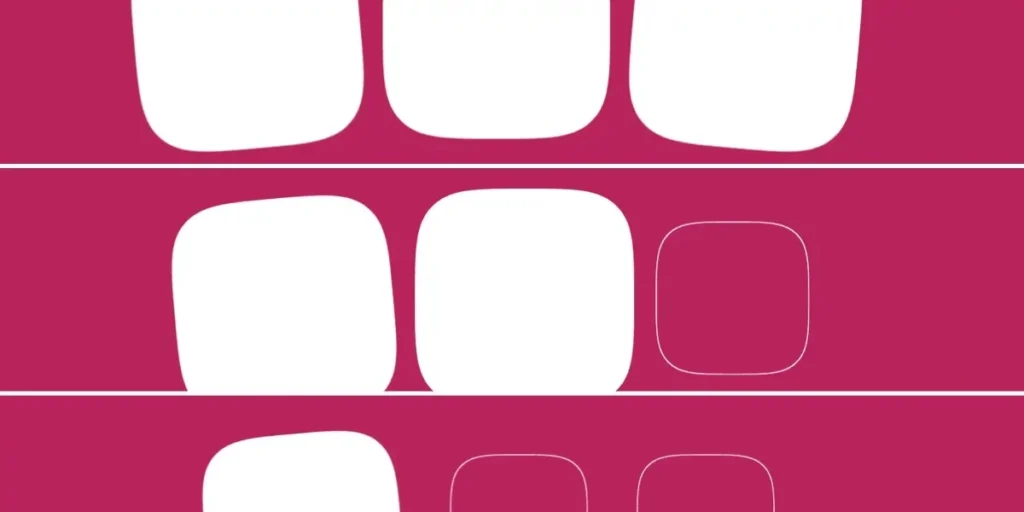
In a significant leap forward for front-end development, Google has officially integrated scroll-triggered animations into Chrome 146. This release marks a pivotal shift in how developers can manage motion on the web, effectively providing a native, high-performance alternative to the JavaScript-heavy "Intersection Observer" patterns that have dominated web design for years.
While scroll-driven animations have been available for some time, the arrival of scroll-triggered animations introduces a distinct paradigm: instead of linking the animation’s progress to the pixel-by-pixel movement of a scrollbar, developers can now trigger a fixed-duration CSS animation the moment an element crosses a specific viewport threshold.
The Core Distinction: Driven vs. Triggered
To understand the significance of this update, one must distinguish between the two primary ways browsers handle scroll-linked motion.
Scroll-driven animations (using animation-timeline: scroll()) synchronize the animation’s timeline directly with the user’s scroll position. If a user stops scrolling, the animation freezes exactly at that frame. It is a one-to-one mapping of scroll percentage to animation percentage.
Scroll-triggered animations, however, function as an event-based system. Once the scroll position hits a pre-defined marker, the CSS animation fires independently, running for its set duration (e.g., 300ms) regardless of further scroll activity. This mimics the behavior of complex JavaScript libraries like AOS (Animate On Scroll), but offloads the heavy lifting to the browser’s rendering engine, promising smoother performance and reduced main-thread blocking.
A Chronology of Modern CSS Animation
The journey to this implementation reflects the broader evolution of the CSS Working Group’s efforts to make the web feel more "app-like."
- The JavaScript Era (2010–2020): Developers relied on the
IntersectionObserverAPI. While powerful, it often led to "jank" if the main thread was saturated with complex logic or if the script failed to execute efficiently during rapid scrolling. - The Rise of CSS-Driven Motion (2023): The introduction of
scroll()andview()timelines allowed for performant, scroll-linked animations. However, these were limited to continuous playback—creating "entrance" or "reveal" effects required complex workarounds. - Chrome 146 (2026): The implementation of
timeline-triggerandanimation-triggerproperties bridges the gap, allowing for declarative, state-based animations that react to scroll thresholds.
Technical Mechanics: How It Works
At the heart of this feature is the separation of concerns. Developers define the animation as usual using @keyframes, but control the "when" and "how" via two new properties: timeline-trigger and animation-trigger.
Defining the Trigger
The timeline-trigger property uses a dashed identifier (a "dashed ident") to create a hook. For instance:
timeline-trigger: --trigger view() entry 100% exit 0%;
This syntax defines the scroll zone. entry 100% indicates that the animation activates only once the entire element has entered the viewport. By using exit 0%, the developer defines the boundary where the trigger resets.
Animation Action and Fill Modes
Once the trigger is defined, animation-trigger dictates the behavior. Keywords like play-forwards, play-backwards, and play-once provide granular control over the lifecycle of the movement:
play-forwards: Plays the animation when the element enters.play-once: Ensures the animation fires only once, preventing distracting loops if a user scrolls back and forth.play-backwards: Allows for a graceful exit, reversing the animation when the element leaves the viewport.
This granular control is a departure from the binary "on/off" logic of traditional triggers, allowing for "back-and-forth" animations that feel fluid and intentional rather than repetitive.
Implications for Design Systems
One of the most profound implications of this update is the ability to create highly reusable, "design-system-friendly" code. Because the mechanics are decoupled—meaning the animation logic is separated from the trigger conditions—developers can apply the same animation to dozens of elements while using staggered delays or varying scroll thresholds.
By leveraging functions like sibling-count() and sibling-index(), developers can orchestrate complex, staggered entrance effects without manually calculating delays for every single element in a list. The code becomes cleaner, more maintainable, and significantly more scalable.
Official Responses and Industry Outlook
While the Chrome team has touted this as a major milestone, the reception within the developer community has been one of cautious optimism. The W3C Animation Triggers specification is robust, but the syntax is undoubtedly complex.
"It is a powerful tool, but it demands a higher level of CSS literacy," notes one industry analyst. "We are effectively moving the complexity of interaction design from JavaScript files into CSS style sheets. While this is a net positive for performance, the learning curve for these new timeline properties is steep."
The primary critique remains the "over-complication" of the CSS language. With the addition of timeline-trigger, animation-trigger, timeline-trigger-active-range-end, and others, the CSS specification is becoming increasingly dense. Critics worry that while these features solve performance issues, they might create an "expert-only" layer of CSS that is difficult for junior developers to debug.
Potential Challenges and Future-Proofing
Despite the excitement, there are technical hurdles. As noted in the documentation, current issues exist when combining play-backwards with staggered animation-delay settings. In some configurations, the delay persists during the reverse animation, causing unexpected behavior. Furthermore, browser support remains restricted to Chrome 146, leaving Firefox and Safari users in the dark for the time being.
Developers should also be wary of "motion fatigue." With these tools now natively available, there is a temptation to animate every element on a page. Best practices dictate that such animations should remain subtle, enhancing the user experience rather than distracting from the content.
Conclusion: A New Standard for Interaction
Chrome 146 has moved the needle for web motion. By enabling declarative, scroll-triggered animations, Google has handed developers a sophisticated, performant toolkit that bypasses the limitations of the main thread.
As the industry moves toward adopting this standard, the focus will likely shift from "how do we make this work?" to "how do we design with this?" The ability to coordinate multiple elements, stagger their entry points, and handle exit states natively is a game-changer. While the complexity of the syntax may require a period of adjustment, the long-term result will be a faster, more visually engaging, and more consistent web experience.
For now, developers are encouraged to experiment with the view() function and explore the nuances of the Animation Triggers specification to prepare for the inevitable cross-browser adoption of these powerful new capabilities.








