
Navigating the Modern Web’s Motion Landscape: A Developer’s Guide to Scroll and Transition APIs
In the rapidly evolving ecosystem of web standards, terminology often overlaps, leading to significant confusion even among seasoned front-end developers. As CSS capabilities expand to accommodate more sophisticated UI/UX patterns, the lines between scroll-driven mechanics, state-based queries, and page-level transitions have blurred. To clarify these concepts for the modern development workflow, it is essential to distinguish between the various APIs currently transforming how we animate the web.
The Evolution of Motion: Main Facts and Definitions
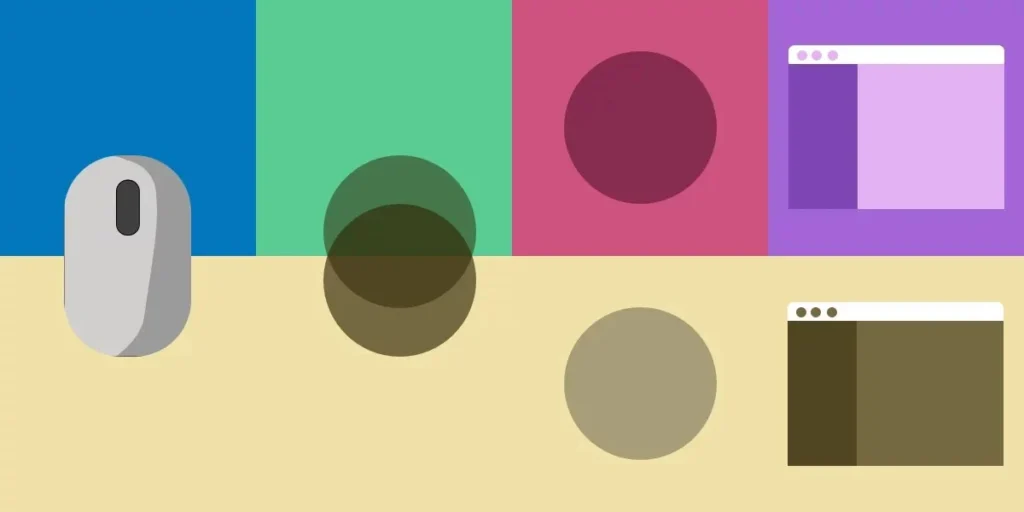
Modern web development is moving away from the era of JavaScript-heavy animation libraries toward native, high-performance CSS solutions. At the heart of this shift are four distinct, yet often conflated, technologies: Scroll-Driven Animations, Scroll-Triggered Animations, Container Query Scroll States, and the View Transitions API.
Scroll-Driven Animations
A Scroll-Driven Animation creates a direct, synchronous link between the user’s scroll position and the playback of an animation. Unlike traditional keyframe animations that rely on time (seconds or milliseconds), these animations are linked to a "timeline." As the user scrolls forward, the animation advances; if the user scrolls backward, the animation reverses in lockstep. Should the user stop scrolling, the animation remains frozen at that precise state. This creates a highly intuitive, physical connection between the user’s input and the UI.
Scroll-Triggered Animations
In contrast, Scroll-Triggered Animations are event-based rather than state-based. When an element crosses a defined threshold—often referred to as the "trigger activation range"—the animation fires autonomously. It does not map the scroll progress to the playback; rather, it uses the scroll event as a signal to initiate a predefined sequence. Once triggered, the animation completes its duration regardless of further scroll input.
Container Query Scroll States
Currently sitting in the working draft stage of the CSS Conditional Rules Module Level 5, Container Query Scroll States represent a paradigm shift in responsive design. This feature allows developers to query the scroll state of a specific container, rather than the entire viewport. This enables modular components to adapt their internal styles—such as stripping borders or changing layouts—based on whether they are currently "stuck" to the top of a scrollable parent or if they have reached the end of their scrollable area.
The View Transitions API
The View Transitions API operates in a entirely different dimension. It is not a scroll-based mechanism, but a comprehensive API designed to animate state changes within an application. It is split into two primary categories:
- Same-document transitions: Animating DOM elements as they move, change, or morph on a single page.
- Cross-document transitions: Providing a seamless, native-feeling transition between two separate URLs, replacing the jarring white flash of traditional browser navigation.
Chronology of Development: From JS Hacks to Native CSS
The journey to these modern APIs has been long and iterative. For years, developers relied on window.onscroll event listeners and libraries like GSAP or ScrollMagic to achieve these effects. However, these solutions often caused performance bottlenecks due to the "main thread tax," where heavy JavaScript execution led to stuttering animations.
- The Pre-Native Era: Developers relied on
requestAnimationFrameand manual calculations ofgetBoundingClientRect()to detect scroll positions. This was notoriously fragile and computationally expensive. - The Intersection Observer API (2016): This provided a much-needed performance boost for detecting when elements entered the viewport, laying the groundwork for "scroll-triggered" animations without the performance overhead of traditional scroll listeners.
- The Rise of Houdini and CSS Paint API: As the CSS Working Group began exploring more extensibility, the conversation shifted toward bringing animation control directly into the CSS engine.
- The Modern Standard (2024–2026): We have now arrived at a point where Scroll-Driven Animations and View Transitions are becoming standard in modern browsers, effectively deprecating the need for third-party animation libraries in many common use cases.
Supporting Data and Technical Implementation
To understand the practical application of these tools, one must look at the syntax. The differences are not merely conceptual; they are syntactical.
Scroll-Driven Implementation
.element
  animation: grow-progress linear forwards;
  animation-timeline: scroll();
In this snippet, the animation-timeline property is the hero. By declaring scroll(), the browser offloads the animation calculation to the compositor thread, ensuring silky-smooth performance even on lower-end devices.
Container Query Scroll State Logic
The power of this upcoming feature lies in its ability to decouple styles from the global scroll position:
.sticky-nav
  container-type: scroll-state;
  @container scroll-state(stuck: top)
    background: orangered;
    width: 100%;
This allows for highly localized UI changes. A navigation bar can suddenly transform its appearance the moment it hits the top of the screen, without needing a single line of JavaScript to track its coordinates.
Official Responses and Industry Standards
The consensus among major browser vendors—specifically the Chrome, WebKit, and Gecko teams—is that native motion APIs are the "holy grail" of performance.
The W3C CSS Working Group has emphasized that these additions are intended to lower the barrier for high-end UI design. "The goal is to allow developers to build interfaces that feel like native apps," says a lead engineer from the Chrome team. By moving these calculations into the browser’s internal engine, the industry is effectively eliminating the "jank" that has plagued web-based animations for the last decade.
However, browser support remains a critical talking point. While Chromium-based browsers are moving rapidly to adopt these standards, developers are urged to use @supports queries and feature detection to ensure a graceful degradation for browsers that have not yet implemented the latest CSS Conditional Rules.
Implications for Web Design and Performance
The implications of these technologies are profound, affecting everything from SEO to user retention.
Performance Benefits
By moving animation logic from JavaScript to CSS, we reduce the execution time on the main thread. This leads to higher "Interaction to Next Paint" (INP) scores, a key metric in Google’s Core Web Vitals. An interface that feels responsive is an interface that users are more likely to engage with.
Design Possibilities
The View Transitions API, in particular, allows for a new "app-like" aesthetic. Circular wipes, morphing elements, and seamless page transitions enable designers to create storytelling experiences that were previously only possible in native iOS or Android applications.
The Complexity Trade-off
While these APIs are powerful, they introduce a new layer of complexity in debugging. Developers can no longer rely on standard breakpoints in JavaScript to see why an animation isn’t triggering. Instead, they must learn to utilize browser dev-tool panels designed for CSS animations and timelines. The barrier to entry for "simple" animations is lower, but the ceiling for "complex" animations has been raised significantly.
Summary Table: Quick Reference
| Type | Mechanism | Primary Use Case |
|---|---|---|
| Scroll-Driven | Direct sync with scroll position | Progress bars, parallax effects |
| Scroll-Triggered | Threshold-based initiation | Reveal animations, fade-ins |
| Container Scroll State | Querying internal scroll status | Sticky headers, localized UI shifts |
| View Transition | API-driven DOM state changes | Page navigation, element morphing |
As we look toward the future of the web, it is clear that the browser is no longer just a document viewer; it is a high-fidelity animation engine. By mastering these four pillars of motion, developers can create interfaces that are not only faster and more performant but also more immersive and engaging for the end user. The tools are here—the challenge now lies in wielding them with precision and purpose.








