The Evolution of Web Typography: How "MicroLighter" Reinvents Code Highlighting Through Modern CSS
Main Facts
The landscape of front-end web development has long relied on heavyweight JavaScript libraries to make code snippets visually digestible. For over a decade, tools like Prism.js and Highlight.js have been the industry standard, parsing text strings into complex, nested HTML trees filled with custom classes and spans. While effective, this approach introduces performance overhead, DOM bloat, and dependency management friction.
Enter MicroLighter, a revolutionary syntax highlighting tool created by Dave Rupert (affectionately known in the community as "Uncle Dave"). MicroLighter fundamentally shifts the paradigm of code presentation by bypassing bloated JavaScript parsers and complicated DOM manipulation. Instead, it leans heavily into native browser capabilities, specifically the CSS Custom Highlight API and the ::highlight() pseudo-element—a technology that reached Baseline status this year.
By leveraging the browser’s native rendering engine to style text ranges dynamically, MicroLighter achieves robust syntax highlighting with minimal JavaScript footprint. It delivers everything developers expect from a modern highlighting suite:
- Native theme customization via CSS variables and the
light-dark()function, - Integrated line numbers,
- Multi-language support,
- Semantic markup without tag pollution, and
- Modular, à la carte integration (including a dedicated web component).
Most importantly, benchmarks following its production deployment reveal a dramatic reduction in file size. Where traditional solutions like Prism.js demand roughly 35 KB raw (about 9.3 KB gzipped), MicroLighter slashes that footprint down to 13.9 KB raw and a mere 5.2 KB gzipped, even with custom CMS integrations baked in.
Chronology of Code Highlighting on the Web
To understand the significance of MicroLighter, it is vital to trace how developers have historically solved the challenge of rendering readable code blocks on the web.
The Early Days: Manual Markup and Server-Side Rendering
In the infancy of the web, displaying code meant manually wrapping keywords in HTML <span class="keyword"> tags or relying on crude server-side regular expression matchers. These methods were notoriously brittle, difficult to maintain, and impossible to update dynamically without rebuilding entire web pages.
The Rise of Client-Side JavaScript Parsers (2010s)
As JavaScript engines matured, client-side syntax highlighters revolutionized blogging and documentation. Chris Coyier and the team at CSS-Tricks famously implemented custom WordPress blocks powered by Prism.js. Prism and its contemporaries worked by scanning the DOM after page load, tokenizing the text inside <pre><code> blocks, and injecting a myriad of structural HTML elements (<span>, <b>, <i>) to apply colors.
While these tools were battle-tested, robust, and supported hundreds of programming languages, they came with an architectural trade-off: they forced the browser to process, parse, and render massive DOM trees for every single code block on a page.
The Native CSS Renaissance (Present Day)
The release of modern CSS features—most notably the CSS Custom Highlight API—paved the way for a new philosophy. Instead of mutating the DOM by injecting thousands of empty span elements, developers can now use JavaScript purely to identify text ranges (tokens) and apply native highlight styling via CSS. MicroLighter represents the culmination of this evolution, effectively shifting the heavy lifting from DOM mutation to GPU-accelerated CSS rendering.
Supporting Data and Technical Architecture
The technical brilliance of MicroLighter lies in its reliance on modern browser standards rather than proprietary abstraction layers.
The Power of the ::highlight() API
The CSS Custom Highlight API allows developers to style arbitrary text ranges programmatically using JavaScript, entirely independently of the DOM tree structure.
// Conceptual representation of how custom highlights operate natively
const range = new Range();
range.setStart(node, startOffset);
range.setEnd(node, endOffset);
CSS.highlights.set("keyword", new Highlight(range));
Because the underlying text node remains pristine and free of intrusive markup, screen readers and search engines interact with clean, semantic text. Furthermore, the browser does not waste cycles recalculating layout flows for thousands of injected span elements.
Effortless Theming with light-dark()
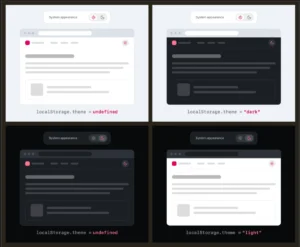
Because MicroLighter relies heavily on native CSS custom properties, implementing themes—including automatic dark mode switching—is trivial. Developers no longer need separate style sheets or complex JavaScript state matchers to switch between light and dark palettes. By utilizing the native light-dark() CSS function, themes adapt instantly to user system preferences:
:root
  --syntax-background: light-dark(#ffffff, #0d1117);
  --syntax-foreground: light-dark(#24292f, #c9d1d9);
  --syntax-comment: light-dark(#6e7781, #8b949e);
  --syntax-keyword: light-dark(#cf222e, #ff7b72);
  --syntax-string: light-dark(#0a3069, #a5d6ff);
  --syntax-function: light-dark(#8250df, #d2a8ff);
  --syntax-variable: light-dark(#953800, #ffa657);
Modular Consumption and Web Components
MicroLighter is built for the modern modular web. Developers can import precisely what they need on an à la carte basis—whether that means selecting specific language grammars, enabling line numbers, or importing the complete web component:
import "microlighter/micro-lighter-element.min.js";Once imported, the custom element provides a clean, declarative API for content authors:
<micro-lighter language="javascript" controls="copy" line-numbers>
  <pre>
    <code class="language-javascript">const answer = 42;</code>
  </pre>
</micro-lighter>
Comparative Performance Metrics
When Dave Rupert officially migrated CSS-Tricks (and his personal site) from Prism.js to MicroLighter, he documented the tangible asset savings:
| Highlighter | Raw File Size | Gzipped File Size | DOM Impact |
|---|---|---|---|
| Prism.js | ~35.0 KB | ~9.3 KB | High (Heavy DOM node injection) |
| MicroLighter | ~13.9 KB | ~5.2 KB | Minimal (Pristine markup, CSS highlights) |
This translates to a nearly 60% reduction in raw payload size and a 44% reduction in compressed transfer size, contributing directly to faster Time to Interactive (TTI) and improved Core Web Vitals scores.
Official Responses and Community Reactions
The release and subsequent deployment of MicroLighter have sent ripples through the front-end development community, drawing parallels to other avant-garde typography experiments—such as specialized web fonts equipped with built-in syntax highlighting logic.
Industry veterans have praised the project for its philosophical alignment with the modern web development ethos: writing less JavaScript, leaning into platform primitives, and respecting the browser’s native capabilities.
"It’s not that there isn’t any JavaScript involved," explains Dave Rupert. "It’s that less of it is needed. And it leans so hard into modern CSS that it brings things like
light-dark()support and custom properties along for the ride, meaning rolling your own theme is totally doable."
While libraries like Prism.js remain formidable, highly respected, and deeply entrenched in legacy stacks, the sentiment among performance-conscious engineers is clear: the era of DOM-bloating syntax highlighters is drawing to a close.
Implications for the Future of Web Development
The widespread adoption of tools like MicroLighter signals a broader, highly encouraging trend in front-end architecture: The Platformization of Framework Features.
1. Reduced JavaScript Fatigue
For years, solving common UI challenges required installing weighty third-party packages. As modern CSS features (such as container queries, nesting, anchor positioning, and the Custom Highlight API) reach Baseline status, developers are increasingly able to replace complex JavaScript solutions with clean, declarative CSS and native APIs.
2. Accessibility and Semantic Integrity
By avoiding the injection of hundreds of formatting spans inside code blocks, tools utilizing the ::highlight() API preserve the semantic purity of the underlying HTML. This drastically improves the experience for screen reader users and automated web scrapers, ensuring that code blocks are read as continuous streams of logical syntax rather than fractured fragments of styled text.
3. Performance as a Default
When foundational utilities like code highlighters shrink by half without sacrificing feature parity, cumulative performance budgets improve organically. As content management systems and documentation platforms adopt these native-first strategies, the web as a whole becomes faster, leaner, and more energy-efficient.
MicroLighter is more than just a clever script; it is a masterclass in modern web engineering—proving that when we trust the browser to do what it does best, everyone wins.