Migrating from Oracle to BigQuery: A Comprehensive Guide to Modern Data Integration
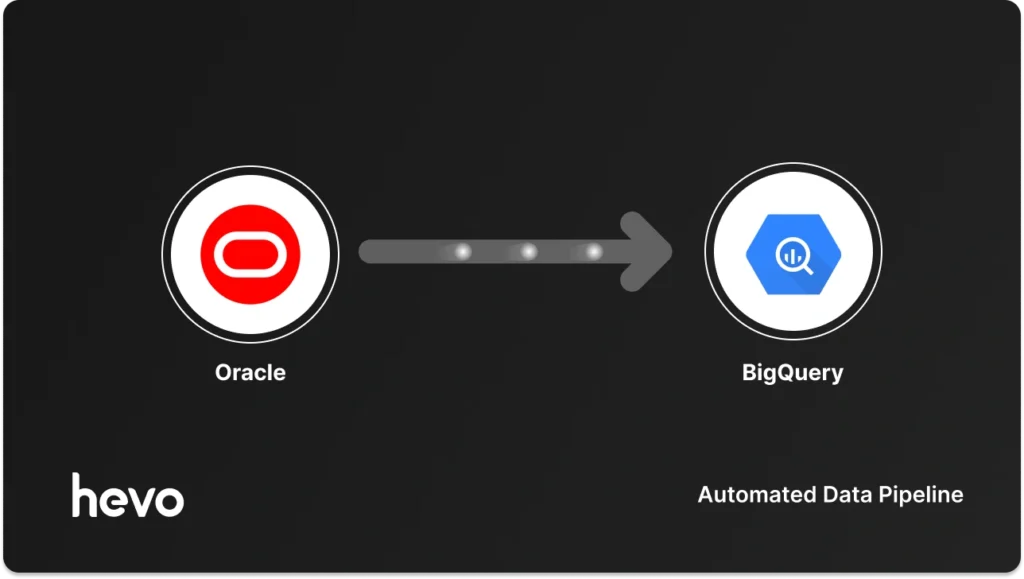
In the modern enterprise, data is the lifeblood of decision-making. However, many organizations find themselves trapped in a "data bottleneck," where their mission-critical operational data resides in legacy systems like Oracle, while their analytical ambitions are stifled by the constraints of those same on-premises architectures.
Shifting your database infrastructure from Oracle to Google BigQuery is more than just a technical migration; it is a strategic evolution. By moving to BigQuery, organizations unlock a robust analytics foundation, gain freedom in custom reporting, leverage effortless Google Cloud integration, and achieve the high-performance, complex operations required to fuel intelligent business decisions.
This guide explores the methodologies, technical prerequisites, and strategic implications of transitioning your enterprise data from Oracle to the cloud-native environment of BigQuery.
The Strategic Imperative: Why Move to BigQuery?
Oracle has long been the gold standard for transactional processing (OLTP). However, it was never designed for the massive, petabyte-scale analytical workloads (OLAP) that modern businesses demand. When you run complex analytical queries against your production Oracle database, you risk performance degradation that can impact your core business operations.
Key Advantages of the Migration
- Decoupled Analytics: By offloading analytical processing to BigQuery, you protect your production Oracle environment from resource contention, ensuring high availability for your applications.
- Serverless Scalability: BigQuery’s architecture abstracts away the infrastructure, allowing you to scale from gigabytes to petabytes without managing clusters or provisioning hardware.
- Advanced AI/ML Integration: BigQuery offers built-in machine learning capabilities (BigQuery ML), enabling teams to build and deploy models directly within the data warehouse using standard SQL.
- Cost Efficiency: With a pay-as-you-go pricing model for storage and compute, organizations can optimize costs based on actual usage rather than over-provisioning for peak loads.
Chronology of Migration: Choosing Your Vehicle
There is no "one-size-fits-all" approach to data migration. The choice of methodology is a function of your team’s tolerance for maintenance, the urgency of the move, and the complexity of your data pipeline.

The Three Pillars of Migration
- Automated ETL/ELT (e.g., Hevo Data): Ideal for teams that require near real-time data synchronization and low operational overhead.
- Native Cloud Services (e.g., Data Transfer Service): A "middle-ground" solution for teams leveraging Google-managed native connectors.
- Manual Engineering (Custom Scripts/Pipelines): The path of maximum control, reserved for highly specific, custom-engineered use cases that require unique transformation logic.
| Method | Best For | Pros | Cons |
|---|---|---|---|
| Automated (Hevo) | Real-time, Low-maintenance | No-code, CDC, Automated Schema | Subscription Cost |
| Native Tools | Scheduled batch transfers | Google-managed, reliable | Limited transformation |
| Manual/Custom | Complex, bespoke logic | Total control | High engineering effort |
Method 1: Automated Data Movement with Hevo
For organizations that prioritize agility, automated platforms like Hevo provide a "pipeline-as-a-service" approach. This method excels by abstracting the complexities of Change Data Capture (CDC) and schema evolution.
Prerequisites
Before initializing the pipeline, ensure the following:
- An active Google Cloud Project with BigQuery API enabled.
- Access to the Oracle instance, including permission to read Redo Logs.
- A dedicated service account in Google Cloud with appropriate IAM roles (BigQuery Data Editor, Job User, and Storage Object Admin).
Step-by-Step Implementation
- User Provisioning: Create a dedicated user in Oracle and grant necessary permissions, including
SELECT ANY DICTIONARYandLOGMININGrights to facilitate real-time replication. - Enable LogMiner: Set the Oracle database to
ARCHIVELOGmode and enable supplemental logging for specific tables to ensure that everyINSERT,UPDATE, andDELETEis captured. - Pipeline Configuration: In the Hevo dashboard, configure your Oracle instance as the Source, inputting the Host, Port, and Service Name.
- Destination Setup: Select Google BigQuery as your destination. Provide the JSON key for your service account and designate a Google Cloud Storage (GCS) bucket as the staging area.
- Synchronization: Once the initial historical load completes, the pipeline automatically shifts to real-time replication, ensuring your BigQuery warehouse remains in sync with the Oracle source.
Method 2: Manual Migration and Native Utilities
If your organization prefers to avoid third-party dependencies, Google Cloud offers native manual methods. These are effective for one-time migrations or scheduled batch loads where real-time latency is not a critical factor.
Option A: BigQuery Data Transfer Service (DTS)
The Data Transfer Service acts as an automated bridge. It is best suited for teams that have stable network connectivity between Oracle and GCP and require scheduled, hands-off transfers.
Workflow:

- Create Transfer Configuration: Navigate to the BigQuery console and select "Data Transfers."
- Connection Details: Input your Oracle connection string. The service will validate the connection before allowing you to proceed.
- Selection: Choose specific schemas or tables. The service handles the extraction, transformation, and load (ETL) into BigQuery tables automatically.
Option B: The Traditional GCS Export
For large, one-time bulk migrations, the "Export-Stage-Load" pattern remains the industry standard.
- Extraction: Use Oracle SQL Developer or command-line tools (e.g.,
expdp) to export data into a portable format like Parquet or Avro. Parquet is highly recommended for its columnar storage efficiency. - Staging: Upload the generated files to a Google Cloud Storage bucket.
- Ingestion: Utilize the
bq loadcommand or the BigQuery UI to load the staged data into target tables.
Alternative Approaches: Custom Pipelines
When automated tools and native connectors do not meet specific requirements, engineering teams often turn to custom development.
Dataflow Templates
Google Cloud Dataflow provides a serverless execution environment based on Apache Beam. By leveraging JDBC-based templates, developers can create sophisticated pipelines that perform in-flight data transformations. While powerful, this method requires significant knowledge of Java or Python and adds ongoing maintenance to your operational load.
Custom Python/Java Scripts
This is the "DIY" approach. While it offers infinite flexibility—allowing for complex business logic, validation, and data masking—it is the most resource-intensive. Teams must build custom mechanisms for identifying incremental updates, handling network retries, and managing schema evolution over time.
Implications of the Migration
Moving from Oracle to BigQuery changes the organizational workflow. It shifts the burden from database administration to data engineering.

The Shift in Operational Focus
- Monitoring vs. Maintaining: Instead of tuning indexes and managing table spaces in Oracle, your team will focus on monitoring pipeline health, managing access controls via IAM, and optimizing SQL queries within BigQuery.
- Democratization of Data: Because BigQuery is accessible via standard SQL, non-technical stakeholders (such as analysts and business intelligence teams) gain faster access to data without needing specialized DBA assistance.
- Data Governance: Migrating to GCP allows you to leverage Google’s enterprise-grade security, including Cloud Data Loss Prevention (DLP) and fine-grained access control at the column or row level.
Conclusion: The Path Forward
The decision to migrate from Oracle to BigQuery is a milestone in any digital transformation journey. It represents a transition from a system of record to a system of insight.
For many, the "automated" route—using tools like Hevo—is the most logical choice. It minimizes the risk of human error, reduces the time-to-value, and allows engineering teams to focus on delivering high-impact analytical insights rather than managing the plumbing of data movement.
Whether you choose the path of automation or the path of custom engineering, the end goal remains the same: a scalable, high-performance analytical environment that turns your raw data into your most valuable business asset.
Frequently Asked Questions (FAQs)
Q: How do I handle data type mapping between Oracle and BigQuery?
A: You must map Oracle-specific types to BigQuery equivalents. For example, VARCHAR2 maps to STRING, NUMBER maps to NUMERIC or FLOAT64, and DATE types should be converted to TIMESTAMP or DATETIME as required by BigQuery standards.
Q: Does BigQuery support real-time data updates?
A: Yes, through streaming inserts or CDC-based automated tools, BigQuery can reflect updates in near real-time, making it suitable for live dashboards and operational reporting.

Q: Is it possible to perform an incremental migration?
A: Absolutely. Most migration strategies involve a one-time "historical load" followed by a "continuous sync" phase to capture ongoing changes in the source database.
Q: What are the main limitations of manual migration?
A: Manual migrations lack built-in mechanisms for schema evolution, automatic retries during network failures, and real-time monitoring, often leading to "data debt" as the pipeline grows in complexity.