The Renaissance of Backend WordPress: How PHP-Only Block Registration in WordPress 7.0 Changes Everything
By Editorial Staff
Published: June 2026
Main Facts: A Paradigm Shift in WordPress Core
Seven and a half years after the Gutenberg block editor first revolutionized the WordPress ecosystem, core developers have introduced a feature that many backend purists thought impossible: the ability to build, register, and deploy custom WordPress blocks using pure PHP.

Debuting in WordPress 7.0, this new capability bypasses the traditional requirement to learn React, configure complex Webpack or Babel build pipelines, or manage NPM package dependencies. By utilizing a newly introduced 'autoRegister' => true flag within the server-side register_block_type() function, developers can now instruct WordPress to dynamically generate all required client-side registration assets and editor preview wrappers automatically.
While advanced interactive blocks will still demand JavaScript, this core update fundamentally changes how developers interact with the block editor. It removes the barrier to entry for tens of thousands of classic theme developers, agencies, and maintainers who have resisted adopting modern block themes due to the steep, non-PHP learning curve.

Chronology: The Long Road to Backend-Friendly Block Development
To understand the magnitude of WordPress 7.0’s PHP-only block registration, it is helpful to look back at the historical tension between client-side flexibility and server-side simplicity in the WordPress architecture.
- December 2018 (WordPress 5.0): The Gutenberg block editor is merged into Core. Traditional block development requires registering blocks twice—once via PHP (
register_block_type) and once via JavaScript (registerBlockType), initiating a complex web of JSON metadata and component-driven UI coding. - 2020–2023: The rise of Full Site Editing (FSE) and block themes. While performance and flexibility increase, thousands of legacy sites remain locked into classic themes because migrating custom PHP logic, shortcodes, and widget codebases into React-based block plugins is cost-prohibitive.
- 2024–2025: Developer frustration mounts over toolchain fatigue. The overhead of maintaining Node.js environments, managing dependency updates, and writing boilerplate code for minor custom blocks is frequently criticized within the developer community.
- June 2026 (WordPress 7.0 Release): WordPress Core officially launches PHP-only block registration. For the first time, developers can construct functional, attribute-driven blocks entirely within server-side scripts, bridging the divide between legacy PHP codebases and modern block-based architectures.
Supporting Data: Understanding PHP-Only Blocks
The Anatomy of a PHP-Only Block
Under traditional methods, creating a block requires synchronizing block.json, index.js, edit.js, save.js, and PHP render files. In WordPress 7.0, a fully functional block can be condensed into a single server-side hook:

function css_tricks_hello_world_block()
  register_block_type(
    'css-tricks/hello-world',
      [
        'title' => 'Hello World',
        'render_callback' => function ()
          return sprintf(
            '<div %s>Hello World!</div>',
            get_block_wrapper_attributes()
          );
        ,
        'supports' => [
          'autoRegister' => true,
        ],
      ]
  );

add_action('init', 'css_tricks_hello_world_block');
By passing 'autoRegister' => true, WordPress handles the heavy lifting, outputting the client-side registration code seamlessly so the block fits directly into the native block inserter and editor canvas.
Handling Attributes and Sidebar Controls
Attributes allow users to customize block behavior. While traditionally managed via complex React components, PHP-only blocks pass attribute definitions directly inside the registration array. WordPress then auto-generates basic input controls in the sidebar:

function css_tricks_hello_world_block()
  register_block_type(
    'css-tricks/hello-world',
    [
      'title' => 'Hello World',
      'render_callback' => function ($attributes)
        return sprintf(
          '<div %s>%s</div>',
          get_block_wrapper_attributes(),
          esc_html($attributes['greeting'])
        );
      ,
      'supports' => [
        'autoRegister' => true,
      ],
      'attributes' => [
        'greeting' => [
          'type' => 'string',
          'default' => 'Hello World!',
        ],
      ],
    ]
  );

add_action('init', 'css_tricks_hello_world_block');
Inherent Architectural Limitations
Despite its elegance, the PHP-only approach is bound by strict technical constraints:
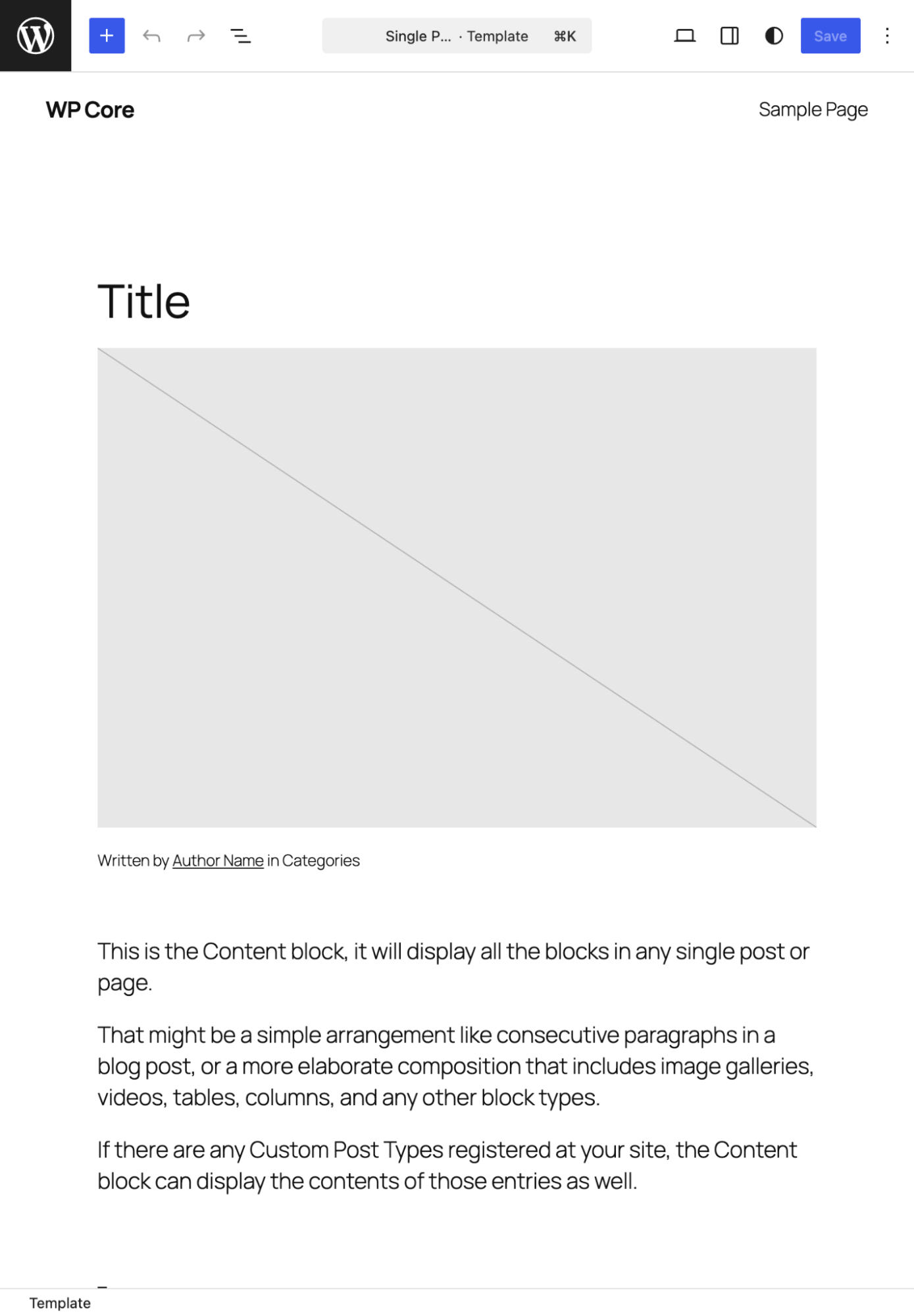
- No In-Place Editing: Because blocks render asynchronously via REST API calls, you cannot click inside the block preview to type or edit content directly. All inputs must occur through auto-generated sidebar settings.
- Limited Attribute Types: WordPress 7.0 restricts PHP-registered block attributes to strings, numbers, and booleans, supporting only text inputs, number fields, checkboxes, and basic dropdowns. Advanced UI components like media uploaders, date pickers, or rich-text toolbars are unavailable.
- Stale Data Risks: PHP blocks query the database directly during rendering, bypassing the client-side JavaScript store. If a user modifies the post title inside the editor, a PHP-rendered block displaying that title will lag behind until the post is explicitly saved and reloaded.
- Stateless REST Contexts: Global variables like
$postare not reliably populated during REST API block rendering in the editor preview, occasionally requiring clever workarounds to fetch current post IDs.
Official Responses and Developer Community Feedback
Reaction from the broader WordPress engineering community has been pragmatic and enthusiastic, though tempered with clear warnings about appropriate use cases.

Core contributors have emphasized that this feature was never intended to replace JavaScript block development for complex, highly interactive plugins. Instead, it is framed as a strategic bridge—a tool explicitly designed to facilitate legacy modernization.
Veteran theme developers have praised the update for removing the single biggest bottleneck preventing them from transitioning client sites to modern block themes. Agencies that previously faced weeks of expensive refactoring can now port legacy headers, custom footers, and proprietary shortcodes into server-side rendered blocks in a matter of hours.

Implications: A New Era for Theme Migrations and Developer Experience
1. The Killer Use Case: Legacy Code Migration
The true triumph of PHP-only blocks lies in migration projects. Thousands of established websites rely on custom PHP functions, legacy widgets, and shortcodes embedded deeply into their template structures. Rewriting these assets into modern React components often proves economically unviable.
With WordPress 7.0, developers can wrap existing PHP templates inside server-side rendered blocks. While the editor preview might be basic or rely on placeholders, the frontend rendering remains flawless. This drastically reduces the time and cost required to migrate classic themes to modern, high-performance block themes.

2. Practical Workarounds for Advanced Implementations
For developers pushing the boundaries of PHP-only blocks, several community-tested patterns have emerged to solve common hurdles:
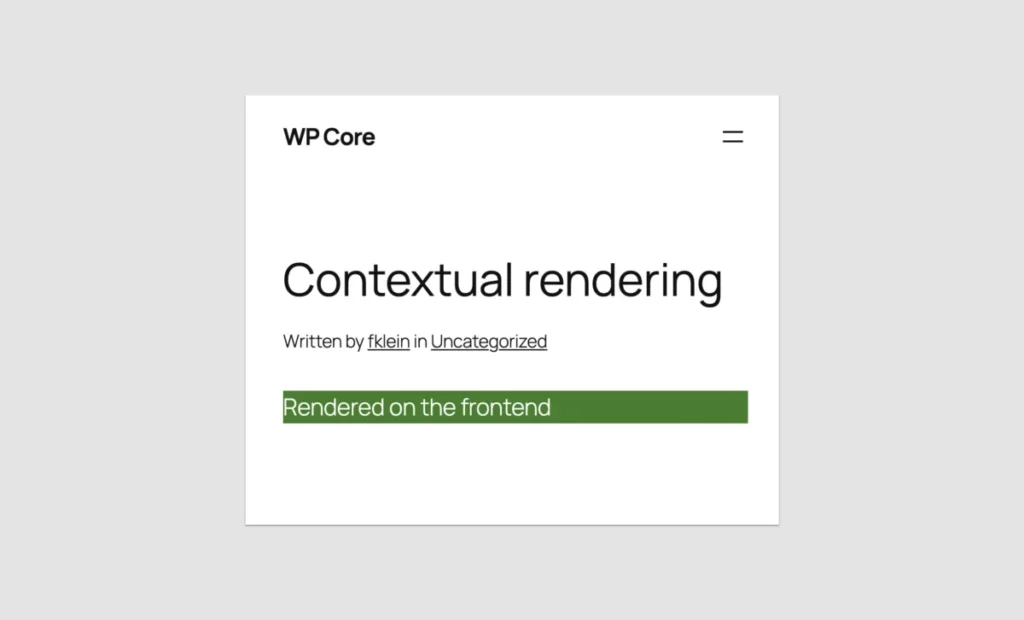
- Contextual Rendering Detection: Using
wp_is_rest_endpoint()alongside checks for the block-renderer route allows developers to serve different HTML markup or styling depending on whether the block is executing in the admin editor or live on the frontend. - Post ID Retrieval: By extracting the post ID from
$_GET['post']during the initialization hook and passing it via a local attribute role, developers can restore post-awareness to server-side render callbacks. - Optimized Enqueuing and Block Supports: Developers can leverage core APIs to attach targeted CSS stylesheets (
style), frontend scripts (view_script), and standard block supports like alignment controls, color schemes, and inserter visibility without writing custom JavaScript interfaces.
3. A Broader Commitment to Developer Experience (DX)
Beyond technical execution, the introduction of PHP-only block registration signals a psychological shift within WordPress Core development. For years, the push toward JavaScript-heavy tooling alienated backend developers who felt pushed out of the modern ecosystem.

By validating PHP as a first-class citizen for block creation, WordPress is acknowledging that developer experience matters at all skill levels. While JavaScript remains the undisputed king of rich-client interactivity, PHP has reclaimed its rightful place as a powerful, efficient engine for content structuring.
Conclusion
Was it worth waiting seven and a half years for PHP-only blocks?
If your goal is to build feature-rich, highly dynamic, inline-editable applications inside the block editor, the answer is no—JavaScript remains irreplaceable for those experiences.
However, if your goal is to rescue legacy codebases from technological obsolescence, eliminate unnecessary build toolchains, and finally migrate stubborn classic themes into the modern era of block architecture, then WordPress 7.0 is nothing short of a game-changer. The barrier has fallen. The tools you already know are, once again, all you need.