The Rise of Edge Intelligence: Mastering Multimodal AI in the Browser
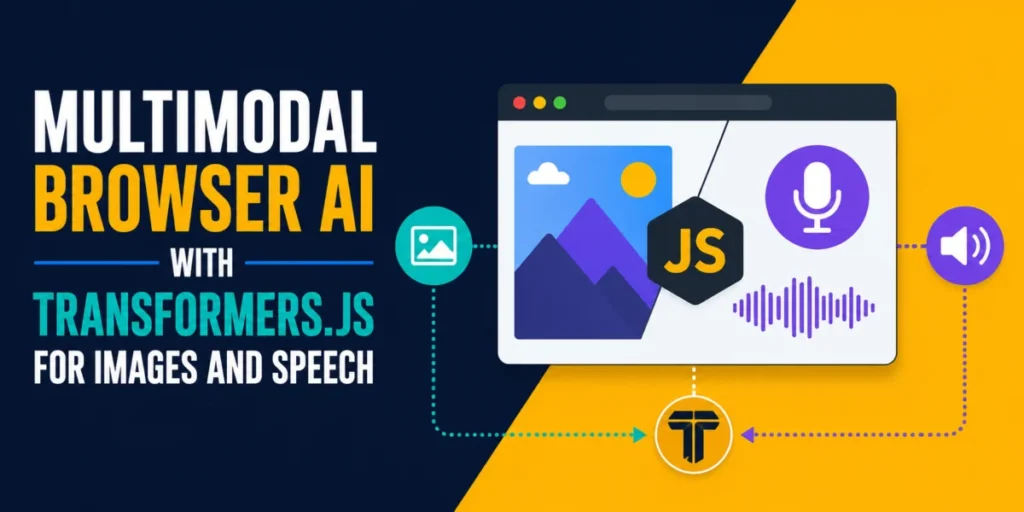
The landscape of artificial intelligence is undergoing a quiet, decentralized revolution. For years, the development of sophisticated AI applications was tethered to the cloud, requiring expensive GPU clusters, complex API orchestration, and significant latency. Today, a new paradigm is emerging: Browser-based Multimodal AI.
By leveraging libraries like Transformers.js, developers can now deploy high-performance machine learning models that execute entirely on the user’s local hardware. This approach—often referred to as "Edge Intelligence"—offers unprecedented privacy, zero-cost inference, and seamless offline functionality. This article explores the mechanics of building a unified, multimodal media analyzer that performs image classification, image captioning, and speech transcription without ever sending a single packet of sensitive data to a remote server.
Main Facts: The New Frontier of Localized ML
The shift toward running AI in the browser is driven by the maturation of the ONNX (Open Neural Network Exchange) runtime and the power of modern client-side hardware. When you build an application that runs locally, you eliminate the "black box" of cloud-based APIs. There is no API key to secure, no bandwidth consumption from uploading high-resolution media, and no risk of data leakage.
Transformers.js, built by the team at Hugging Face, is the cornerstone of this movement. It provides a familiar API for JavaScript developers that mirrors the functionality of the Python-based transformers library. It supports a vast array of tasks—from computer vision to natural language processing and automatic speech recognition—all packaged into a lightweight, browser-compatible format. The fundamental advantage is that the model files, once downloaded and cached in the browser’s IndexedDB, persist across sessions, enabling instantaneous "instant-on" AI performance.
Chronology: From Text-Only to Multimodal Capability
Historically, browser-based AI tutorials focused heavily on text. It was the "Hello World" of machine learning: simple, lightweight, and easy to parse. However, the true utility of AI lies in its ability to process the chaotic, messy data that users generate daily: photos of receipts, voice notes in a noisy room, and screenshots of complex data.
The Evolution of Tasks
- Phase 1: Image Classification. The initial step in building a multimodal pipeline is understanding the subject. By using a Vision Transformer (ViT), we can assign fixed categories to an image. It is the most efficient task, requiring the least amount of computational overhead.
- Phase 2: Image Captioning. Moving from fixed labels to descriptive, free-form text required integrating a more sophisticated decoder. By pairing a ViT encoder with a GPT-2 decoder, we moved beyond "dog" or "cat" and into the realm of semantic description: "a golden retriever running through a field of tall grass."
- Phase 3: Speech Transcription. The final piece of the puzzle involved audio. Using OpenAI’s Whisper architecture, we transitioned from vision to auditory processing, enabling the system to transcribe speech to text with remarkable accuracy, all while remaining within the browser’s sandbox.
Supporting Data: Model Architecture and Resource Usage
When deploying models locally, the "First-Run Penalty" is the primary challenge. Because these models are substantial, developers must account for download times. Below is a breakdown of the models required for our multimodal analyzer:
| Task | Model | Pipeline Task | First-run Size |
|---|---|---|---|
| Image Classification | Xenova/vit-base-patch16-224 |
image-classification |
~88 MB |
| Image Captioning | Xenova/vit-gpt2-image-captioning |
image-to-text |
~246 MB |
| Speech Transcription | Xenova/whisper-tiny.en |
automatic-speech-recognition |
~78 MB |
The total footprint for a full-featured, multimodal application is roughly 400 MB. While significant, this is a one-time investment. By utilizing progress_callback functions within the pipeline() API, developers can maintain a professional user experience, providing real-time feedback on download status to ensure the user isn’t left staring at a blank screen.
Technical Implementation: The Anatomy of the Pipeline
Building these capabilities is surprisingly straightforward. Since modern browsers have access to WebAssembly, the performance of these models is remarkably high.
Image Classification: The Foundation
The image classifier utilizes a Vision Transformer (ViT) pre-trained on ImageNet-1k. By using the q8 (8-bit quantized) version, we achieve a balance between model accuracy and file size. The output is a ranked list of probabilities, allowing the developer to display a bar chart of the model’s confidence levels.
Image Captioning: Generative Description
Captioning is a more resource-intensive process. It requires an encoder to understand the image and a decoder to generate natural language tokens. Because the generation process involves predicting the next word repeatedly, the latency is higher than classification. It is, however, significantly more useful for accessibility, as it can generate dynamic alt-text for uploaded images.
Speech Transcription: The Power of Whisper
Whisper is arguably the most capable open-source model for speech recognition. By running it in the browser, we use the AudioContext API to normalize audio inputs. The pipeline handles the complex task of resampling audio to 16,000 Hz, which is the native requirement for the Whisper architecture. This ensures that whether the user uploads an MP3 or a WAV file, the transcription engine receives perfectly formatted data.
Official Perspectives: The Future of Edge Computing
The shift to browser-based AI is being heavily supported by major browser vendors. The integration of WebGPU is the next major leap. By enabling the browser to utilize the user’s dedicated graphics card, inference speeds can improve by 3x to 5x.
In a recent technical brief, the Transformers.js development team emphasized that "the goal is not to replace the cloud, but to make the cloud optional for the majority of everyday tasks." By moving inference to the client, companies can reduce their server-side compute costs to near zero, while users gain the benefit of total data privacy.
Implications: Privacy, Accessibility, and Scalability
The implications of this technology are profound for three primary sectors:
1. Data Privacy and Security
In regulated industries like healthcare or finance, uploading a patient’s photo or a voice recording to a public API is a non-starter. Browser-based AI allows for "privacy-by-design." Data is processed in volatile memory and never transmitted, ensuring compliance with strict data residency laws.
2. Accessibility
For developers building tools for the visually impaired, the ability to generate image descriptions on the fly—without relying on an internet connection—is a game-changer. A user can walk through a new building, take a photo, and have it described by their phone’s browser, even in areas with poor cellular reception.
3. Cost Scalability
For a startup or a solo developer, scaling a cloud-based AI service can be financially ruinous. By shifting the computation to the user’s device, the developer effectively "crowdsources" the compute power. This allows for the creation of high-value applications that remain financially sustainable at any scale.
Next Steps: Moving Toward Production
While the current state of browser-based AI is robust, developers looking to move beyond prototypes should consider three critical enhancements:
- Web Workers: Never run heavy inference on the main thread. By moving model execution to a background Web Worker, you ensure the user interface remains responsive, allowing for animations and interaction while the AI works in the background.
- Device Detection: Always query
navigator.gputo determine if WebGPU is available. If it is, use thefp16(floating-point 16) version of the model to take advantage of GPU acceleration. If not, gracefully fallback to theq8WASM version. - Model Selection: Match your model size to your target audience. If your users are on high-end desktop machines, opt for the full-sized models. If your target is mobile web users, favor the
tinyorsmallvariants of models like Whisper to prevent the browser from crashing due to memory constraints.
Conclusion
The ability to run multimodal AI in the browser is no longer a technical curiosity; it is a practical, scalable, and secure reality. By following the pattern of importing the pipeline, handling data via local buffers, and utilizing Web Workers for performance, you can build applications that are as powerful as their cloud-based counterparts.
As the Hugging Face ecosystem continues to optimize models for the web, the barrier to entry will continue to drop. Whether you are building an offline transcription tool, an automated image-tagging dashboard, or an accessibility aide, the tools are ready. The future of AI is not just in the cloud—it is in the browser, in the palm of your hand, and running entirely on your own terms.