
Unlocking the Next Level of UI Design: How to Animate CSS Border Images with Modern Houdini Properties
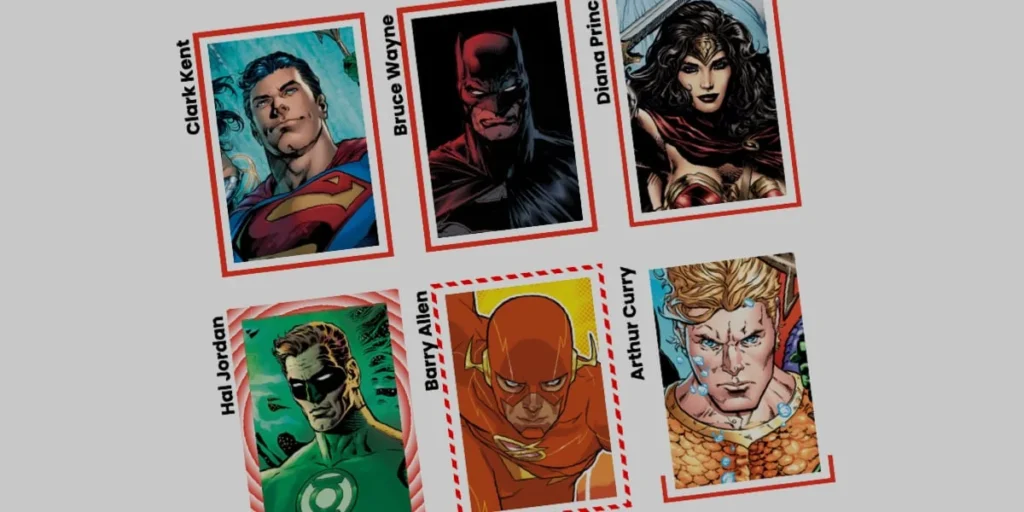
SAN FRANCISCO — In the ever-evolving landscape of front-end development, cascading style sheets (CSS) continue to push the boundaries of what is possible in web design. While developers have long relied on standard, predictable border styles—such as solid lines, dashed paths, or simple double-borders—advanced layout artists are rediscovering the creative potential of the CSS border-image property.
Though the property itself is far from new, recent deep-dives by prominent web designers like Andy Clarke have reminded the community just how versatile border images can be. However, a lingering challenge has historically plagued the technique: static rendering. For years, borders defined by images or complex gradients remained fixed in place, refusing to move, scale, or react fluidly to user interactions.
Today, thanks to the maturation of CSS Houdini’s @property API and advanced interpolation techniques, front-end engineers are unlocking a new paradigm. By pairing border-image with registered custom properties, developers can now seamlessly animate complex gradients along an element’s perimeter. The result is a dynamic, high-performance user interface (UI) experience that brings previously rigid design elements to life.
Main Facts: The Anatomy of an Animated Border Image
At its core, the CSS border-image property allows developers to use an external graphic or a programmatic gradient in place of traditional border styling. While powerful, the technique carries a significant architectural caveat: border images do not inherently curve to border shapes.
Unlike box-shadows or border-radiuses, which easily wrap around rounded corners, traditional border-image renderings can break down when applied to elements with curved geometry. For complex animations that travel continuously around an element’s perimeter, engineers must carefully manage this limitation—or bypass it using alternative approaches, such as Temani Afif’s popular CSS mask technique.
Despite these limitations, many developers prefer border-image for its exceptional efficiency. Unlike multi-layered HTML wrappers or heavy JavaScript-driven canvas solutions, native CSS border images handle multi-directional rendering automatically. By leveraging properties like border-image-slice, developers can carve and position single segments of an image across an entire bounding box. When combined with animation, these sliced segments create stunning, fluid visual effects with minimal performance overhead.
Chronology: The Evolution of Gradient Animation on the Web
To understand why animating border images is considered a milestone, one must examine the historical limitations of CSS animations:
- The Pre-Houdini Era: For years, web browsers treated gradients as background images rather than discrete mathematical values. Because a gradient is defined as a series of color stops and percentages, the browser’s layout engine could not natively calculate the "space in between" two different gradient states. Attempting to transition a gradient resulted in an abrupt, unappealing pop rather than a smooth animation.
- The Rise of CSS Custom Properties: As CSS variables gained widespread browser support, developers found creative ways to store values, but browsers still struggled to interpolate variables that controlled complex graphical data types like percentages or angles.
- The Introduction of
@property(CSS Houdini): The game changed with the introduction of the CSS Properties and Values API (commonly known as Houdini). By explicitly registering a custom property with a definedsyntax,initial-value, and inheritance rule, developers essentially teach the browser how to read, interpret, and transition a custom variable. - Modern Implementation: Today, developers can register custom variables—such as percentages for linear gradients or angles for conic gradients—and hook them directly into a
border-image-source. When a user interacts with the element (such as triggering a:hoverstate), the browser smoothly interpolates the registered variable, creating the illusion of a border drawing itself in real-time.
Supporting Data: Technical Implementation Guide
To implement an animated linear gradient border, developers must establish a solid structural and styling foundation. Consider a simple HTML card element containing user text:
<div class="card">
  <strong>Bruce Wayne</strong>
</div>
1. Establishing Base Styles
First, the .card element is assigned explicit dimensions and a background image. To keep the demonstration clean, a single-color linear gradient is utilized as the border source, making it easier to observe how color stops shift during animation.
.card
  width: 150px;
  aspect-ratio: 0.69;
  position: relative;
  background: center / 90% no-repeat;
  background-image: url("batman.jpg");

  /* Initial linear gradient border setup */
  border-image-source: linear-gradient(-45deg, red 0%, transparent 0%);
  border-image-slice: 1;
  border-image-width: 5px;
  border-image-outset: 5px;
In this configuration, border-image-slice: 1 carves 1-pixel slices to smoothly fill the border frame, while border-image-outset: 5px pushes the rendered border slightly away from the card’s core container, preventing unwanted visual overlap with the inner background image.
2. Registering the Custom Property for Animation
Because direct gradient interpolation remains restricted, a custom property (--p) must be registered at the top of the stylesheet using the @property rule:
@property --p
  syntax: "<percentage>";
  initial-value: 0%;
  inherits: false;
This registered variable is then integrated directly into the linear gradient definition within the .card selector. When the user hovers over the card, the variable’s value updates from 0% to 100%:
.card
  border-image-source: linear-gradient(-45deg, red var(--p), transparent 0%);
  transition: --p 0.4s ease-in-out;

  &:hover
    --p: 100%;
The resulting effect causes the red color stop to expand across the gradient span, making the border appear as though it is actively drawing itself around the container upon mouseover.
Official Responses and Expert Insights: Pushing Boundaries with Conic Gradients
Front-end architects note that linear gradients represent only the surface of what is achievable. By shifting from linear configurations to advanced conic-gradient setups, developers can orchestrate sweeping, rotational animations that completely transform component aesthetics.
According to design system engineers experimenting with Houdini properties, incorporating properties like border-image-repeat: round allows browsers to tile sliced regions seamlessly without awkward clipping.
To achieve a rotational drawing effect, multiple custom properties—such as an angle variable (--a) and a slice variable (--n)—can be registered simultaneously:
@property --n
  syntax: "<number>";
  initial-value: 1;
  inherits: false;


@property --a
  syntax: "<angle>";
  initial-value: 0deg;
  inherits: false;


.card
  border-image-source: conic-gradient(from var(--a), red var(--a), transparent 0%);
  border-image-width: 5px;
  border-image-slice: var(--n);
  border-image-repeat: round;
  transition-property: --n, --a;
  transition-duration: 0.6s;

  &:hover
    --n: 20;
    --a: 360deg;
In this advanced variation, hovering over the card simultaneously scales the slice value (--n) and executes a full 360-degree rotation of the conic gradient (--a). The visual outcome is a striking, dynamic UI component that behaves with the fluidity typically reserved for heavy JavaScript animation libraries.
Implications for Future Web Design Systems
The widespread support for CSS Houdini properties and advanced border-image animations carries profound implications for the future of digital product design:
- Reduced Dependency on JavaScript: By shifting complex UI animations entirely into native CSS, development teams can significantly reduce script execution times, lowering the main-thread burden and improving overall page performance.
- Enhanced Design System Flexibility: UI component libraries can now ship with highly engaging, interactive border states that adapt fluidly to dark modes, brand theme shifts, and user accessibility settings with minimal boilerplate code.
- Creative Renaissance: As web standards continue to harmonize across modern rendering engines, developers are empowered to break free from traditional boxy layouts, introducing organic, high-end visual flair into everyday web applications.
As front-end communities continue to experiment with custom property registrations, animated border images stand out as a prime example of how foundational CSS properties, when paired with modern specification updates, can redefine the boundaries of web interaction.








