
The Power of the Prompt: Navigating the New ariaNotify() API
For years, web developers have navigated a precarious tightrope when attempting to communicate non-visual updates to screen reader users. The landscape of accessibility—specifically the management of dynamic content changes—has long been defined by the erratic, often frustrating behavior of WAI-ARIA "live regions." Today, that landscape shifts with the introduction of ariaNotify(), a new method defined in the W3C’s ARIA 1.3 specification. While this tool promises to solve some of the most persistent bugs in modern web development, it carries with it a weight of responsibility that developers would be wise to respect.
The Core Innovation: What is ariaNotify()?
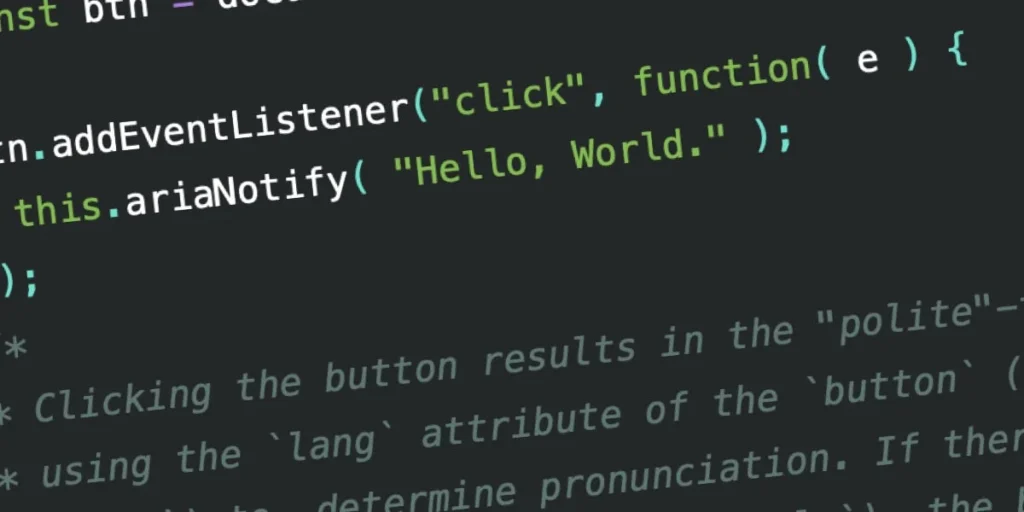
At its simplest, ariaNotify() is a JavaScript method that allows developers to programmatically trigger an announcement via a user’s assistive technology (AT). It is designed to be straightforward: you pass a string to the method, and the screen reader speaks it.
// A simple programmatic announcement
document.ariaNotify("Update complete: Your settings have been saved.");
This method is available on both the Document and Element interfaces. When invoked from an element, the browser intelligently checks the element’s ancestry for lang attributes to ensure the announcement is pronounced in the correct language. If no specific language is defined, it defaults to the <html> element’s language or the user’s browser settings.
Furthermore, the API allows for configuration via a second parameter, which currently supports a priority key. Setting this to "high" mimics the behavior of aria-live="assertive"—interrupting the current stream of audio to prioritize the message—while the default "normal" priority mirrors aria-live="polite", waiting for a natural break in the user’s interaction before speaking.
A History of Complexity: Why We Needed a Change
To appreciate why ariaNotify() is a breakthrough, one must understand the "Rube Goldberg" nature of the systems it replaces. Historically, developers relied on aria-live regions to handle dynamic updates.
The Evolution of Live Regions
In the early days of rich web applications, screen readers were largely static. As the web moved toward asynchronous updates (AJAX), the W3C introduced live regions. By adding an attribute like aria-live="polite" to a container, developers hoped the browser would alert the user whenever that container’s content changed.
In practice, this approach has been fraught with inconsistency:
- Timing Issues: If a live region is injected into the DOM at the same time as the content it is meant to announce, the screen reader often fails to register the change.
- The "Display: None" Trap: Live regions frequently fail if they are initially hidden with
display: noneand then toggled to visible, as screen readers often ignore updates made to nodes that were not present in the initial accessibility tree. - Browser Incoherence: Different combinations of browsers (Chrome, Firefox, Safari) and screen readers (NVDA, JAWS, VoiceOver) interpret
aria-livedifferently, leading to scenarios where a message is announced twice, not at all, or in an order that makes no sense to the user.
These technical hurdles forced developers to maintain "ghost" containers—visually hidden elements that stay in the DOM solely to serve as notification buffers. This practice is not only clunky but creates a persistent "invisible" UI that requires constant testing and maintenance.
Supporting Data: Testing Across ATs
Early testing of ariaNotify() shows a promising, though still evolving, level of support. Initial benchmarks across major screen readers reveal that the API is largely hitting its marks, though nuances in language pronunciation remain a work in progress.
| Screen Reader | Polite Priority | Assertive Priority | Multi-Language Support |
|---|---|---|---|
| JAWS | Accurate | Immediate interruption | Partially functional |
| NVDA | Accurate | Immediate interruption | Partially functional |
| VoiceOver | Accurate | Immediate interruption | Partially functional |
While these results suggest a vast improvement over the chaotic, unreliable nature of legacy aria-live regions, they also highlight that browser implementation of the new lang detection features is still catching up.
The Ethical Dilemma: The "Alert" Parallel
Despite the technical elegance of ariaNotify(), the developer community is treating its arrival with a mix of excitement and deep-seated caution. The primary concern is that a tool this easy to use is ripe for abuse.
Many seasoned developers recall the dark ages of the window.alert() method. alert() was the "quick and easy" way to get a user’s attention, but it was frequently misused to interrupt workflows, create modal-driven anxiety, and break the user experience. Because alert() was so simple to implement, it became a crutch for developers who couldn’t be bothered to design better, non-intrusive UI patterns.
ariaNotify() carries a similar risk. By allowing developers to "speak" directly to the user through their screen reader, it invites the potential for "verbal clutter." If a developer decides that every minor state change—every checkbox click, every hover, every background process—needs an announcement, they will quickly turn a helpful, accessible feature into a nuisance.
The First Rule of ARIA
The W3C’s "First Rule of ARIA" states: "If you can use a native HTML element or attribute with the semantics and behavior you require already built in, instead of re-purposing an element and adding an ARIA role, state or property to make it accessible, then do so."
The danger of ariaNotify() is that it bypasses the need for structural semantic design. Why bother crafting a meaningful, intuitive UI if you can just call ariaNotify("You clicked this button")? The answer, of course, is that the latter creates a "tutorial-like" experience that experienced users find condescending and inefficient.
Implications for the Future of Web Accessibility
The implications of this API for the future of the web are profound. On one hand, it provides a legitimate, standard-compliant path to solving real-world accessibility issues that have haunted developers for years. Complex single-page applications (SPAs) that update content without page reloads will finally have a robust way to inform users of those changes without resorting to hacky workarounds.
However, the responsibility now shifts from the browser vendors to the developers. Accessibility is no longer just about meeting technical specifications; it is about user experience design.
Best Practices for Responsible Use
To ensure ariaNotify() does not become the next alert(), development teams should adhere to a few core principles:
- Reserve for Significance: Only use
ariaNotify()for updates that are critical to the user’s current task. If a user is navigating a form, they do not need to be told about a background update to a sidebar element that they haven’t interacted with. - Context is King: Always prefer native semantic HTML. If an element can convey its state via
aria-expandedoraria-checked, use those attributes first. Only useariaNotify()when an update is otherwise invisible to the screen reader. - Prioritize User Flow: Before implementing an announcement, ask: "If I were sighted, would I see an alert for this?" If the answer is no, the user probably doesn’t need an audio notification for it either.
- Rigorous Testing: Just because the API is easy to use doesn’t mean it’s easy to get right. Test with actual screen readers. If your notification causes a conflict with other page elements or repeats information already provided by standard focus management, remove it.
Conclusion
The arrival of ariaNotify() is a landmark moment in the evolution of the web. It represents the maturation of the WAI-ARIA specification, moving from a collection of "hacks" and workarounds to a set of robust, developer-friendly APIs.
But with this power comes a test of our industry’s discipline. We have been granted a direct line of communication to the most vulnerable users of our platforms. If we use it with care, consideration, and the user’s autonomy at the forefront, we will create a more inclusive, intuitive web. If we treat it as a shortcut, we risk turning our applications into a cacophony of unwanted noise.
The tool is here. The question is no longer whether we can build better accessibility, but whether we have the maturity to use these new tools to help our users, rather than simply talking over them. Let’s be cool about this.








