
Bridging the Gap: A Comprehensive Guide to Migrating from Oracle to BigQuery
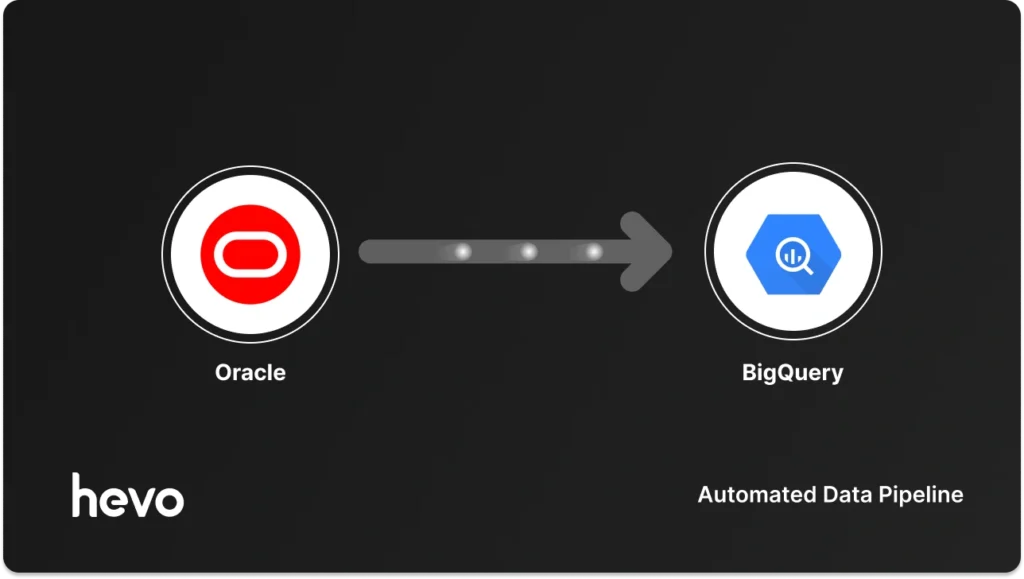
In the modern enterprise landscape, data is the lifeblood of decision-making. However, many organizations find themselves trapped in a technological bottleneck: their operational data is locked within legacy relational databases like Oracle, while their ambitions for real-time, scalable analytics lie in the cloud. Transitioning from an on-premises Oracle environment to Google BigQuery is no longer just an IT upgrade; it is a strategic imperative for businesses aiming to unlock the power of serverless, high-performance data warehousing.
This guide explores the architectural nuances, migration strategies, and long-term implications of moving your data estate to Google Cloud’s premier analytics platform.
The Strategic Imperative: Why Move from Oracle to BigQuery?
Oracle Database has long been the gold standard for transactional processing (OLTP). Its robustness, ACID compliance, and stability make it excellent for managing day-to-day business operations. However, when it comes to running complex analytical queries on petabyte-scale datasets, the traditional row-based architecture of Oracle begins to show its limitations.
Google BigQuery, by contrast, is a serverless, highly scalable, multi-cloud data warehouse designed specifically for Online Analytical Processing (OLAP). By migrating to BigQuery, organizations gain:
- Decoupled Compute and Storage: Scale your processing power independently of your storage, optimizing costs.
- Blazing Performance: Leverage BigQuery’s columnar storage and massive parallel processing (MPP) to run complex queries in seconds that might take hours on legacy systems.
- Zero Infrastructure Management: Eliminate the burden of patching, indexing, and hardware provisioning.
- Advanced AI/ML Integration: Seamlessly connect your data to Vertex AI and other Google Cloud services to build predictive models directly on your warehouse data.
Choosing Your Migration Vehicle: The Spectrum of Maintenance
When planning your migration, the primary variable is your organization’s tolerance for maintenance. There are effectively three ways to handle this move, ranging from fully managed automation to "do-it-yourself" engineering.

1. The Automated Path: Managed Pipelines (e.g., Hevo)
For teams that prioritize speed, real-time synchronization, and low operational overhead, automated ETL (Extract, Transform, Load) platforms are the gold standard. These tools handle the complexities of Change Data Capture (CDC), schema drift, and error handling out of the box.
2. The Native Path: Google Cloud Managed Services
Google provides native tools like the BigQuery Data Transfer Service. This is an excellent middle-ground for organizations already committed to the Google Cloud ecosystem that prefer managed solutions over third-party software.
3. The Custom Engineering Path: Dataflow and Scripting
For highly specific use cases—such as complex data masking or transformations in-flight—building custom pipelines using Apache Beam or Python scripts offers infinite flexibility at the cost of high long-term maintenance.
Method 1: Automated Data Movement with Hevo
If your goal is to minimize developer intervention and ensure data is always fresh, automation is the preferred strategy.
Prerequisites
Before initiating the pipeline, ensure you have:

- Network Access: An open port for your Oracle instance (typically 1521).
- Permissions: A dedicated user with
SELECTaccess to the required schemas. - LogMiner Configuration: For real-time updates, the database must be in
ARCHIVELOGmode with supplemental logging enabled.
Implementation Steps
- User Creation: Use SQL Developer to create a
HEVO_USERand grant necessary dictionary and logging permissions. - Enable CDC: Set your database to
ARCHIVELOGmode and enableSUPPLEMENTAL LOG DATA (ALL) COLUMNS. This allows the platform to track every change (Insert, Update, Delete) in real-time. - Pipeline Configuration: Configure the source in your dashboard, providing the host, port, and service name.
- Destination Setup: Configure the BigQuery destination by providing a JSON service account key. The platform will automatically manage the staging process via a Google Cloud Storage bucket.
Method 2: Manual Migration and Native Utilities
If you are performing a one-time migration or have strict internal security requirements that forbid third-party data access, manual migration is the standard.
The BigQuery Data Transfer Service
This is the most efficient native method. It automates the scheduling of data transfers, pulling directly from your Oracle source and landing it in BigQuery.
- Pros: Managed by Google, minimal infrastructure footprint.
- Cons: Limited ability to perform complex transformations during transit.
The GCS Export Approach
For massive historical backfills, the traditional "Export-to-Cloud-Storage" method remains highly effective.
- Export: Use Oracle SQL Developer to export data to Parquet or CSV files. Parquet is highly recommended for its efficiency and schema preservation.
- Stage: Upload these files to a Google Cloud Storage (GCS) bucket.
- Load: Use the
bq loadcommand or the BigQuery UI to ingest the files from GCS.
Comparison of Migration Methods
| Method | Best For | Pros | Cons |
|---|---|---|---|
| Hevo (Automated) | Real-time sync, low maintenance | No-code, CDC built-in | Paid subscription required |
| Data Transfer Service | Scheduled native transfers | Google-managed, reliable | Limited transformation control |
| Manual (GCS Export) | Large one-time backfills | Full format control | High manual effort, no automation |
Addressing Technical Challenges: Schema and Data Types
A significant hurdle in the Oracle-to-BigQuery journey is the mapping of data types. Oracle’s VARCHAR2 does not have a direct 1:1 mapping in every scenario with BigQuery’s STRING. Similarly, date formats and specialized functions (e.g., NVL vs IFNULL) require careful consideration.
Key Mapping Considerations:

- Numeric Types: Be cautious with
NUMBERtypes; ensure you map them toNUMERICorFLOAT64in BigQuery to prevent precision loss. - Stored Procedures: BigQuery does not support Oracle’s PL/SQL stored procedures. You must refactor these into BigQuery SQL scripts or utilize Dataflow for business logic migration.
The Role of Dataflow for Complex Transformations
When "lift and shift" is insufficient, Google Cloud Dataflow serves as the heavy lifter. By utilizing Apache Beam, teams can build streaming or batch pipelines that process, clean, and enrich data as it moves from Oracle to BigQuery.
While this approach offers unparalleled control, it represents a shift in philosophy: you are no longer just a data user; you are a data engineer. This requires a dedicated team to handle performance tuning, monitor pipeline latency, and debug complex data integration issues.
Implications: The Cultural Shift
The transition from Oracle to BigQuery is as much about people as it is about technology. When you move to a modern data stack, the focus shifts from database administration to data engineering and analytics.
- Query Optimization: In Oracle, developers are used to tuning indexes to speed up reads. In BigQuery, developers must learn to optimize for partition pruning and clustering to control costs and performance.
- Cost Governance: Because BigQuery is a pay-as-you-go service, stakeholders must understand that inefficient queries translate directly to higher costs. Implementing monitoring and budget alerts is no longer optional—it is a critical business function.
- Real-time Readiness: Once the data is flowing in real-time, the business will begin to demand real-time insights. Ensure your BI team is ready to leverage tools like Looker or Tableau to visualize live data streams.
Conclusion: Making the Final Decision
Choosing between these methods requires a cold, hard look at your team’s capacity.
If your organization has the engineering resources to manage infrastructure, write custom Python connectors, and handle the inevitable "maintenance debt" that comes with DIY pipelines, then manual methods or Dataflow might provide the bespoke control you desire.

However, if your primary goal is to accelerate time-to-insight and empower your analysts rather than your infrastructure team, the path of automation is clear. Solutions like Hevo eliminate the friction of schema evolution and connection failures, allowing your team to focus on the analytics that actually drive business value.
The transition from Oracle to BigQuery is a milestone in the digital transformation journey. It is the moment your organization stops managing its data and starts using it as a competitive asset. Whether you choose the automated path or the manual route, the end goal remains the same: a scalable, performant, and intelligent data architecture capable of supporting the next decade of business innovation.
Frequently Asked Questions (FAQs)
Q: How can I convert complex Oracle queries to BigQuery SQL?
A: Map Oracle data types to their BigQuery equivalents (e.g., VARCHAR2 to STRING). Use the IFNULL() function for NVL() and ensure you rewrite PL/SQL blocks into native BigQuery SQL or JavaScript UDFs.
Q: What is the primary difference between Oracle and BigQuery?
A: Oracle is a traditional, row-oriented relational database (RDBMS) optimized for transaction processing. BigQuery is a columnar, serverless data warehouse optimized for massive-scale analytical queries and ad-hoc data exploration.
Q: Is it possible to migrate without downtime?
A: Yes, if you use CDC-based automated tools like Hevo, you can maintain a "live" replication sync from Oracle to BigQuery, allowing for a seamless cutover once the historical data load is complete.








