Bridging the Legacy Gap: A Comprehensive Guide to Migrating from Oracle to BigQuery
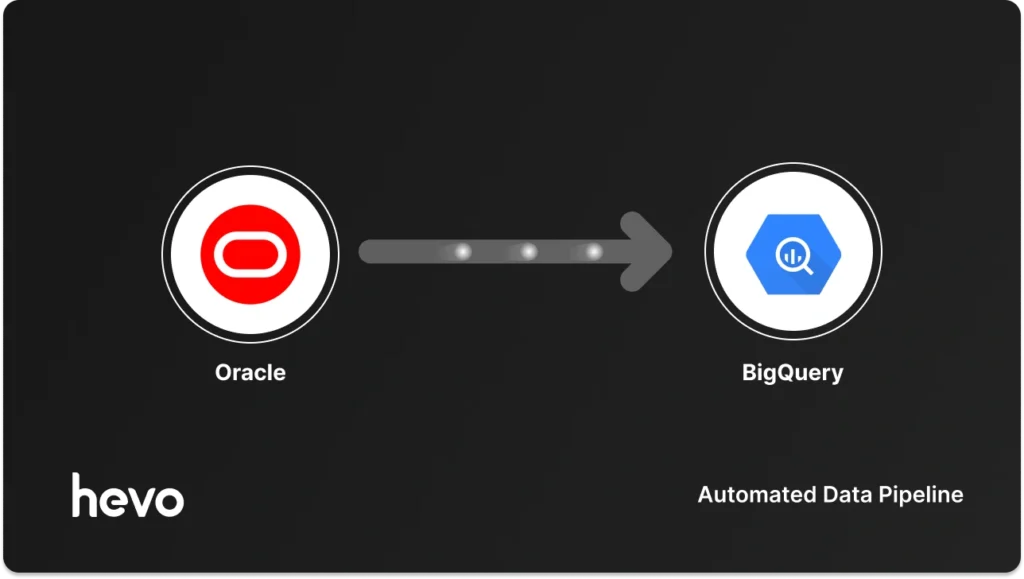
In the modern enterprise, data is the lifeblood of decision-making. Yet, many organizations find themselves trapped in a "data dichotomy": they rely on robust, legacy relational database management systems (RDBMS) like Oracle for transactional integrity, while simultaneously needing the high-performance, elastic, and scalable analytical power of modern cloud data warehouses like Google BigQuery.
Shifting your database from Oracle to BigQuery is more than just a technical migration; it is a strategic move to decouple operational heavy lifting from analytical deep dives. This transition unlocks a stronger analytics foundation, empowers users with custom reporting freedom, leverages seamless Google Cloud ecosystem integration, and provides the blistering performance required to fuel intelligent, real-time business choices.
The Strategic Imperative: Why Move from Oracle to BigQuery?
Oracle has long been the gold standard for OLTP (Online Transactional Processing) workloads—ensuring that every transaction is processed reliably and stored securely. However, Oracle was never intended to be an analytics engine. When complex reporting queries are run against production Oracle databases, performance degrades, potentially slowing down critical business operations.
BigQuery, by contrast, is a serverless, highly scalable, multi-cloud data warehouse designed specifically for OLAP (Online Analytical Processing). By moving your data, you achieve:
- Decoupled Architecture: Separate your operational workloads (Oracle) from analytical reporting (BigQuery) to ensure neither impacts the other.
- Blazing Performance: BigQuery’s columnar storage and massive parallel processing allow you to query petabytes of data in seconds.
- Cost Efficiency: With a serverless model, you stop paying for idle server capacity. You pay for what you use, when you use it.
- Advanced Analytics & ML: Seamlessly connect to Google Cloud’s Vertex AI, Looker, and BigQuery ML to predict trends rather than just reporting on history.
Mapping the Migration Journey: Choosing Your Vehicle
There is no "one-size-fits-all" approach to this migration. Your choice hinges on a single, critical question: What is your tolerance for maintenance?

Broadly, organizations face two paths: automating the process to minimize engineering overhead or opting for manual, controlled ingestion.
Migration Methods Comparison
| Method | Best For | Pros | Cons |
|---|---|---|---|
| Automated (e.g., Hevo) | Real-time sync, high scale | No-code, CDC support, automated schema mapping | Requires licensing/subscription |
| Manual Migration | Small, one-time loads | Total control, no external dependency | High labor cost, manual maintenance, brittle |
Method 1: The Automated Approach (Hevo Data)
If your objective is to maintain a real-time, "source-of-truth" replica of your Oracle data in BigQuery without writing and babysitting custom Python scripts, an automated pipeline tool like Hevo is the industry standard.
Prerequisites for Success
Before initiating your pipeline, ensure you have:
- Oracle Access: Administrative access to the Oracle instance.
- LogMiner Readiness: The database must be configured to support Change Data Capture (CDC).
- Google Cloud IAM: A service account with BigQuery Data Editor, Job User, and Storage Object Admin roles.
Step-by-Step Implementation
- Granting Permissions: Create a dedicated user in Oracle. Run
GRANT LOGMINING TO HEVO_USER;andGRANT SELECT ON SYS.V_$LOGMNR_CONTENTS TO HEVO_USER;to allow the tool to read transaction logs. - Enabling Archivelog Mode: For real-time replication, your database must be in
ARCHIVELOGmode. Perform aSHUTDOWN IMMEDIATE,STARTUP MOUNT, andALTER DATABASE ARCHIVELOG;. - Configuring Supplemental Logging: Run
ALTER DATABASE ADD SUPPLEMENTAL LOG DATA (ALL) COLUMNS;to ensure that every change is captured, even for columns not part of a primary key. - Pipeline Setup: Connect your Oracle source within the Hevo interface, select your ingestion mode (Redo Log for real-time), and map your tables.
- Synchronization: Once the initial historical snapshot is complete, the system automatically transitions to real-time replication, keeping your BigQuery instance in sync with your Oracle production environment.
Method 2: The Manual Migration Path
Manual migration is often chosen by organizations with rigid compliance requirements or small, infrequent data needs. Google provides two primary utilities: the BigQuery Data Transfer Service (DTS) and the Cloud Storage (GCS) Export method.
Option A: BigQuery Data Transfer Service (DTS)
DTS is Google’s native, managed connector. It is best suited for teams that prefer to stay within the Google Cloud ecosystem without deploying third-party agents.

- How it works: You create a transfer configuration in the GCP Console, provide your Oracle connection strings (host, port, service name), and define a schedule.
- The Limitation: It is primarily designed for batch, scheduled loads. It lacks the robust, low-latency CDC capabilities of specialized pipeline tools, making it less ideal for mission-critical real-time analytics.
Option B: The Traditional GCS Export (The "Lift and Shift")
This is the classic enterprise approach for massive, one-time migrations.
- Export: Use Oracle SQL Developer or command-line utilities (
expdp) to dump tables into Parquet or CSV format. Parquet is highly recommended due to its schema preservation and compression. - Stage: Upload these files to a Google Cloud Storage bucket.
- Load: Use the
bq loadcommand or the BigQuery UI to ingest the files into your tables.
The Hidden Cost of Manual Methods: While "free" in terms of software licensing, the operational cost is immense. Manual pipelines require constant monitoring, manual schema mapping, and significant debugging effort whenever a network interruption or a schema change occurs.
Alternative Engineering: Dataflow and Custom Pipelines
For organizations that require extreme customization—such as performing complex transformations while data is in flight—the "build-it-yourself" path is often the only route.
Dataflow Templates
Google Cloud Dataflow is the heavy lifter. By leveraging Apache Beam, you can write templates that pull data from Oracle via JDBC and stream it into BigQuery. It offers massive, horizontal scalability. However, the onus is on your engineering team to handle "schema drift" (what happens when a column type changes in Oracle?) and performance tuning.
Custom Python/Java Pipelines
This is the ultimate control option. By building custom extractors, you have full visibility into the data. The trade-off is the maintenance burden. Maintaining a fleet of custom scripts over several years—ensuring they handle network blips, data type mismatches, and volume spikes—often distracts your most talented engineers from high-value analytical work.

Implications of the Transition
Moving to BigQuery changes the culture of your data team.
- From Reactive to Proactive: By offloading the maintenance of pipelines to automated systems, your data engineers move from being "data janitors" (who fix broken overnight loads) to "data architects" who design sophisticated machine learning models and predictive reports.
- Security and Governance: With Google’s IAM, you can manage granular access to your data, ensuring that only authorized personnel can view sensitive financial or PII data, all managed centrally within the Google Cloud console.
- Scalability: As your business grows, you won’t need to perform an expensive "hardware refresh" on your Oracle servers. BigQuery scales seamlessly to meet your demand, whether you are querying a few megabytes or hundreds of terabytes.
Conclusion
The decision to migrate from Oracle to BigQuery is a milestone in an organization’s digital transformation. It signifies a shift toward a data-driven culture where insights are democratized and available in real-time.
While manual methods and custom engineering offer a sense of control, they often lead to operational fragility. In contrast, automated solutions provide the reliability and "set-it-and-forget-it" functionality that modern, fast-paced businesses require.
Ultimately, your goal is not to manage data movement; your goal is to extract value from your data. By choosing the right migration strategy—whether it is an automated pipeline for continuous flow or a managed native service for batch loads—you ensure that your team spends its time building insights, not debugging infrastructure.
Frequently Asked Questions (FAQs)
Q: How do I convert complex Oracle SQL queries to BigQuery?
A: BigQuery uses Standard SQL, which is largely ANSI-compliant. However, specific functions differ. For example, Oracle’s NVL() function should be converted to IFNULL() or COALESCE(), and VARCHAR2 types will map to STRING. Google provides a SQL translation tool that can help automate the conversion of complex scripts.

Q: Is it possible to perform real-time migrations without specialized tools?
A: It is technically possible using custom CDC logic with tools like Debezium and Kafka, but this requires an immense level of engineering expertise and infrastructure maintenance. For most organizations, managed automated services are significantly more cost-effective.
Q: How does security differ between Oracle and BigQuery?
A: Oracle uses internal roles and grants for security. BigQuery uses Google Cloud’s IAM (Identity and Access Management) and authorized views, which are generally easier to manage at scale and integrate natively with corporate directory services like Google Workspace or Active Directory.