Scaling Marketing Intelligence: The Definitive Guide to Integrating Facebook Ads with Google BigQuery
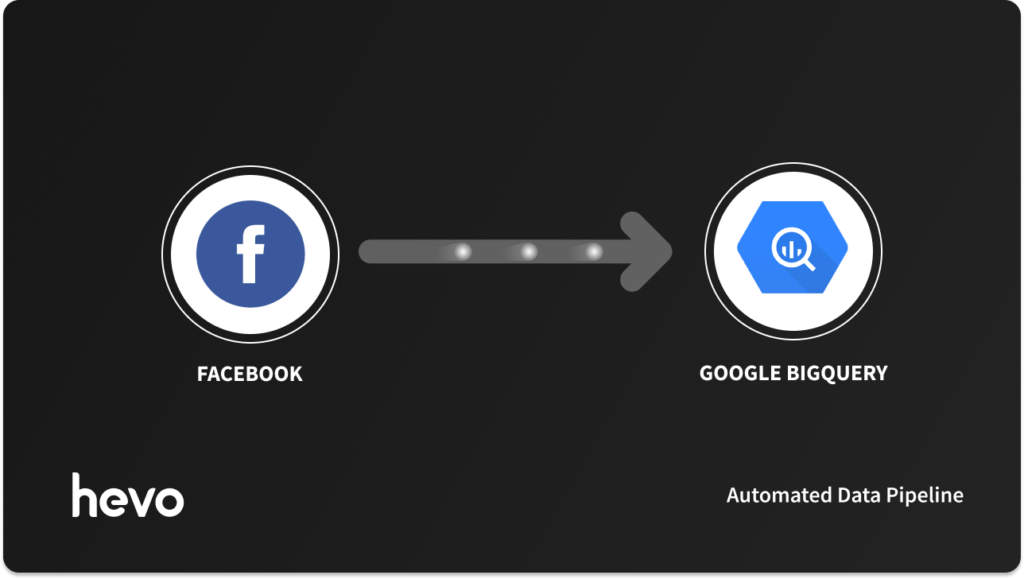
In the modern digital landscape, data is the lifeblood of marketing success. While Facebook Ads Manager provides a granular interface for day-to-day campaign management, it often acts as a data silo. For growth-focused teams, the inability to correlate ad spend with downstream revenue, CRM activity, or product usage limits the scope of strategic decision-making.
Moving your Facebook Ads data into Google BigQuery—a powerful, serverless data warehouse—is the definitive solution to these limitations. By centralizing your marketing data, you unlock the ability to perform complex SQL analysis, blend cross-channel datasets, and fuel advanced machine learning models. This guide explores the strategic implications of this integration and the technical pathways to achieving it.
The Strategic Imperative: Why BigQuery Matters
For most organizations, Facebook Ads performance is only one piece of the puzzle. To truly understand Return on Ad Spend (ROAS), you must bridge the gap between "clicks" and "closed-won deals."
1. Breaking Down Data Silos
Ads Manager is built for campaign execution, not holistic data warehousing. When you move data into BigQuery, you create a "single source of truth." You can join Facebook ad spend metrics with Salesforce CRM data, Stripe revenue numbers, and Google Analytics traffic. This allows for a 360-degree view of the customer journey.
2. Scalable Analytics and SQL Power
Analyzing millions of rows in a spreadsheet is prone to error and performance bottlenecks. BigQuery’s architecture allows you to run complex SQL queries across massive datasets in seconds. This speed enables your team to move from reactive reporting to proactive, predictive modeling.
3. Future-Proofing with Machine Learning
With your ad performance history stored in BigQuery, you can leverage Google’s integrated ML capabilities (BigQuery ML). By training models on historical spend and conversion data, you can forecast future performance, identify churn triggers, and optimize bidding strategies far beyond what the native Facebook algorithm suggests.
Methods of Integration: A Technical Comparison
Choosing the right path for your data pipeline depends on your team’s engineering resources and the complexity of your reporting needs.
| Method | Best For | Pros | Cons |
|---|---|---|---|
| Automated ETL (e.g., Hevo) | Teams demanding reliability and speed | Zero code, automatic schema handling, built-in retry logic | Requires a subscription |
| Custom API Coding | Engineering-heavy teams | Full control, bespoke transformations | High maintenance, prone to breaking during API updates |
| Manual Export/Import | Ad-hoc or small-budget teams | No setup cost | Non-scalable, high human error risk, latency |
Method #1: Automated Data Pipelines (The Hevo Approach)
For most businesses, building a custom pipeline is a distraction from their core product. Hevo Data offers a "set-it-and-forget-it" solution that manages the complexities of API changes, schema drift, and data refreshes.
Step-by-Step Implementation
- Configure Source: Authenticate your Facebook Business Manager account within the Hevo interface. Select the specific Ad Accounts, Campaigns, and Insights levels you wish to monitor.
- Define Destination: Connect your BigQuery project. Hevo handles the authentication via Service Account keys, ensuring secure data transit.
- Activate Pipeline: Once the configuration is validated, Hevo initiates an initial historical load followed by incremental updates, ensuring your warehouse is always current.
Why choose this route? Meta frequently updates its Marketing API. An automated tool handles these version deprecations in the background, ensuring your dashboard never breaks during a critical reporting period.
Method #2: The Engineering Route (Custom Code)
If your organization has strict data sovereignty requirements or needs to perform highly specific transformations before ingestion, custom coding is the path forward.
Pulling Data via the Facebook Marketing API
You must interact with the Graph API. First, generate a Long-Lived Access Token. Using a library like Python’s facebook-business SDK, you can request insights from the /act_<AD_ACCOUNT_ID>/insights endpoint.
Ingestion into BigQuery
Once the data is retrieved as JSON, you have two primary options:
- Batch via GCS: Upload your JSON files to a Google Cloud Storage bucket and use the
bq loadcommand to import them into your table. - Streaming API: Use the
tabledata.insertAllendpoint to push data directly into BigQuery in real-time. Note that this requires robust error handling to manage duplicates and network timeouts.
Method #3: Manual Data Management
For small startups or one-time audits, manual extraction is the path of least resistance.
- Export: Navigate to Facebook Ads Manager, select your timeframe, and export the report as a CSV.
- Preparation: Clean the data, ensuring column headers match your target BigQuery table schema.
- Upload: Navigate to the BigQuery console, create a new table, and use the "Upload" function to point to your local file.
Warning: This method is not sustainable. Data latency and the risk of manual manipulation make it unsuitable for daily operational reporting.
Implications: Building a Data-Driven Culture
Integrating these systems is not merely a technical task; it is a cultural shift. When marketing teams gain access to BigQuery, the nature of their questions changes.
Identifying Performance Patterns
Instead of asking "What was the CPC yesterday?", teams start asking, "How does the CPC of this specific creative cohort correlate with the 90-day Customer Lifetime Value?" This shift in inquiry leads to better budget allocation.
Multi-Channel Attribution
By combining Facebook data with Google Ads, LinkedIn Ads, and TikTok Ads in one place, you can finally solve the "attribution puzzle." You can see which channels are driving top-of-funnel awareness and which are driving the final conversion, allowing for a more nuanced approach to the marketing mix.
Competitive Benchmarking
BigQuery allows you to store your own performance data alongside industry benchmarks. By analyzing this side-by-side, you can determine if a dip in performance is a systemic issue or a platform-wide trend, allowing for faster course correction.
Frequently Asked Questions (FAQ)
How can I get real-time streams of Facebook Ad statistics?
You can build a near-real-time pipeline by leveraging Webhooks. By subscribing to events at the Ad Account or Campaign level, Facebook will push data to your endpoint the moment a status change occurs, which can then be ingested into BigQuery.
How do I prepare Facebook data for BigQuery?
Ensure your data is structured. BigQuery thrives on flattened schemas. If your Facebook JSON data contains deeply nested fields, use a transformation layer (like dbt or Hevo’s built-in transformations) to flatten the structure before loading it into your production tables.
What happens when the Facebook API version changes?
Meta regularly deprecates older versions of its Graph API. If you use custom code, you must manually update your API calls to the latest version. If you use a tool like Hevo, the vendor handles these version transitions as part of their service, shielding you from downtime.
Conclusion
The transition from managing ads in a browser tab to analyzing them in a enterprise-grade data warehouse like BigQuery is a milestone in any company’s growth. It signals that you are no longer guessing; you are measuring.
Whether you choose the hands-off reliability of an automated pipeline like Hevo or the granular control of custom development, the goal remains the same: to turn fragmented ad data into cohesive, actionable business intelligence. As the digital advertising landscape grows more competitive, those who own and effectively analyze their data will be the ones who scale most efficiently. Start small, integrate your primary accounts, and begin the journey toward true data maturity today.