WhatsApp Expands Real-Time "Green Dot" Online Indicator to iOS Beta
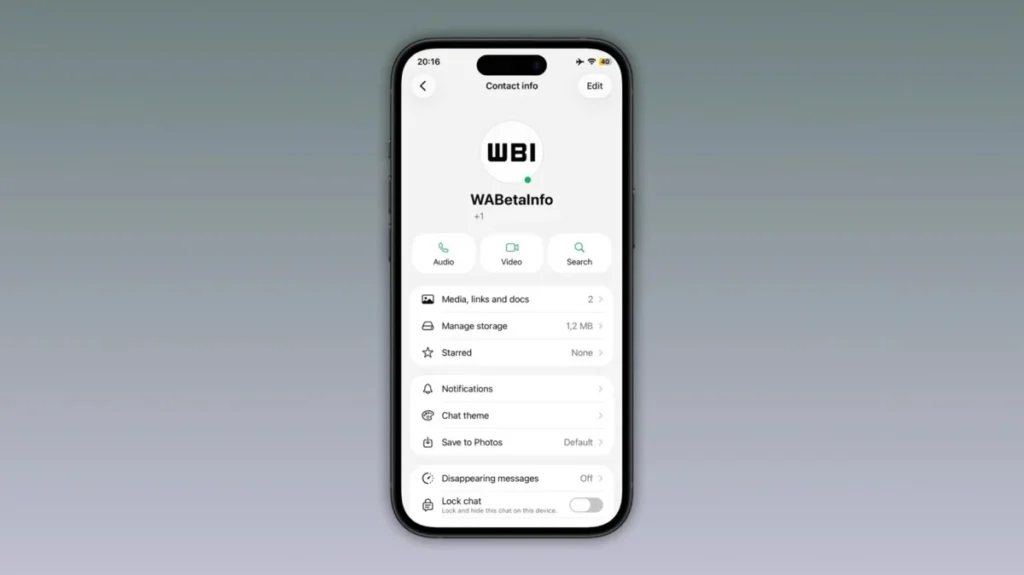
In an ongoing effort to refine user interaction and transparency, Meta-owned WhatsApp has initiated the testing of a new visual indicator for online contacts on its iOS platform. This "green dot" feature, designed to provide an immediate, at-a-glance status of a contact’s availability, follows a similar testing phase previously launched for Android users. As the messaging giant continues to iterate on its interface, this development highlights a broader push toward synchronizing cross-platform experiences while maintaining the stringent privacy standards for which the platform is known.
Main Facts: The Evolution of Presence Indicators
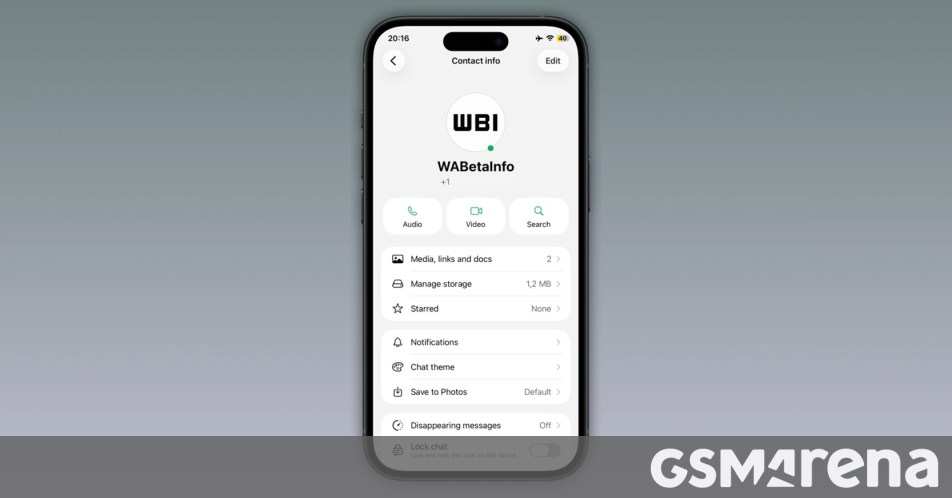
The latest update, discovered by the eagle-eyed tracking team at WABetaInfo, manifests as a small, circular green indicator appearing at the bottom-right corner of a contact’s profile picture within the "Contact Info" section. This development was identified in the iOS beta version 26.26.10.72.
The functionality is straightforward: when a contact is currently active on the application, the green dot illuminates their profile picture. Conversely, the moment the user disconnects or closes the application, the indicator vanishes. This real-time feedback loop is intended to minimize ambiguity regarding whether a contact is currently available to receive and read messages, theoretically streamlining the conversational flow for active users.
However, the current implementation is notably limited. At this stage, the green dot is confined exclusively to the "Contact Info" screen—a page accessed by tapping on a user’s avatar. While this provides a definitive confirmation of online status, it does not currently appear in the primary "Chats" list or the main navigation tabs, a design choice that has sparked discussion regarding the feature’s overall utility.
Chronology of Development: From Android to iOS
The journey of the "green dot" began in the preceding month, when WhatsApp first introduced the testing phase for Android users. The rollout followed a period of speculation regarding how Meta might further integrate real-time status indicators into the UI without cluttering the existing minimalist aesthetic.
Phase 1: The Android Prototype
Initial reports indicated that Android beta testers were the first to receive the update. By integrating the dot into the interface, WhatsApp sought to modernize its status indicators, moving away from text-based "Online" labels that sometimes require navigating deeper into a chat window to verify.
Phase 2: iOS Integration
Following the Android rollout, developers began porting the logic to the iOS ecosystem. The discovery of the feature in beta version 26.26.10.72 suggests that Meta is pursuing a unified feature parity across its two major mobile operating systems. The transition from Android to iOS serves as a crucial stress test for the feature, ensuring that the real-time synchronization of the dot behaves identically regardless of the underlying OS architecture.
Phase 3: Current Status
As of this writing, the feature remains in a restricted beta rollout. Not all beta testers have received the update, suggesting a staged, server-side deployment that allows Meta to monitor performance, latency, and user feedback before moving toward a general release.
Supporting Data and Privacy Constraints
A critical component of this update is how it interacts with WhatsApp’s existing, robust privacy framework. It is essential to understand that the green dot is not an "override" of user privacy settings. WhatsApp has explicitly confirmed that the feature honors the user’s existing "Last Seen" and "Online" visibility configurations.
Privacy Compliance
If a user has opted into WhatsApp’s advanced privacy controls—specifically by restricting their "Online" status or "Last Seen" timestamp from being visible to "Everyone," "Contacts," or "Nobody"—the green dot will respect these parameters. If you are excluded from viewing a contact’s online status, the green dot will simply remain inactive for that contact on your screen. This integration ensures that the feature does not become a tool for surveillance or an inadvertent privacy breach.
Technical Performance
The reliance on real-time data synchronization implies that the green dot is tied to the application’s WebSocket connections. When the app detects an active session from a contact, the server pushes a signal to the client. The latency of this "dot" appearing is largely dependent on the user’s internet connection and the server-side processing speed of the WhatsApp infrastructure. In testing, the indicator has shown high responsiveness, with the dot disappearing almost immediately upon a contact closing the app.
Official Responses and Industry Context
While Meta has not issued a formal press release detailing the "green dot" rollout, the company’s silence is consistent with its typical strategy for feature updates. Instead, Meta relies on the feedback loop provided by beta testing programs like WABetaInfo. By allowing the community to test and provide critiques, Meta effectively crowdsources quality assurance.
The industry at large views this move as a catch-up measure. Competitors such as Telegram and Signal have long employed various forms of status indicators. For WhatsApp, the challenge lies in implementing these features while maintaining the "simplicity" that has defined the brand since its inception.
Industry analysts suggest that the decision to keep the dot restricted to the "Contact Info" page for now reflects a cautious approach. By limiting the real estate the dot occupies, WhatsApp avoids overwhelming users with too much visual information in the primary chat lists, which could lead to "interface fatigue."
Implications: The User Experience Dilemma
The introduction of the green dot carries several implications for the future of mobile messaging, ranging from design philosophy to user psychology.
Implications for Interface Design
The placement of the dot is the subject of significant debate. Critics argue that placing the indicator solely in the "Contact Info" screen defeats the purpose of "at-a-glance" information. If a user must click through to a profile to see if someone is online, the effort involved is roughly equivalent to simply opening the chat window and reading the status text beneath the name. To provide true value, the feature may eventually need to be migrated to the main Chats tab, allowing users to prioritize whom they message based on immediate availability.
Psychological Impact on Communication
The visual nature of a "green dot" changes the urgency of digital communication. A text label like "online" is passive; a bright green circle is active and demand-oriented. This shift in visual language can increase the pressure on users to respond immediately. As messaging platforms evolve, they are increasingly blurring the lines between synchronous communication (like a phone call) and asynchronous communication (like email). The green dot is a firm step toward the former.
Future Roadmap
Looking ahead, one can speculate on the scalability of this feature. If the green dot is well-received, it could pave the way for more granular status indicators, such as "Away," "Do Not Disturb," or "In a Call." However, WhatsApp’s history suggests that it will move slowly, prioritizing platform stability over feature density. The upcoming months will be critical, as the data gathered from the iOS and Android beta groups will determine whether the feature is tweaked, expanded, or potentially rolled back if it impacts server performance or user sentiment negatively.
Conclusion
The testing of the green dot on iOS represents a logical, albeit cautious, step in WhatsApp’s ongoing evolution. By providing a clear, real-time indicator of contact status, Meta is working to enhance the transparency of its ecosystem. However, the success of this feature will likely hinge on its future integration—specifically, whether WhatsApp chooses to bring the indicator out from behind the "Contact Info" curtain and into the main chat interface.
For now, users should remain aware that this is a feature in flux. While it offers a convenient way to verify availability, it remains bound by the user’s personal privacy settings, ensuring that transparency does not come at the cost of security. As we wait for the official public rollout, the tech community will be watching closely to see if this small green circle becomes a permanent fixture of the world’s most popular messaging app, or if it remains an experimental footnote in the platform’s storied history of updates. For those interested in testing the feature, maintaining an active status in the WhatsApp Beta program remains the only current pathway to accessing the functionality before the broader public release.