WordPress 7.0 “Armstrong”: A New Era of AI-Driven Creativity and Design
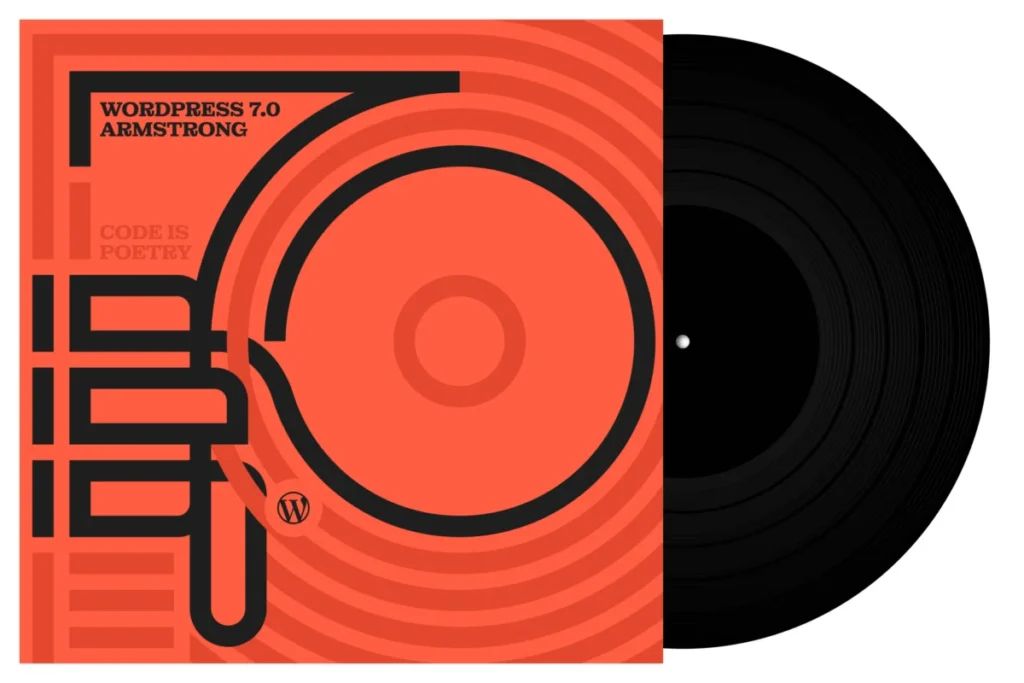
The landscape of open-source content management has undergone a fundamental transformation with the official release of WordPress 7.0, codenamed “Armstrong.” Named in honor of the legendary jazz icon Louis “Satchmo” Armstrong, the release signifies more than just a version increment; it represents a major architectural shift toward an AI-integrated future, a modernized administrative interface, and an unprecedented expansion of the developer’s toolkit.
With over 420 enhancements and fixes contributed by a global community of more than 875 developers, designers, and testers, WordPress 7.0 seeks to bridge the gap between complex enterprise-level development and user-friendly creative expression. By honoring Louis Armstrong—the man who transformed jazz from orchestral ensemble play into a platform for individual improvisation—the WordPress project is signaling its intent to empower the individual user to improvise and create without technical constraints.

The Core Evolution: A Chronology of Progress
The development of WordPress 7.0 did not happen in a vacuum. It follows a deliberate trajectory of “Phase” milestones established by the WordPress project, focusing on the Gutenberg block editor, collaborative workflows, and now, the integration of intelligent, automated assistance.
- Foundation (Early 2026): The core team began architecting the “Abilities API,” designed to allow WordPress to interface seamlessly with external Generative AI models.
- Refinement (March 2026): Introduction of the new Admin Theme, focusing on high-contrast, low-latency UI transitions, and the stabilization of the Command Palette.
- Integration (April 2026): Extensive beta testing conducted across 21 web hosting platforms to ensure server-side compatibility with the new AI Client-Side Abilities package.
- Global Release (May 2026): WordPress 7.0 “Armstrong” officially goes live, marking the most significant UI/UX overhaul in the platform’s decade-long history.
Architectural Breakthroughs: The AI-Integrated Dashboard
Perhaps the most disruptive feature of the 7.0 release is the AI-integrated ecosystem. Unlike previous iterations where AI was limited to third-party plugin extensions, WordPress 7.0 embeds AI connectivity into the very heart of the software.

The AI Client and Abilities API
WordPress 7.0 introduces a centralized AI Client in Core. This is not a single AI model, but rather a "hub" that allows users to connect their preferred generative AI services. By managing these connections in a dedicated "Connector’s Screen," site owners can authenticate and deploy AI tools in just a few clicks.
The accompanying Abilities API and the Client-Side Abilities package represent a major leap for frontend developers. By providing a JavaScript-based command palette, developers can now trigger automated tasks—such as image generation, automated meta-data creation, or context-aware content summarization—directly from the editor. This modular approach ensures that the platform remains agnostic, allowing developers to swap AI providers as technology evolves.

Design and User Experience: A Modernized Aesthetic
The “Armstrong” release is not merely functional; it is aesthetic. The administrative dashboard has been completely revitalized to reduce cognitive load and improve workflow speed.
Command Palette and Fluid Navigation
The introduction of a system-wide Command Palette (triggered by Cmd+K or Ctrl+K) allows users to traverse the dashboard with professional speed. Whether one needs to jump to a specific plugin setting, clear cache, or access the media library, the command line provides a frictionless path.

Advanced Font Management
Typography is the backbone of web design. WordPress 7.0 removes the dependency on theme-specific typography limitations by introducing a global Font Management Page. Users can now upload, install, and manage their entire font collection—including local and web-based fonts—directly from the admin screen, with full support for block, hybrid, and classic themes.
Intuitive Revision Control
Editorial workflows have been significantly improved. The new visual revision scrubber allows content creators to slide through historical versions of a page or post, using high-visibility markers to identify exactly what was changed, by whom, and when. This restores the “undo” culture to a level of precision previously unseen in content management systems.

Design, Create, Customize: The New Building Blocks
The block editor has received a substantial upgrade, focusing on "visual agility" and granular control.
- The Icons Block: A long-awaited addition that allows for native icon usage without the need for external asset libraries.
- Breadcrumbs Block: A native solution for SEO-friendly site navigation, fully customizable to match the theme’s aesthetic.
- Responsive Controls: Users can now hide or reveal specific blocks based on the user’s device viewport without affecting other configurations.
- Detachable Patterns: Patterns are no longer static templates; they can now act as single units that, once inserted, can be detached and customized with granular CSS control at the block level.
The Developer’s Toolbox: Expanding Horizons
For the developer community, WordPress 7.0 is a massive expansion of technical capability. The ability to create server-side blocks using pure PHP, which are then auto-registered with the Block API, significantly reduces the boilerplate code required for complex plugin development.

Furthermore, the Site Editor has been made more extensible than ever. With new routing and validation protocols, and the wordpress/boot package, plugin developers can now build native, full-page experiences within the Site Editor interface. This move effectively turns the Site Editor into a full-fledged application framework.
Official Responses and Industry Implications
The WordPress project’s commitment to "democratizing publishing" is evident in the 7.0 release notes. Lead contributors have emphasized that while AI is the highlight, the stability and accessibility of the software remain the paramount concerns.

“With WordPress 7.0, we aren’t just adding features; we are providing a framework for the future of the web,” stated a spokesperson for the release squad. “By making AI a first-class citizen in the core software, we ensure that every user—from the solo blogger to the global corporation—has the tools to build faster and with more creativity.”
Economic and Technological Implications
The release of 7.0 is expected to have a profound impact on the hosting and plugin industry.

- Hosting: Web hosts are already reporting that the new performance-optimized core handles the increased overhead of AI-client requests with minimal latency.
- Plugin Development: The shift toward PHP-based block registration and the new Site Editor routing will likely lead to a new generation of sophisticated "Site-Building Plugins" that provide SaaS-like experiences directly on self-hosted WordPress installations.
Acknowledgments: The Power of Community
No software project of this scale could succeed without the collaborative effort of its contributors. The 7.0 release was the result of over 875 individuals working across borders, languages, and technical disciplines.
With over 200 first-time contributors and 70 fully translated locales, WordPress 7.0 is a triumph of the open-source model. The release squad specifically noted the contribution of the 21 web hosts that provided early-access testing, ensuring that the transition to 7.0 remains smooth for the millions of sites currently running on previous versions.

Conclusion: A Symphony of Code
Like the music of Louis Armstrong, WordPress 7.0 is designed to be both structured and improvisational. It provides the rhythm section—the robust, secure, and reliable core—while offering the creative tools for users to play their own solos.
Whether you are a developer looking to leverage the new Abilities API, a designer taking advantage of the new font management system, or a business owner looking to automate your workflow with AI, WordPress 7.0 “Armstrong” provides the stage. The tools are in your hands; the improvisation is up to you.

For more information on the release, including comprehensive documentation, developer field guides, and tutorials, visit the WordPress 7.0 Feature Showcase and the Learn WordPress portal.