
WordPress 7.0 Introduces PHP-Only Block Registration: A Lifeline for Legacy Code or Too Little, Too Late?
By the Technical Desk
Published: June 2026
Main Facts
Seven and a half years after the Gutenberg block editor first arrived in WordPress Core, developers have been handed a feature many thought they would never see. WordPress 7.0 officially introduces PHP-only block registration, a streamlined system that allows developers to build and register custom blocks using strictly PHP.
By leveraging a new 'autoRegister' => true flag, WordPress automatically generates all necessary client-side JavaScript, editor previews, and UI hooks behind the scenes. This eliminates the longstanding requirement to master React, configure complex Webpack or Babel build pipelines, manage erratic NPM packages, and register blocks twice (once in PHP, once in JavaScript).

However, this newfound accessibility comes with a catch. The PHP-only architecture is heavily restricted: it lacks support for rich text editors, dynamic inline interactions, direct access to the live client-side data store, and complex attribute types. Consequently, while it falls short for building modern, highly interactive UI components from scratch, industry experts agree it serves a monumental purpose: it acts as a seamless migration path for legacy PHP codebases stuck in classic themes, effectively lowering the barrier to modern block theme adoption.
Chronology
The journey toward PHP-only block registration spans nearly a decade of architectural shifts within the WordPress ecosystem:
- December 2018 (WordPress 5.0): Gutenberg launches, transforming WordPress from a traditional content management system into a block-based editor. The development experience heavily favors JavaScript, requiring custom blocks to be built using React and compiled via build pipelines.
- 2019–2024: The block ecosystem matures. Full Site Editing (FSE) is introduced, renaming to Site Editing, and block themes become the native standard. Despite performance and maintainability gains, many enterprise and boutique developers remain anchored to classic themes simply because migrating thousands of lines of legacy PHP widgets, shortcodes, and custom templates into JavaScript is economically and temporally unfeasible.
- Late 2025 (The Planning Phase): Core contributors recognize that the steep learning curve of modern JavaScript toolchains remains the primary bottleneck for block theme adoption. Discussions begin on abstracting the client-side compilation layer for basic server-side rendered blocks.
- June 2026 (WordPress 7.0 Release): WordPress officially rolls out PHP-only block registration. For the first time, developers can construct functional, sidebar-configurable blocks using nothing more than a standard PHP function and an
initaction hook.
Supporting Data & Technical Implementation
To understand the scope of this update, one must examine how traditional development contrasts with the new WordPress 7.0 methodology.

Traditional vs. PHP-Only Registration
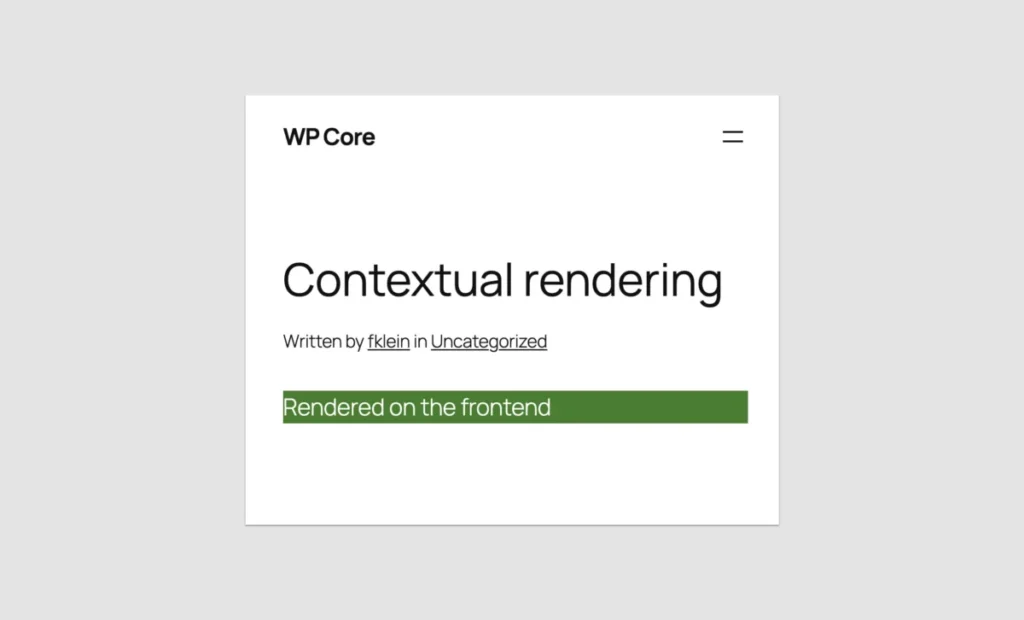
Traditionally, building a custom block required maintaining a block.json file, an index.js entry point, compiled assets, and a companion PHP file. WordPress 7.0 reduces this entire workflow into a single block of PHP. Consider the following Hello World implementation:
function css_tricks_hello_world_block()
  register_block_type(
    'css-tricks/hello-world',
      [
        'title' => 'Hello World',
        'render_callback' => function ()
          return sprintf(
            '<div %s>Hello World!</div>',
            get_block_wrapper_attributes()
          );
        ,
        'supports' => [
          'autoRegister' => true,
        ],
      ]
  );

add_action('init', 'css_tricks_hello_world_block');
By introducing 'autoRegister' => true, WordPress handles the heavy lifting, injecting the block directly into the editor interface without requiring any local asset compilation.
Handling Attributes and Sidebar Controls
Attributes allow users to modify a block’s behavior. In the past, creating input controls required custom React components. In WordPress 7.0, defining an attribute automatically spins up a corresponding input field in the block’s Settings sidebar:

function css_tricks_hello_world_block()
  register_block_type(
    'css-tricks/hello-world',
    [
      'title' => 'Hello World',
      'render_callback' => function ($attributes)
        return sprintf(
          '<div %s>%s</div>',
          get_block_wrapper_attributes(),
          esc_html($attributes['greeting'])
        );
      ,
      'supports' => [
        'autoRegister' => true,
      ],
      'attributes' => [
        'greeting' => [
          'type' => 'string',
          'default' => 'Hello World!',
        ],
      ],
    ]
  );

add_action('init', 'css_tricks_hello_world_block');
Despite this elegance, technical metrics show severe constraints in attribute types. WordPress 7.0 natively supports only three attribute types: strings, numbers, and booleans, mapping to basic text fields, number inputs, checkboxes, and simple dropdowns. Rich text, image uploads, and multi-line text areas are entirely missing from the PHP-only API.
Official Responses and Developer Consensus
Reaction within the WordPress community has been deeply polarized, balancing nostalgic relief against pragmatic caution.
Core maintainers emphasize that the feature was never intended to compete with native JavaScript blocks. Instead, it is an explicit olive branch extended to backend developers, agency owners, and solo freelancers who felt alienated by the forced migration to a JavaScript-heavy ecosystem.

Prominent theme developers and core contributors have voiced a unified consensus: treat PHP-only blocks as a bridge, not a destination.
- The Pro-PHP Perspective: Agencies managing massive portfolios of legacy client sites view this feature as a miraculous time-saver. Codebases containing custom shortcodes or bespoke template logic can now be containerized into blocks within minutes, allowing agencies to upgrade clients to modern block themes without rewriting their entire backend stack.
- The JavaScript Purist Perspective: Front-end engineers caution against relying on PHP blocks for dynamic user interfaces. Because these blocks bypass the client-side JavaScript data store, they are completely blind to real-time edits made elsewhere in the editor (such as changing a post title or modifying custom fields) until a full page reload occurs.
Architectural Limitations
Before committing to a PHP-only block development strategy, developers must account for four critical architectural roadblocks built into WordPress 7.0:
- Zero DOM Interaction in the Editor: Because previews are rendered asynchronously via a REST API endpoint and replaced on every re-render, attaching JavaScript event listeners or initializing frontend libraries (like sliders or carousels) inside the editor preview is practically impossible.
- Stale Data References: PHP-only blocks query the database directly during rendering, completely bypassing the client-side state store. If a user alters a post’s title, excerpt, or featured image inside the editor, a PHP-rendered block will continue displaying stale database values until the post is explicitly saved and reloaded.
- Missing Post Context: REST API endpoints are stateless. Unlike frontend templates running inside The Loop, the block editor’s preview endpoint lacks proper global state variables. Consequently, standard template tags or functions relying on post context (such as
get_post_meta()without an explicit ID) can fail during editor rendering. - Limited UI Controls: Dropdown controls cannot utilize keyed arrays. This means developers cannot display a user-friendly label (e.g., "News Category") while storing a clean identifier (e.g., category ID
42), forcing developers to store unstable slugs instead.
Implications for the WordPress Ecosystem
The release of WordPress 7.0 marks a psychological and structural turning point for the platform. For years, the prevailing sentiment was that WordPress was aggressively shedding its PHP roots in favor of becoming a headless, JavaScript-driven application framework.

By introducing a server-side safety net, WordPress Core is signaling a pragmatic maturity. It acknowledges that millions of active websites run on legacy PHP logic that cannot—and will not—be rewritten overnight.
Unlocking Theme Migration
The true impact of this release will be felt in block theme adoption rates. Historically, developers managing classic themes with complex headers, custom footers, and specialized widget setups faced a daunting ultimatum: spend weeks learning React and rewriting code, or stay on classic themes indefinitely.
With PHP-only block registration, those barriers evaporate. Developers can wrap legacy PHP components in server-side rendered blocks, place them into block templates, and transition sites to full site editing environments in hours rather than days.

Practical Best Practices for WordPress 7.0
For developers planning to utilize PHP-only block registration, experts recommend adopting several key strategies to mitigate its architectural limitations:
- Detecting Editor vs. Frontend Context: When rendering logic needs to differ between the admin screen and the live site, developers can utilize
wp_is_rest_endpoint()alongside the REST route query variables to selectively output administrative placeholders or live data. - Embracing Placeholders: If a complex widget (such as an embedded newsletter form or dynamic map) cannot render cleanly inside the block editor, developers should output a clean, static placeholder box in the backend while preserving the full functionality on the frontend.
- Leveraging Block Supports: Utilize the Block Supports API to safely inject core features like alignment controls, color customizations, and structural limits (e.g., setting
'multiple' => falseto restrict a block to a single instance per post) without writing custom interface code. - Enforcing API Version 3: Ensure all blocks target Block Version 3 or higher to guarantee compatibility with the iframed post editor, preventing administrative CSS rules from contaminating block styles.
Conclusion: Was the Wait Worth It?
Asking whether it was worth waiting seven and a half years for PHP-only blocks depends entirely on how the feature is deployed.
If evaluated as a tool for building dynamic, highly responsive, native-feeling application interfaces from scratch, the answer is a definitive no. JavaScript remains the undisputed king of the modern block editor, and developers looking to craft rich user experiences must still embrace React.

However, if evaluated as a migration utility—a bridge designed to rescue legacy codebases from technological obsolescence and usher classic sites into the era of block themes—then the feature is nothing short of revolutionary.
WordPress 7.0 has successfully removed the highest wall blocking modern theme adoption. For thousands of developers holding onto legacy PHP systems, the tools they need have finally arrived, proving that sometimes, the best way forward is remembering how to look back.








