
Bridging the Gap: How ‘Prop For That’ is Revolutionizing CSS-JavaScript Interoperability
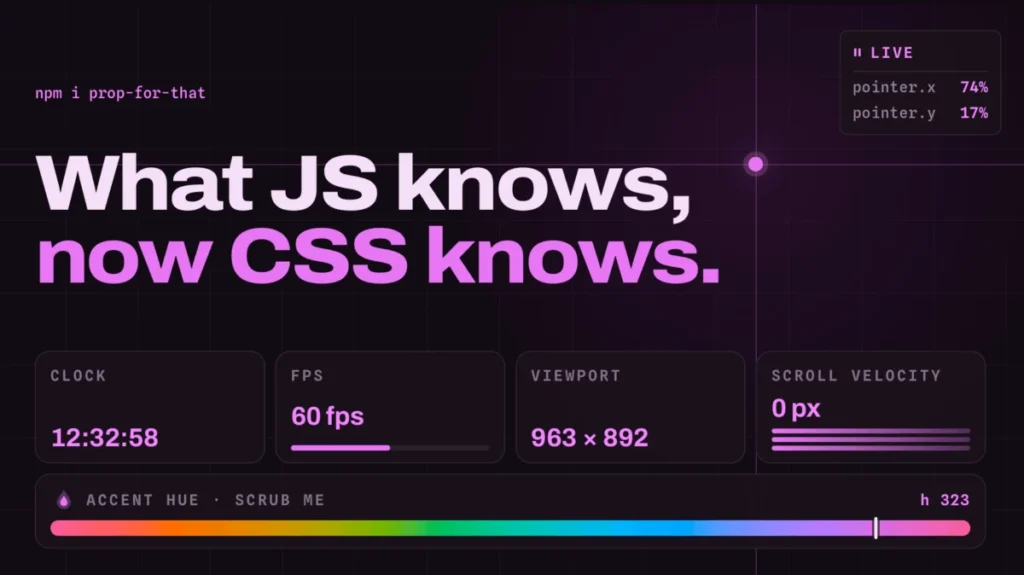
The web development landscape has long been defined by a clear, albeit sometimes frustrating, division of labor: JavaScript handles the logic, state, and dynamic data, while CSS governs the aesthetic presentation. For years, developers have sought ways to bridge this divide without resorting to bloated libraries or complex event listeners. Enter Adam Argyle, a prominent voice in the CSS community and the creator of Open Props, who has just unveiled his latest project: Prop For That.
This new utility is poised to fundamentally change how developers treat dynamic browser data, effectively bringing real-time values—such as cursor position, scroll velocity, and form states—directly into the CSS cascade. By abstracting the boilerplate JavaScript usually required to track these metrics, Prop For That offers a declarative, high-performance approach to "state-aware" styling.
Main Facts: What is Prop For That?
At its core, Prop For That is a lightweight library designed to act as a bridge between the browser’s internal state and the CSS custom property (variable) system. While Open Props provided a static collection of pre-configured design tokens (colors, shadows, spacing), Prop For That introduces live data.
The project solves a recurring problem: developers often need to respond to user interactions that CSS cannot natively "see." For example, CSS has no inherent way to know the exact pixel coordinates of a cursor or the current velocity of a scroll event. Historically, this has required a developer to write a custom JavaScript function, attach an event listener to the window, and manually update a CSS custom property on an element or the :root.
Prop For That automates this process entirely. By adding a simple data attribute to an HTML element—such as data-props-for="pointer"—the library automatically injects the relevant values into the element’s scope as CSS variables. The browser then treats these as standard variables, allowing developers to use them in calc(), transform, or any other CSS function.
Chronology: The Evolution of CSS Interactivity
To understand the significance of Prop For That, one must look at the historical trajectory of CSS-JavaScript interaction.
The Era of Hard-Coded Listeners (2010–2016)
In the early days of modern web design, updating styles based on scroll position or cursor movement was a performance-heavy endeavor. Developers relied on jQuery or vanilla requestAnimationFrame loops. These methods were often "janky," causing layout shifts and consuming significant CPU cycles because every style change forced a full browser recalculation.
The Rise of CSS Variables (2017–2020)
The introduction and widespread support of CSS Custom Properties (Variables) marked a turning point. Suddenly, developers could update a single value in JavaScript—like --mouse-x: 100px—and the entire page could respond reactively. However, this still required the developer to write the "glue code": the JavaScript that calculates the mouse position and updates the variable.
The "Open Props" Revolution (2021–2023)
Adam Argyle released Open Props, which established a standard set of design tokens. This reduced the time developers spent defining basic variables and promoted a more consistent design system approach. It proved that the community was hungry for tools that prioritized efficiency and developer experience (DX).
The "Prop For That" Paradigm (2024–Present)
Prop For That is the natural evolution of this trend. It acknowledges that if developers are repeatedly writing the same boilerplate code to track the pointer, scroll, and time, that code should be abstracted into a standardized, optimized utility. By shifting the burden of tracking to a specialized library, Argyle has effectively offloaded the "infrastructure" of interactive UI to the tool itself.
Supporting Data: Why Performance Matters
The architectural beauty of Prop For That lies in its implementation. Rather than cluttering the global scope or forcing heavy re-renders, it uses a plugin-based system. Each "prop" (like pointer, scroll, or progress) is handled by a specific TypeScript plugin.
The Technical Workflow
- Detection: When the library detects an element with the
data-props-forattribute, it initializes a localized observer. - Calculation: The library calculates the required value (e.g., scroll position) using optimized browser APIs.
- Injection: The value is updated on the element’s style map.
- Reactive Styling: Because the value is now a CSS variable, the browser’s render engine can repaint only the affected elements, often taking advantage of GPU acceleration if the variable is used in properties like
transformoropacity.
For example, tracking cursor position manually often involves an onmousemove event that fires dozens of times per second. Prop For That utilizes requestAnimationFrame under the hood, ensuring that style updates are synchronized with the browser’s display refresh rate, preventing the "flicker" common in poorly optimized JavaScript-driven animations.
Official Responses and Community Impact
Since its announcement, the response from the web development community has been overwhelmingly positive. Frontend engineers have praised the library for its "HTML-first" approach.
"For years, we’ve been trying to keep CSS and JS separate," says one lead frontend architect familiar with the project. "But modern UI design is inherently interactive. Prop For That doesn’t try to remove JS; it hides it behind a clean, declarative interface that makes CSS feel much more powerful than it actually is."
However, some have raised questions regarding the overhead of the library. Argyle has responded by emphasizing that the library is tree-shakeable. If a developer only needs the "pointer" functionality, they do not need to load the code for "scroll velocity" or "time tracking." This modularity ensures that the bundle size remains negligible, even for projects that require multiple types of live tracking.
Implications: The Future of Reactive CSS
The emergence of Prop For That signals a broader shift in how we conceive of "The Stack."
1. The Death of Boilerplate
As tools like Prop For That gain traction, the "glue code" that developers write for standard interactions will likely vanish. This allows teams to focus on the intent of the design rather than the implementation of the interaction.
2. Enabling "Context-Aware" Design
When a component knows its own progress, its scroll velocity, or its distance from the cursor, we enter the realm of "Context-Aware UI." We can now easily build elements that change size based on their proximity to the mouse, or buttons that reveal content based on how fast the user is scrolling. This is the kind of high-fidelity interaction design previously reserved for complex animation libraries like GSAP.
3. CSS as a Logic Layer
While CSS will likely never replace JavaScript for complex business logic, tools like Prop For That allow CSS to handle a greater portion of the "presentation logic." This separates concerns more effectively: JavaScript manages the data, and the library pipes that data into CSS, which then manages the visual state.
4. A New Standard for Component Libraries
We may soon see component libraries that ship with data-props-for attributes baked in. Imagine a card component that automatically tilts or glows based on its scroll position, without the consumer of that component ever having to write a single line of JavaScript.
Conclusion
Prop For That is more than just a utility library; it is a testament to the maturation of the web ecosystem. By identifying the friction points between JavaScript’s logic and CSS’s styling, Adam Argyle has provided a bridge that empowers developers to build richer, more responsive experiences with less effort.
As the web continues to move toward more fluid, interactive, and high-performance interfaces, the tools we use must adapt. Prop For That represents a significant leap forward, turning the browser’s internal data into a first-class citizen of the stylesheet. Whether you are a solo developer looking to add a touch of "wow" factor to a portfolio or an enterprise team building a complex design system, this project offers a glimpse into a future where the line between static and dynamic is increasingly blurred—in all the best ways.
For those looking to explore, the documentation and demos provided at the Prop For That website serve as a masterclass in modern, performant web design. As we look ahead, one thing is certain: the way we write CSS is about to get a whole lot more "live."








