
Beyond Ads Manager: Mastering the Integration of Facebook Ads Data into BigQuery
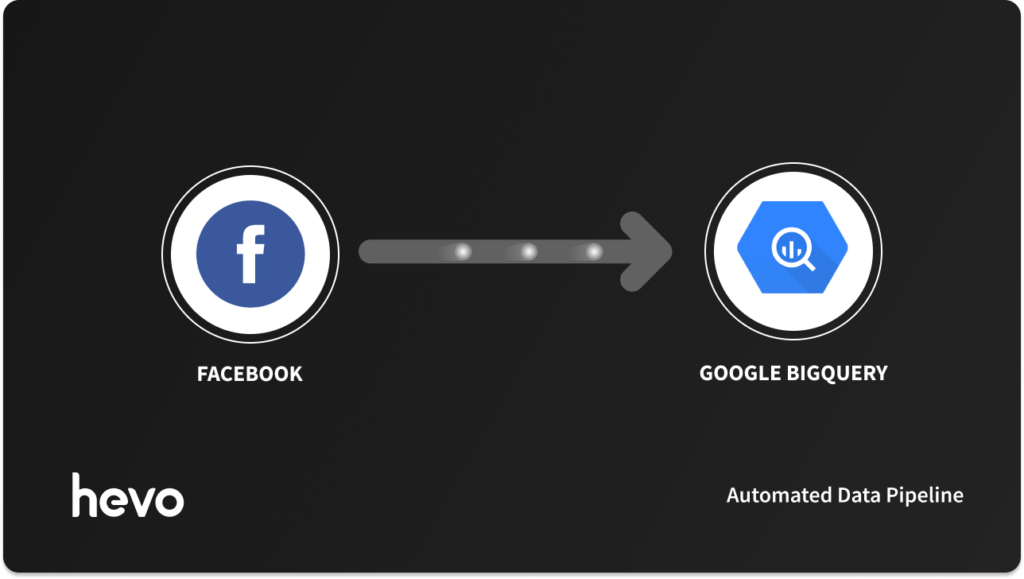
In the modern digital landscape, data is the lifeblood of marketing strategy. For teams running campaigns on Facebook Ads, the platform’s native Ads Manager provides immediate, granular insights. However, as organizations grow, relying solely on the walled garden of Meta’s reporting tools becomes a significant bottleneck. Marketing data trapped in siloed dashboards is difficult to verify, impossible to analyze at scale, and—most crucially—disconnected from the broader ecosystem of CRM, product, and revenue data.
To achieve a true "single source of truth," high-growth companies are increasingly turning to cloud data warehouses, with Google BigQuery leading the pack. By centralizing Facebook Ads data within BigQuery, organizations can move beyond basic performance metrics to perform advanced attribution, multi-channel modeling, and predictive analytics.
The Strategic Imperative: Why Move Beyond Ads Manager?
While Meta’s Ads Manager is excellent for day-to-day campaign management, it was never designed to be an enterprise-grade business intelligence platform. Analyzing data at scale within the browser-based interface is cumbersome, and attempting to cross-reference Facebook ad spend with customer lifetime value (LTV) stored in a separate SQL database is a manual nightmare.
The Problem with Silos
When marketing data resides in a silo, decision-making suffers. Analysts are forced to export CSVs, clean them in spreadsheets, and manually stitch them together with sales data. This process is not only error-prone but also inherently reactive. By the time a report is compiled, the "real-time" nature of the ad spend has already shifted, potentially leading to wasted budgets on underperforming assets.
The BigQuery Solution
BigQuery acts as the central nervous system for your marketing data. Once your Facebook Ads data is housed alongside your CRM (e.g., Salesforce or HubSpot) and product analytics, the barriers to deep insight vanish. Reporting becomes faster, more cost-effective, and—above all—trustworthy.
Methods of Integration: A Comparative Analysis
Integrating Facebook Ads into BigQuery is not a one-size-fits-all endeavor. The choice of method depends on your engineering bandwidth, the complexity of your data requirements, and your tolerance for maintenance.
1. No-Code ETL Pipelines (e.g., Hevo Data)
For teams that prioritize speed and reliability, automated data pipelines are the industry standard. Tools like Hevo Data provide a managed service that handles the complexities of API changes, schema evolution, and incremental syncing.
- Pros: Requires no engineering oversight, handles automatic retries, provides built-in scheduling, and is resilient to Meta’s frequent API deprecations.
- Cons: Less flexibility for highly bespoke, non-standard data transformations.
2. Custom-Coded API Pipelines
Engineering-heavy teams may opt to build a custom solution using Python or Node.js to interface with the Facebook Marketing API.
- Pros: Total control over the ingestion logic and custom transformations at the source.
- Cons: Extremely high maintenance. Every time Meta updates its API (which is frequent), your engineers must debug and rewrite the pipeline. Scaling these scripts to handle thousands of ads across multiple accounts often leads to bottlenecks and "data drift."
3. Manual Export and Import
The "brute force" method involves downloading reports from Ads Manager as CSV files and manually uploading them to BigQuery via the Google Cloud Console.
- Pros: Zero cost and zero technical setup.
- Cons: Entirely unscalable. It is prone to human error, creates significant data latency, and is unsustainable for any team running more than a handful of campaigns.
Step-by-Step: Automating with Hevo Data
For businesses that need to scale, Hevo offers a streamlined path to integration. The process is divided into three logical phases:
Phase I: Source Configuration
- Authentication: Connect your Facebook Ads account using OAuth.
- Granularity: Define the specific ad accounts, report types (e.g., account-level, campaign-level, ad-set level), and attribution windows required.
- Historical Sync: Configure how far back you want to pull existing data to ensure your historical trends are preserved.
Phase II: Destination Setup
- BigQuery Configuration: Provide the necessary credentials and project ID within your data warehouse to allow Hevo to write data into your designated dataset.
- Schema Mapping: Hevo automatically handles the mapping of Facebook’s JSON response objects into structured SQL tables, ensuring that data types (Strings, Integers, Floats) are preserved correctly.
Phase III: Pipeline Activation
Once configured, the pipeline operates on an automated schedule. By utilizing incremental syncs, the platform only pulls new or modified data, significantly reducing API usage costs and ensuring that your BigQuery instance stays as current as possible without manual intervention.
The Strategic Implications: What You Can Do with the Data
Once your Facebook Ads data is successfully flowing into BigQuery, you are no longer limited by the constraints of the Meta interface. Here is how leading data teams are leveraging this integration:
1. Advanced SQL-Driven Attribution
Standard attribution models in Facebook Ads often fail to account for the full customer journey. With data in BigQuery, you can run complex SQL queries that join Facebook ad clicks with your internal user sign-up events, enabling multi-touch attribution models that better reflect how your specific audience converts.
2. Cross-Channel Performance Benchmarking
By pulling data from Google Ads, LinkedIn Ads, and TikTok into the same BigQuery instance, you can create a unified dashboard. You can instantly compare the ROAS (Return on Ad Spend) of a Facebook campaign against a LinkedIn campaign to allocate budgets dynamically based on cross-channel performance.
3. Machine Learning and Predictive Analytics
BigQuery ML allows you to run machine learning models directly on your data. You can train models to predict which users are likely to churn or which ad creatives are likely to perform best based on historical performance. This predictive capability transforms your marketing from a reactive task into a proactive engine for growth.
Official Perspectives and Industry Trends
As Meta continues to deprecate older versions of its Graph API (with major changes scheduled throughout 2026), the fragility of custom-built pipelines has become a primary concern for CTOs and Marketing Operations leaders.
"The cost of building a pipeline is rarely just the initial development time," says industry analyst Arannyk. "The true cost is the long-term technical debt. Every time the API changes, your engineering team is pulled away from core product development to fix broken ad reports. This is why the shift toward fully managed, no-code ETL tools is becoming the default choice for modern data stacks."
Frequently Asked Questions (FAQ)
How can I ensure my data is truly "real-time"?
While true real-time is difficult with advertising APIs due to processing delays on the platform side, you can get near-real-time results by utilizing Webhooks. By subscribing to Facebook’s Webhook notifications, your server can receive instant updates whenever a specific ad event occurs, which can then be streamed into your warehouse.
Is it necessary to have a data engineer to maintain this integration?
If you use a manual or custom-coded approach, yes. If you use a managed, no-code platform like Hevo, the maintenance is outsourced to the service provider. This allows your team to focus on using the data rather than managing the pipe it flows through.
What are the most common pitfalls when moving this data?
The most common mistake is failing to account for attribution windows. If you sync data once and don’t allow for historical updates, your reported spend or conversions will likely be inaccurate, as Meta often updates conversion data for up to 30 days after an impression or click. A robust pipeline must support "historical re-syncs" to ensure your warehouse data matches the latest numbers from the platform.
Can I connect BigQuery to my existing BI tools?
Absolutely. BigQuery is designed to integrate seamlessly with standard visualization tools like Looker Studio, Power BI, and Tableau. Once the data is in BigQuery, you can build interactive, real-time dashboards that provide stakeholders with a comprehensive view of marketing health.
Conclusion
The transition from manual spreadsheets to a centralized BigQuery-based data architecture is a rite of passage for every scaling business. By automating the flow of Facebook Ads data, you eliminate the operational friction that kills productivity and replace it with a robust, scalable foundation for data-driven growth. Whether you are looking to improve your ROAS through better targeting, or you want to build custom machine learning models to forecast performance, the journey starts with getting your data out of the silo and into the warehouse.








