
Revolutionizing WordPress Development: Why PHP-Only Block Registration in WordPress 7.0 Changes the Game for Legacy Migration
Seven and a half years after the Gutenberg block architecture fundamentally transformed WordPress core, developers have finally been handed a bridge across the deep divide separating classic PHP workflows from modern block-based themes. With the release of WordPress 7.0, the platform introduces a radically simplified block-building experience: the ability to register and render custom blocks using pure PHP.
Gone are the mandatory prerequisites of mastering React, configuring complex Webpack or Babel build pipelines, or managing tangled NPM dependencies. For backend developers, agency owners, and maintainers of legacy ecosystems, this long-awaited feature promises to drastically accelerate block theme adoption. Yet, architectural realities mean this feature is not a silver bullet. While it provides a masterclass in developer experience (DX) improvements, it comes with stark technical tradeoffs.

Main Facts: What is PHP-Only Block Registration?
Traditionally, building a custom WordPress block required a multi-layered, dual-registration process. Developers had to define metadata and server-side rendering logic in PHP, while writing client-side behavior, edit interfaces, and block attributes in JavaScript.
WordPress 7.0 eliminates this friction through a single new flag: 'autoRegister' => true within the register_block_type() function.

function css_tricks_hello_world_block()
  register_block_type(
    'css-tricks/hello-world',
      [
        'title' => 'Hello World',
        'render_callback' => function ()
          return sprintf(
            '<div %s>Hello World!</div>',
            get_block_wrapper_attributes()
          );
        ,
        'supports' => [
          'autoRegister' => true,
        ],
      ]
  );

add_action('init', 'css_tricks_hello_world_block');
When activated, WordPress automatically generates the necessary client-side JavaScript layer and editor previews based strictly on the provided PHP parameters. Furthermore, developers can handle basic attribute mapping and control generation straight from the backend:
function css_tricks_hello_world_block()

  register_block_type(
    'css-tricks/hello-world',
    [
      'title' => 'Hello World',
      'render_callback' => function ($attributes)
        return sprintf(
          '<div %s>%s</div>',
          get_block_wrapper_attributes(),
          esc_html($attributes['greeting'])
        );
      ,
      'supports' => [
        'autoRegister' => true,
      ],
      'attributes' => [
        'greeting' => [
          'type' => 'string',
          'default' => 'Hello World!',
        ],
    ],
    ]
  );

add_action('init', 'css_tricks_hello_world_block');
By defining these attributes, WordPress natively auto-generates corresponding user interface controls within the block editor’s Settings sidebar, saving developers countless hours of boilerplate configuration.

Chronology: The Long Road to Simplified Block Building
- Late 2018 (WordPress 5.0): The Gutenberg project launches, introducing the block editor. While revolutionary for content creators, it introduces a steep learning curve for developers reliant on PHP, jQuery, and traditional templates.
- 2019–2021: The WordPress ecosystem struggles with fragmented tooling. Establishing a React-based block development environment requires scaffolding tools like
@wordpress/create-block, introducing heavy build tools (NPM, Babel, Webpack). - 2022–2025: Full Site Editing (FSE) matures into block themes. However, millions of legacy sites remain anchored to classic themes because rewriting complex PHP widgets, shortcodes, and custom loops into JavaScript blocks is prohibitively expensive and time-consuming.
- Present (WordPress 7.0): Core developers introduce native PHP-only block registration, directly addressing the massive backlog of legacy websites unable to transition to block themes due to tooling barriers.
Supporting Data: Capabilities vs. Architectural Limitations
While the prospect of writing blocks entirely in PHP is enticing, core architectural limitations constrain how these blocks perform inside the modern JavaScript-driven block editor.
1. Zero Interaction with Block Content Preview
Because PHP-only blocks are rendered server-side via REST API endpoints (/v2/block-renderer/), they exist outside the editor’s single-page JavaScript application state.

- The Implication: You cannot build interactive, in-place editing experiences. Users are restricted to auto-generated sidebar controls.
- DOM Manipulation Fails: If you attempt to attach client-side JavaScript libraries (such as a carousel or slider) to the block markup, re-renders triggered by editor changes will instantly sever your event listeners.
2. No Access to Fresh Data Store State
When users modify fields like the post title or excerpt inside the editor, changes update a client-side JavaScript data store long before hitting the database. PHP-only blocks bypass this store, querying the database directly. Consequently, they display stale data unless the post is explicitly saved and the editor is reloaded.
3. Stateless REST API and Missing Post Context
On the frontend, blocks render inside "The Loop," granting access to global variables like $post. REST APIs, however, are stateless. Unless explicitly worked around, your block’s render callback cannot natively identify which post is currently being edited in the administrative context.

4. Restricted Attribute Types and Interfaces
WordPress 7.0 limits PHP-only attribute types to strings, numbers, and booleans, mapping to four basic UI elements: text inputs, number fields, checkboxes, and simple dropdowns. Advanced features like media uploaders, rich-text editors, and keyed arrays (e.g., storing category IDs while displaying category names) are entirely missing.
Official Perspectives and Tradeoffs
Core contributors and senior community developers maintain a pragmatic stance regarding this feature. They openly concede that PHP-only blocks are not intended to replace JavaScript-powered blocks for complex, highly interactive components.

Instead, the official perspective champions PHP-only blocks as an explicit migration utility. The strategic value lies not in building next-generation interactive applications, but in unblocking agencies and enterprise developers trapped in legacy codebases. By prioritizing developer experience (DX) and eliminating boilerplate setups, WordPress Core is signaling that accessibility to modern architecture matters just as much as bleeding-edge frontend paradigms.
Practical Implementation Strategies
Developers choosing to utilize PHP-only block registration can bypass several built-in limitations using targeted workarounds:

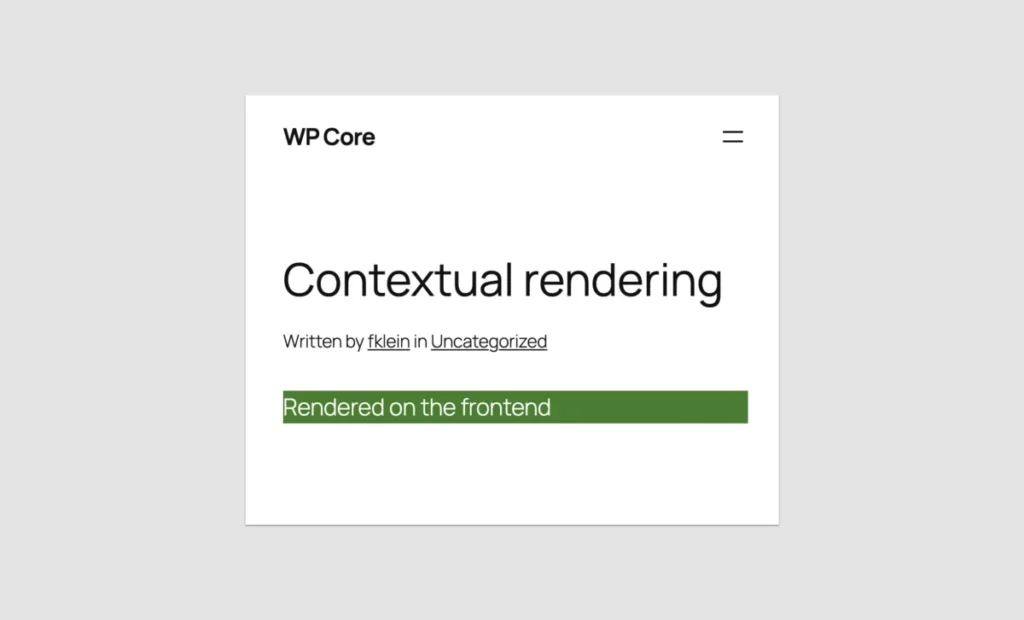
- Contextual Rendering Detection: Because
is_admin()fails during REST API block rendering, developers must usewp_is_rest_endpoint()combined with query string checks to dynamically separate frontend styling from admin previews. - Bypassing Post ID Limits: By reading the
$_GET['post']parameter during initialization and storing it as alocalrole attribute, developers can manually inject the current post ID into the render callback. - Leveraging Block Supports: Developers can drastically extend functionality by opting into the Block Supports API—hiding items from the block inserter via
'inserter' => false, restricting instances using'multiple' => false, or enabling comprehensive text and background color customization.
Implications: The Killer Use Case for Legacy Migration
Despite its technical constraints, PHP-only block registration introduces a monumental implication for the WordPress economy: it solves the block theme adoption crisis.
Millions of enterprise installations, media publishers, and custom agency builds remain frozen on classic themes because migrating custom shortcodes, complex widget areas, custom loops, and legacy header architectures into React-based blocks demands excessive time and specialized personnel.

With WordPress 7.0, a standard PHP developer can take a legacy theme component, wrap it in a server-side rendered block using syntax they have used for decades, and port it directly into a modern block theme in a fraction of the time.
Conclusion: Was the Wait Worth It?
If you are looking to build rich, dynamic, native-feeling UI components from scratch, PHP-only registration is the wrong tool; JavaScript remains king. But if your goal is to rescue legacy codebases from technological obsolescence and unlock the high performance, streamlined editing, and modern architecture of block themes without retraining your entire backend engineering team, the answer is an unequivocal yes.
Seven and a half years later, WordPress has delivered a feature that proves core engineering is finally listening to the day-to-day realities of its developer community.








