Claude Code for Everyone: Mastering Agentic AI Without Writing a Line of Code
The landscape of software development is undergoing a seismic shift. For decades, the ability to build custom automations and functional software applications was locked behind the high barrier of entry known as "coding." To build, one needed to learn syntax, manage environments, and master the arcane art of debugging. Today, that barrier is dissolving.
Anthropic’s Claude Code—an agentic AI tool—has emerged as a game-changer, enabling users with zero developer experience to design, build, and deploy sophisticated automations using nothing more than natural language. By shifting the burden of technical execution from the human to the AI, Claude Code allows creators to focus on the "what" rather than the "how."
The Core Concept: Why Coding Backgrounds Are Obsolete
The prevailing myth in the tech industry is that AI coding assistants are merely tools for professional software engineers to work faster. Tyler Reed, an AI educator and consultant, argues the opposite: "The reality is that today’s models have become so capable that a coding background is no longer a prerequisite for creating automations."
In fact, some of the most prolific creators in the AI automation space have never written a single line of traditional code. Claude Code acts as an agentic layer between the user and the computer. Instead of a standard chatbot, it is a Command Line Interface (CLI) tool that interacts directly with your operating system’s terminal. It researches technical requirements, handles API documentation, manages credentials, and executes the logic required to connect disparate apps. Tasks that once required hours of troubleshooting on platforms like Stack Overflow are now resolved in seconds through simple conversational prompts.
Setting the Stage: Requirements and Preparation
Before diving into the terminal, there are two foundational requirements every user must understand to ensure a smooth experience.
1. The Subscription Model
Claude Code is designed to be a high-performance tool, and as such, it requires an active paid Claude subscription. If you are already a Pro user, you are set. If not, the $20/month Pro tier provides the necessary access to the powerful models required to run Claude Code effectively.
2. Understanding the Terminal Environment
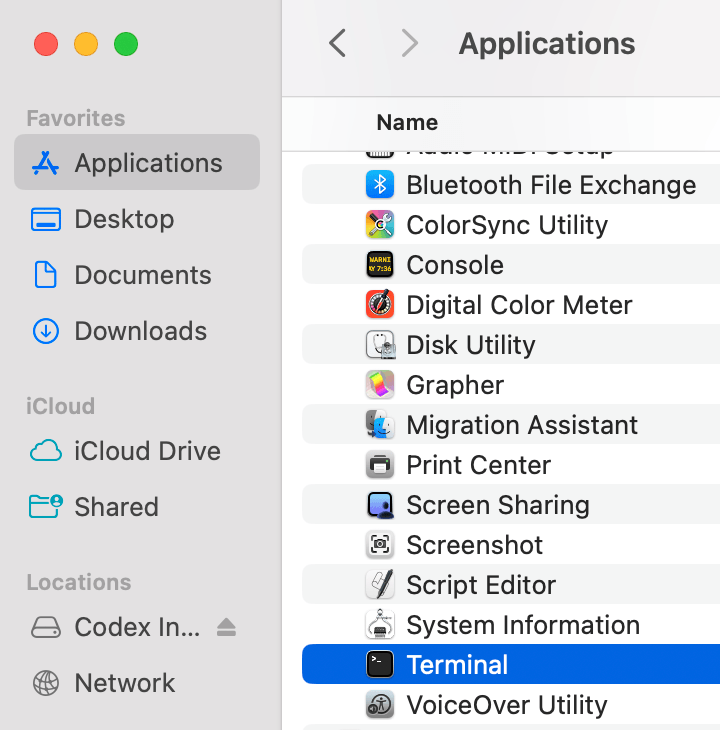
Claude Code is not a web-based chat window with buttons; it is a Command Line Interface (CLI). For users unfamiliar with this, the terminal can look intimidating—a stark, black screen defined by text. However, as Reed notes, it is not complicated; it is simply a direct way to command your computer.
A Note on Safety: One of the most critical aspects of Claude Code is its "Human-in-the-Loop" architecture. By default, the tool will never execute an action that affects your files, browser, or system without explicit permission. When it wants to browse the web or edit a document, it will pause and prompt you, ensuring you maintain full control over the agent’s actions.
Chronology of Setup: Getting Started
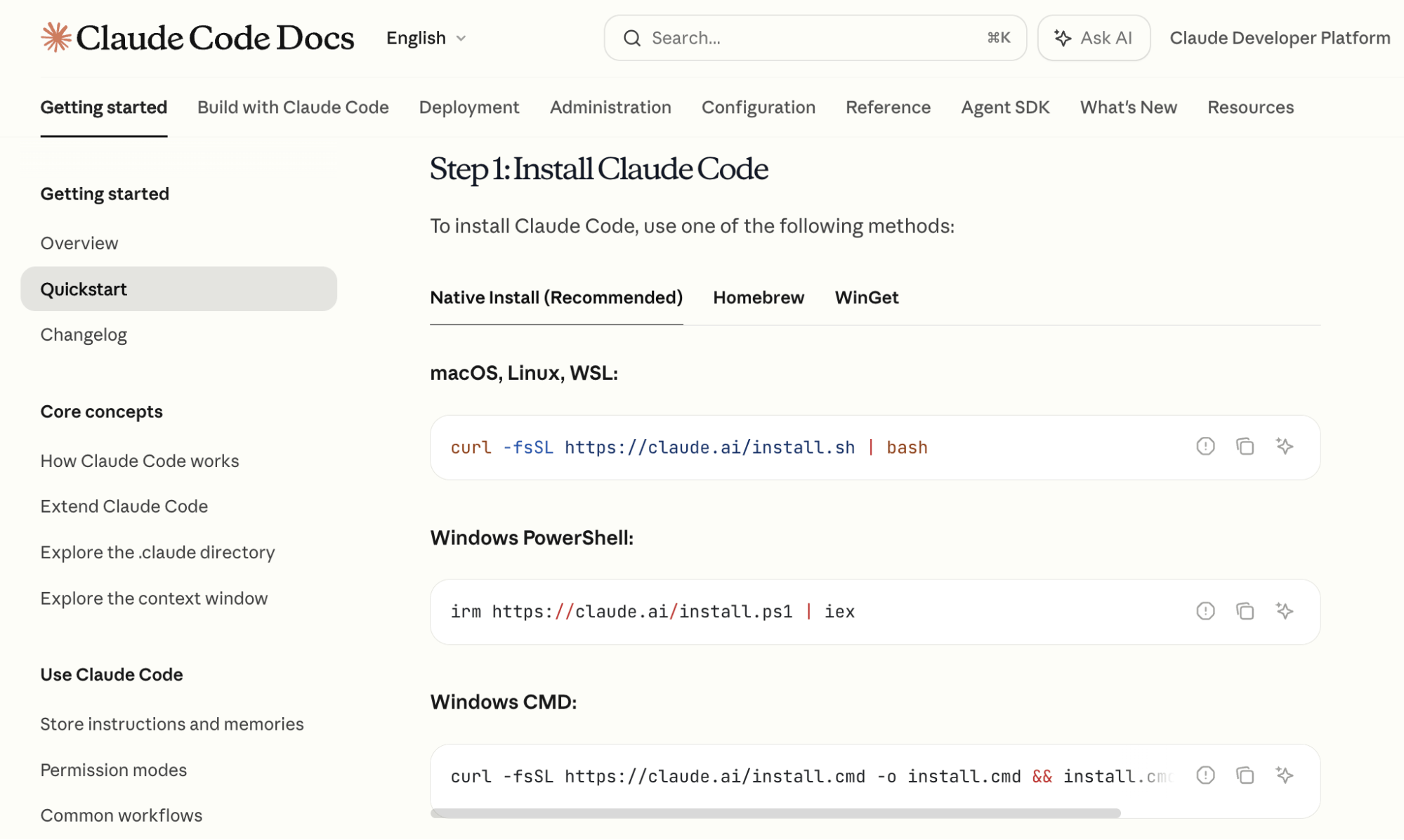
Installing Claude Code is a straightforward, modular process.

- Launch the Terminal: Open the terminal application on your macOS, Windows, or Linux machine.
- Access Documentation: Visit the official Anthropic documentation to find the specific copy-and-paste installation commands for your OS.
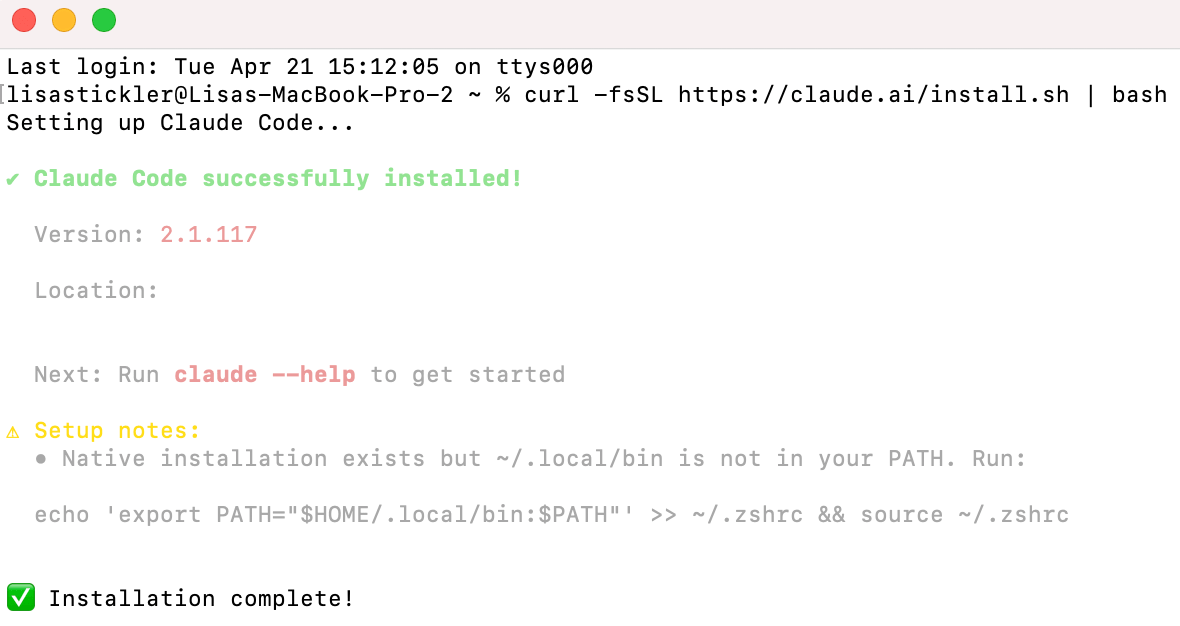
- Execute the Install: Paste the command into your terminal and hit Enter. Once the installation process concludes, type
claudeto initialize the tool. - Authentication: The tool will prompt you to log in. This opens a secure browser window where you authenticate using your existing Claude account credentials.
- Model Selection: Once authenticated, you are ready to begin. The environment is now listening for your natural language instructions.
Supporting Data: Strategies for Success
Once inside the environment, your workflow relies on specific slash commands. Mastering these will dictate your efficiency.
- Model Switching (
/model): Not all tasks require the same level of intelligence. Reed suggests a two-step approach:- Phase 1 (Planning): Use Claude 3.5 Opus. Its superior reasoning capabilities and larger context window make it ideal for mapping out the architecture of an application or outlining a complex document.
- Phase 2 (Execution): Switch to Claude 3.5 Sonnet. Once the plan is established, Sonnet offers a better balance of speed, performance, and token efficiency for the actual coding tasks.
- Context Management (
/compact): As projects grow, the "context window" (the amount of information the AI remembers) can become full. Keep an eye on the percentage indicator in the bottom-right corner of the terminal. If it nears capacity, use/compactto generate a summary of the session, effectively "resetting" your memory while keeping the progress intact.
Advanced Features: Persistent Memory and Custom Skills
To move beyond one-off tasks, users should leverage advanced features that transform Claude Code from a helper into a long-term assistant.
Building Custom Skills
A "Custom Skill" is a package of instructions that allows the AI to repeat a specific, complex workflow on demand. For instance, you could build a skill that searches for competitor YouTube videos, scrapes metadata, and downloads audio files for analysis. By describing this task and asking Claude Code to "save it as a slash command," the AI creates a markdown file on your machine. The next time you open the terminal, you can trigger that entire workflow with one command, bypassing the need for re-explanation.
Persistent Project Memory (/init)
For every new project, you should run the /init command. This creates a CLAUDE.md file in your folder. This file acts as the "brain" of the project, storing a plain-text summary of what the project does, what has been completed, and what is currently in progress. Every time you return to that project folder, the agent reads this file, ensuring it never loses track of the project’s state.
Case Study: Building a Daily Briefing Automation
To put these tools into practice, let’s look at the most common starter project: an automated Google Calendar-to-Telegram daily briefing.
Step 1: Connecting Google Calendar
Inside your terminal, simply state: "I want to have access to my Google Calendar. Tell me how to do this." If the technical instructions regarding API keys or credentials feel overwhelming, add the qualifier: "Explain it like I’m five." The agent will guide you through the Google Developer Console to retrieve the necessary keys, then automatically write the code to authorize the connection.
Step 2: Telegram Bot Integration
Type /telegram into the terminal. The tool will walk you through the creation of a bot account on Telegram. This bot will serve as your interface. Once connected, it acts as a private, secure bridge between your computer and your phone.
Step 3: Deployment
Finally, command the agent: "Read my Google Calendar and send me a Telegram message every morning with a summary of the next day’s schedule." The agent will write the script that ties the two services together. As long as your terminal remains open, the automation runs in the background, keeping you updated without you ever needing to open your calendar app.
Implications for the Future of Work
The rise of tools like Claude Code marks the end of the "specialized skill" era of digital automation. When an AI can handle the syntax, documentation, and error-handling, the competitive advantage shifts to those with the best problem-solving intuition.

By removing the friction of traditional coding, Anthropic has effectively democratized the ability to build software. We are moving toward a future where "non-technical" users are the primary architects of their own digital workflows. For marketers, entrepreneurs, and creative professionals, the ability to translate an idea into an automated process in real-time is no longer a dream—it is an accessible, command-line reality.
As you begin your journey with Claude Code, remember that the goal is not to become a programmer; the goal is to become an orchestrator of intelligent systems. With the right prompts, a bit of patience, and a clear vision, the limitations of what you can build are no longer defined by your ability to write code, but by the scope of your imagination.